How to turn off AI features in Firefox, or choose the ones you want
 February 24, 2026

Other browsers force AI features on users. Firefox gives you a choice.
In the latest desktop version of Firefox, you’ll find an AI controls section where you can turn off AI features entirely — or decide which ones stay on. Here’s how to set things up the way you want.
But first, what AI features can you manage in Firefox?
AI is a broad term. Traditional machine learning — like systems that classify, rank or personalize an experience — have been part of browsers for a while.
AI controls focus on newer AI-enhanced features on Firefox, including website translations, image alt text in PDFs, AI-enhanced tab groups, link previews and an AI chatbot in the sidebar.
Block AI features with a single switch
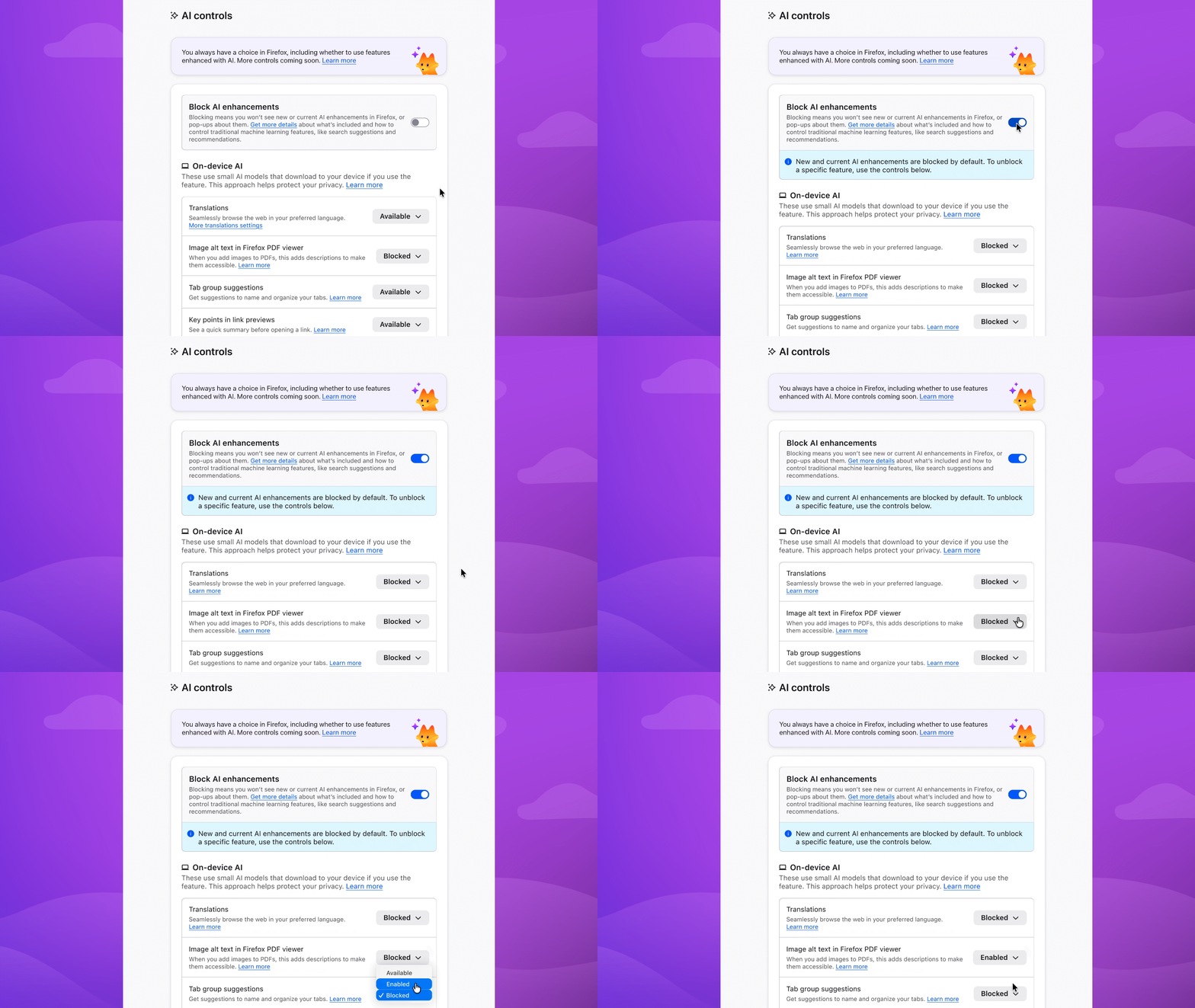
To block current and future AI-enhanced features:
- Menu bar > Firefox > Settings (or Preferences) > AI Controls
- Turn on Block AI enhancements
Or block specific features
You can also manage AI features individually. Block link previews? Up to you. Change your mind on translations? You can turn them on any time, while keeping all other AI features blocked.
To block specific features:
- Menu bar > Firefox > Settings (or Preferences) > AI Controls
- Find the AI feature > dropdown menu > Blocked
In the dropdown menu, Available means you can see and use the feature; Enabled means you’ve opted in to use it; and Blocked means it’s hidden and can’t be used.
Choose the AI features you want to use
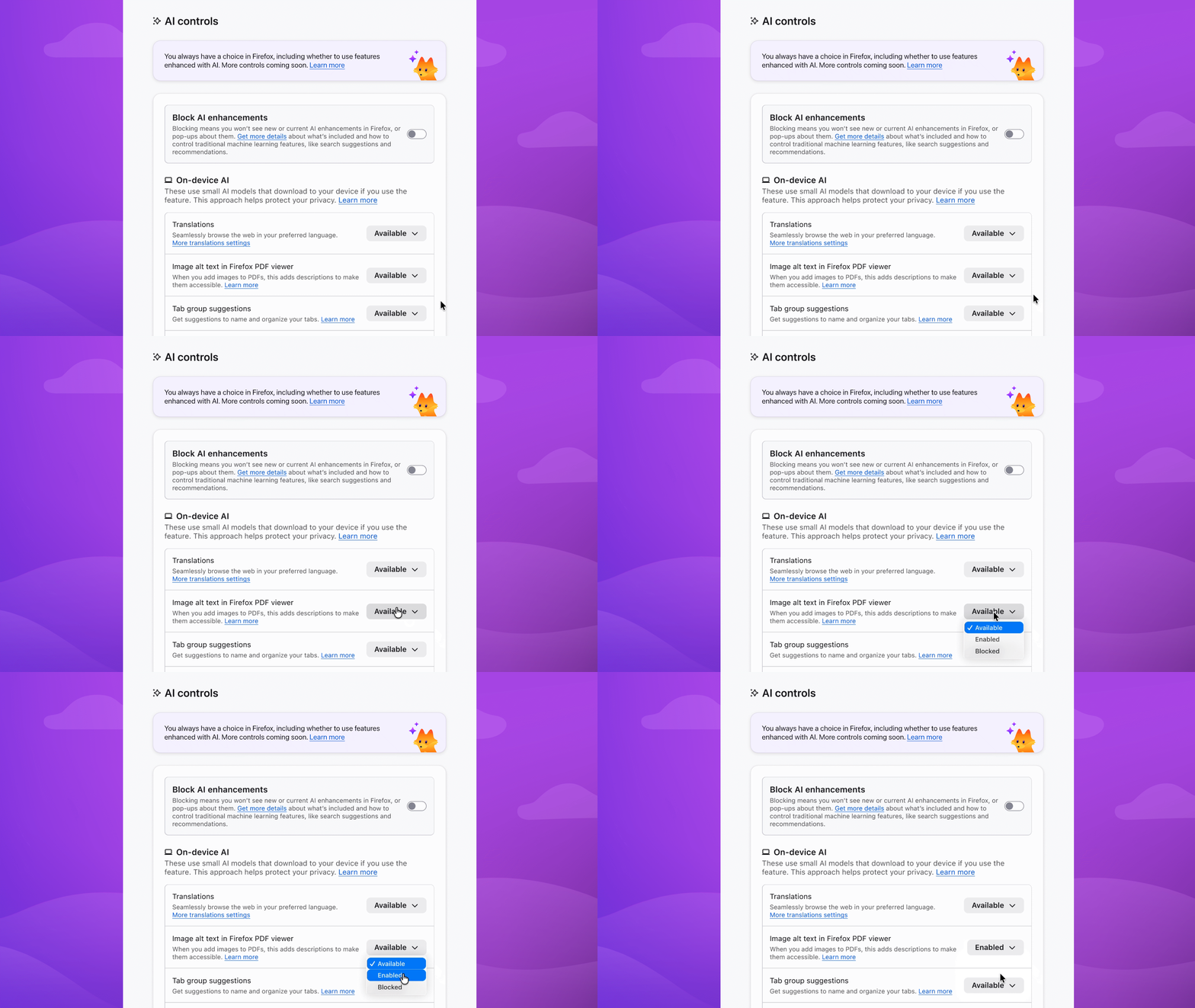
Enable image alt text in PDFs to improve accessibility. Keep AI-enhanced tab group suggestions if they’re useful. Block anything that isn’t — the decision is yours.
You can update your choices in Setting anytime.
For more details on AI controls, head to our Mozilla Support page. Have feedback? We’d love to hear it on Mozilla Connect – or come chat with us during our Reddit AMA on Feb. 26.