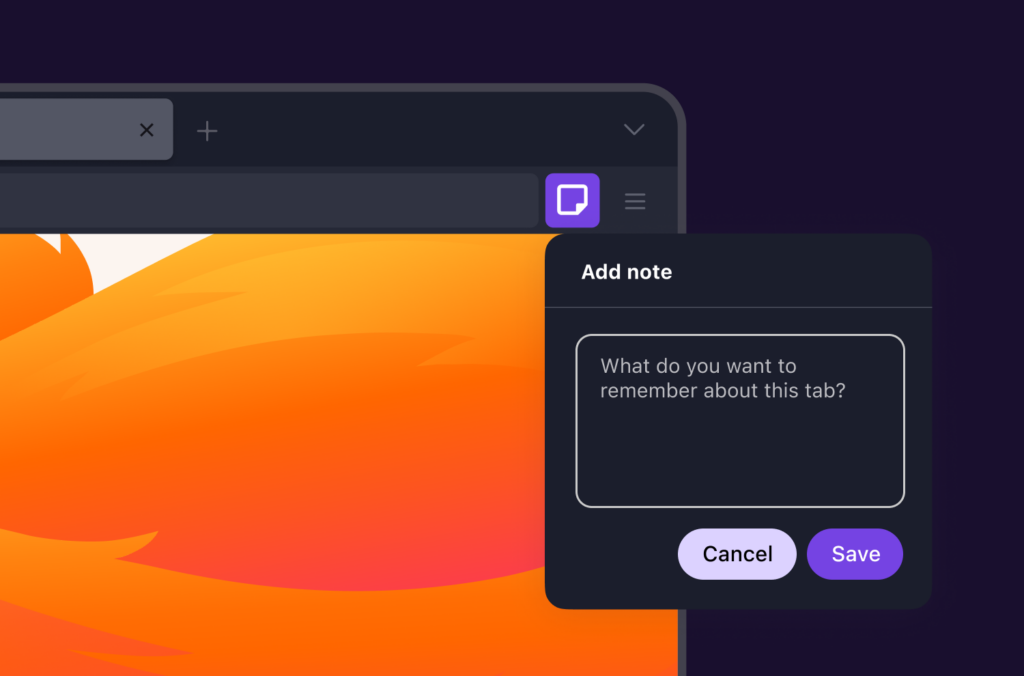
Don’t remember why you have all those webpages open? Now you can leave yourself a note for any tab.
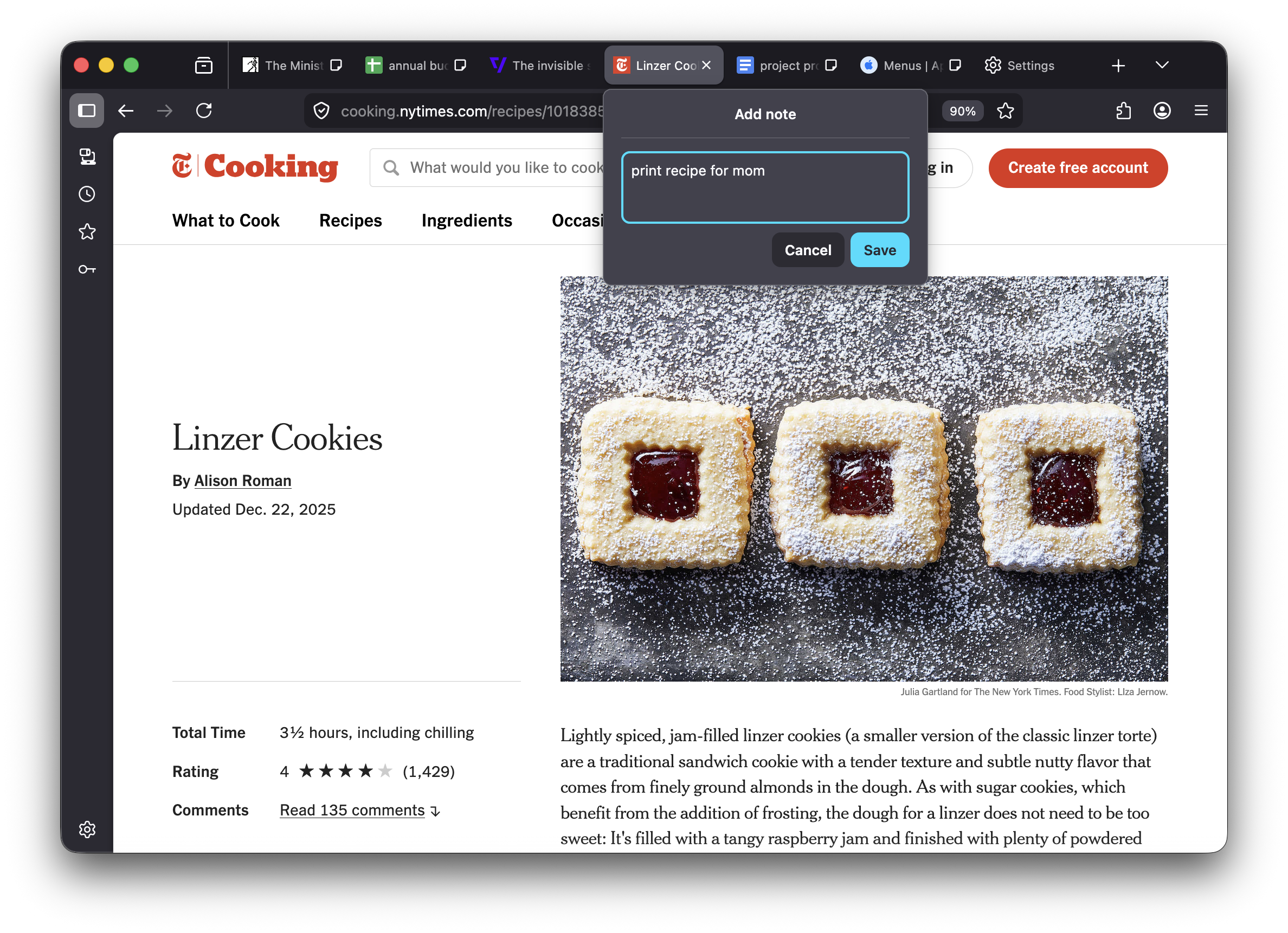
Tab Notes — our latest experimental feature in Firefox — are designed to help you remember, reflect, and pick up where you left off on the web by letting you attach a short note to a webpage.
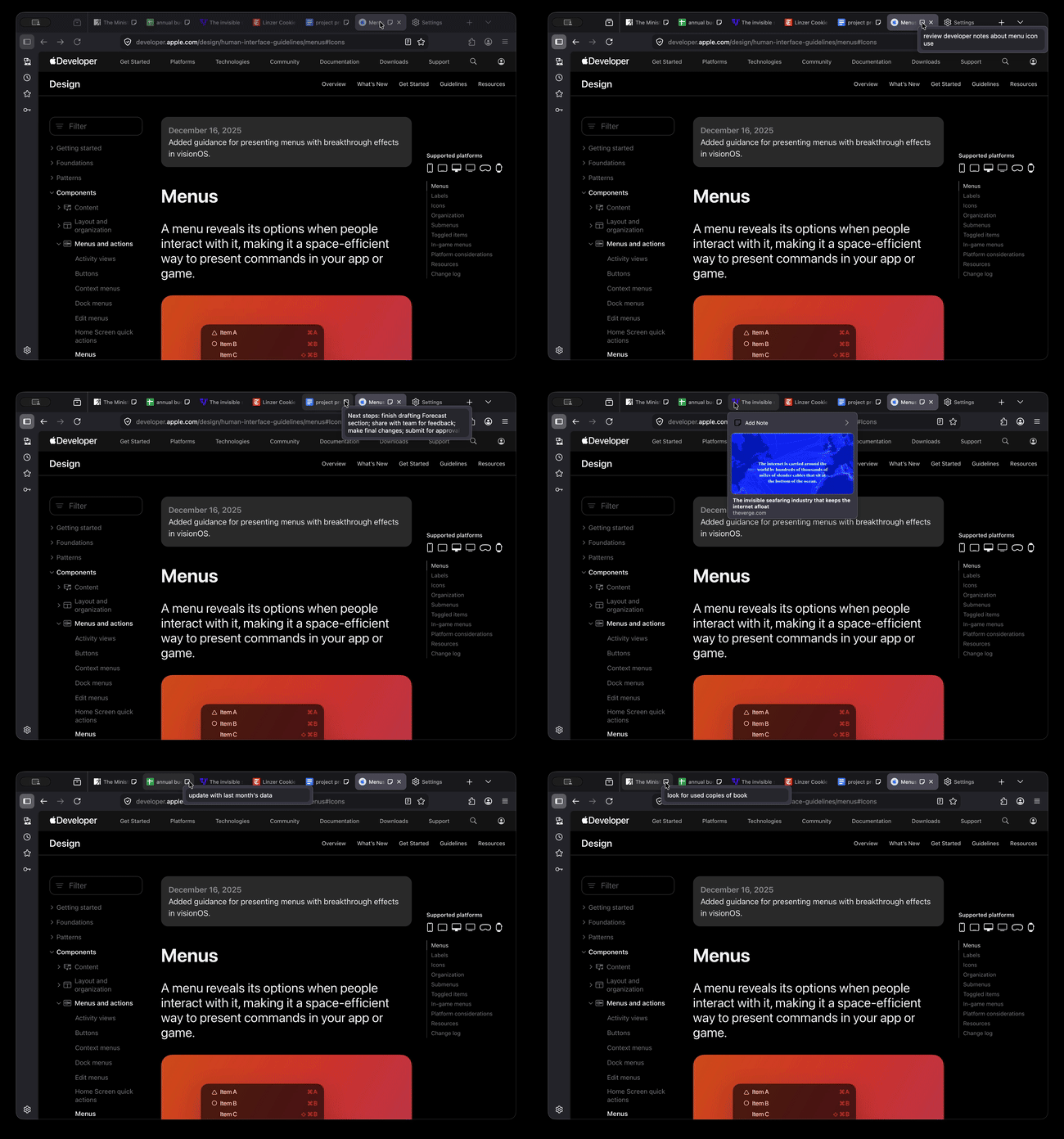
Indicated by a sticky note icon and visible when hovering over tabs, Tab Notes notes remain connected to the page’s URL until you delete them. Your notes are yours. They remain private and accessible only to you. Firefox stores them locally in your browser and doesn’t send them to Mozilla.
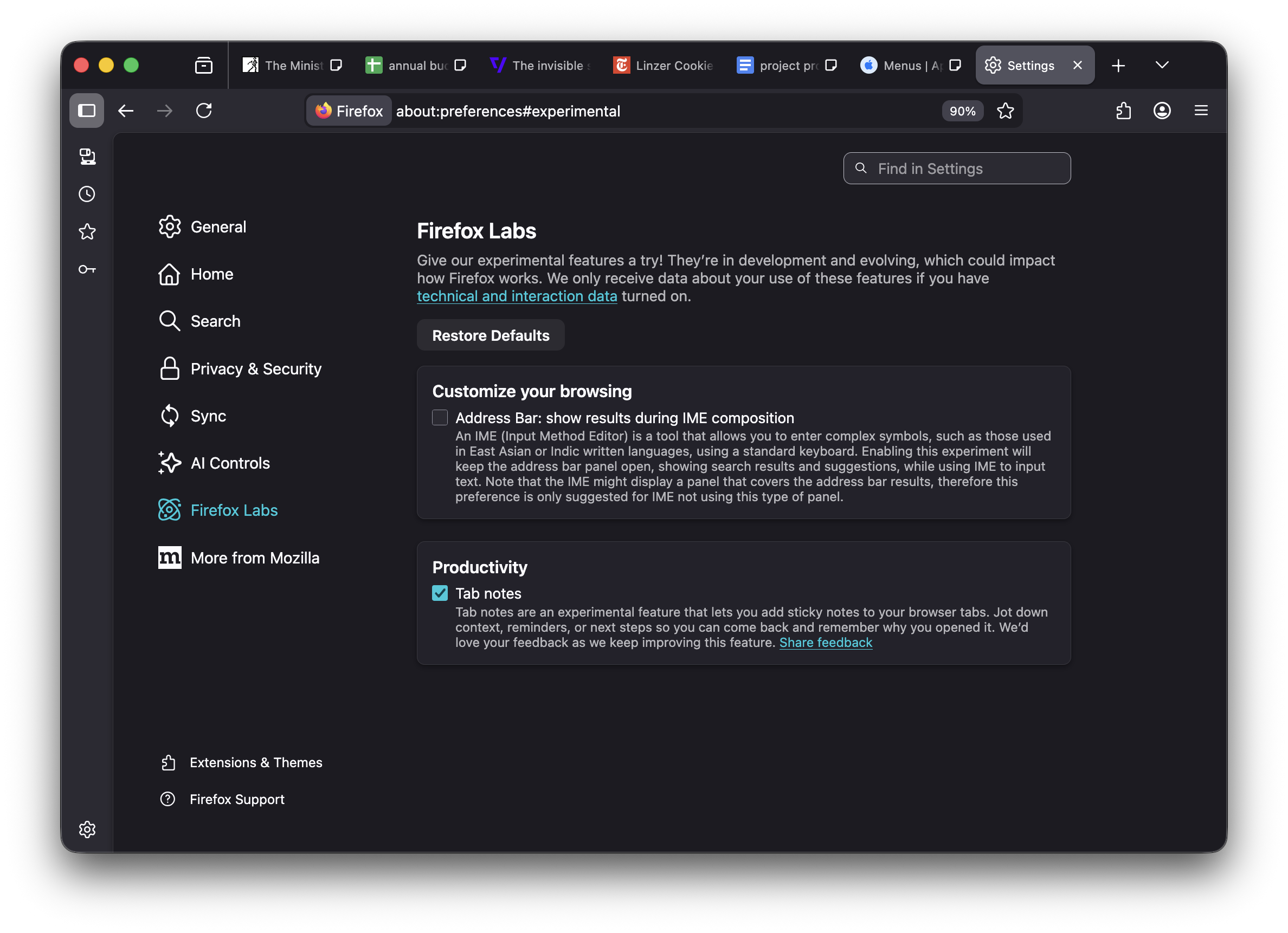
Starting March 24, you can try Tab Notes by following these steps:
- Go to Settings.
- Navigate to Firefox Labs (or enter about:preferences#experimental in the address bar).
- Tick the box beside Tab notes.
Now you’re all set! Just right-click or hover over a tab and choose “Add Note” to create your first tab note!
This work is inspired by user research that we conducted last year, which explored how people resume tasks after interruptions. One key insight we learned is that when we are interrupted, even a small reminder or message can significantly improve our ability to resume a task.
Many people use a variety of analog (e.g., sticky notes) and digital tools (e.g., note-taking apps) for these purposes as well, and Tab Notes are our exploration of that idea in a practical, lightweight way. These notes are easy to create, edit, and delete.
This is an early experiment, part of the Firefox Labs program. We are eager for feedback, which you can share on Mozilla Connect or by filing a ticket in Bugzilla.

Take control of your internet
Download FirefoxThis post is also available in: Deutsch (German) Français (French)