Start Something: Emerging Communities of Practice in Vancouver

I had a great time teaching Software Carpentry in the Earth and Ocean Science department at UBC last week – as always, I learned a lot from the experience and from my students, and have some ideas for what I’d like to do next time. But what really struck me, were the grassroots actions on coding in the sciences that are happening in Vancouver; a community of practice is beginning to assemble itself along several different avenues.

The Earth & Ocean Science Coding Study Group

While I was on campus, Susan Allen did me the honor of inviting me to sit in on her department’s study group meeting for coding practice. The format was simple and casual: a one hour meeting, once every two weeks, where a volunteer from the department would give a hands-on tutorial of a tool they use in their own practice. When I attended, Kathi Unglert walked us through the basics of awk and sed; there weren’t more than ten students in the room, and almost all of them were from the same department.

Much like when I teach Software Carpentry, the lecture paused often to let learners try things out, and proceeded at a pace the room was comfortable with. But the experience was also very different from a workshop environment; its small class size of people at least loosely familiar with each other and one hour duration helped Kathi create a very casual, relaxed and social environment, that felt more like friendly cooperation and less like the theatrical quality of a bigger event. Everyone could speak and be heard if they liked, and the scope was small enough for the lesson to be digestible at an amenable pace in a single sitting.

The Earth & Ocean Science coding study group was started after another Software Carpentry workshop last year, by department members eager to keep sharing similar skills, and I think the relaxed and familiar formula they found is just right for the next step after a workshop. In order for all these technical skills to stick, people need to keep practicing them, and they need to be in an environment that supports that exploration and practice; but in order to sustain those practices long term, they need to be low-pressure and low-barrier, which this study group model has done a fine job of realizing.

Hacky Hour and Other Meetups

After the Software Carpentry workshop, I threw Vancouver’s first Hacky Hour at a pub at UBC. Hacky Hours got started by our friends at the University of Melbourne as a casual meetup for students, scientists and researchers to get together and talk about how they use code and handle data, get help with their bugs and problems, and meet new friends and colleagues. An informal user-group style get-together is something that I’ve wanted to do more of in the collaborative research coding space, so I was eager to give it a try, and I think it was a big success.

I think one of the biggest hurdles in the open science space is discoverability & making connections. We’re all doing interesting work with plenty of overlaps, but it can be difficult to find those overlaps and know where to go to get support (technical and moral) from a community of peers. When I was chatting with him about how his community does Hacky Hours, Damien Irving described the events as opportunities for scientist-coders to make themselves available to one another, and available for the discussions that lead to collaboration, discovery and support.

I wrote about the tremendous power of live events to defeat the discoverability problem in research coding, as a response to NCEAS’ Codefest last year in Santa Barbra, and the same appears to be true at an event like a Hacky Hour. Even at our very first event (which was a relatively impromptu affair), discussions among the mix of people that came revealed that web development and bioinformatics have some surprising overlaps; there are some excellent packages out there that may solve big chunks of one of the Collaborate projects; and everyone in genomics has a funny story about the microbiome. We also learned about VanBUG, a bioinformatics user group here in Vancouver accomplishing similar community building activities, who I’d like to drop in on soon; once again, the simple act of sitting around a table together made the discoverability problem evaporate.

What About My Town?

I’m really inspired by the great grassroots stirrings that are going on in Vancouver right now; these sorts of welcoming, low-barrier community events create opportunities for people to learn and share and jump on board with what their colleagues are doing, and feel like the beginnings of a groundswell movement. Luckily, both study groups and meetups are not so hard to get started in your own town or institution.

For study groups, start in your own department or even lab group with an easy schedule; a one hour tutorial once or twice a month among peers is fantastic. For material, the lesson leader should pick something they’re familiar with, and use in their every day practice; this makes it easy for them to come up with a lesson, and with examples that will be relevant to the audience. Make sure to keep the lesson hands-on, casually paced and driven by opportunities for practice. You can check out Kathi’s lesson on awk in our new repository for an excellent example. I’d like to start compiling a collection of these one-hour lessons, for others to re-use; please, send us a pull request with your lessons, or send them to me at bill@mozillafoundation.org.

For Hacky Hours, simpler is better – a meetup on campus or somewhere else easy for your community to drop in is best, at a pub or cafe to promote a relaxed atmosphere. The key to a good hacky hour is availability and interaction; encourage people with questions and interests in research coding to come and meet one another, and bring what they’re working on to discuss it and perhaps even collaborate a bit. Surprising and fruitful connections begin emerging, even in small groups. For an example of organizing a hacky hour, see the Vancouver thread on the Mozilla Science Forum, and feel free to start your own there, too!

I’ll be sharing more ideas on study groups and hacky hour meetups as we do more of them here in Vancouver – please, post your own ideas and experiences in the comments or on the forum, and let us know how it goes!

Image Credit tdlucas5000, CC-BY

What we're working on this sprint

Jan 30 demos video. Check out Andrew and Bobby’s presentation starting at 56:00. Great analysis and take-aways on recent efforts like on-boarding, login and more.

What we got done last sprint

What we’re doing this sprint

Continue reading …

Mozilla Science Lab Week in Review, January 26 – February 1

Shoutouts

Huge thanks to Susan Allen of UBC Earth and Ocean Science for organizing the Software Carpentry workshop that Bill Mills taught last week, Tiffany Timbers, Bill’s excellent co-instructor for the workshop, and Karina Musalem for helping out; these workshops give us a chance to connect with the community, and we couldn’t do them without the support of everyone who helps make them happen.

Also, shoutouts to Kathi Unglert, also of UBC Earth and Ocean Science, for letting Bill sit in on her study group tutorial session last week; Kathi did a fantastic job of walking her colleagues through awk and sed in the bash shell, in a study group format that will serve as an important case study for future such events. See her blog, Volcano Diaries, in the Reading List below.

In & Around the Lab

Bill spent the week at UBC to teach a Software Carpentry workshop in the Earth and Ocean Science department, but also to learn from the vibrant community of scientist-coders that is growing there, and to try out a new event – Hacky Hours, as inspired by our colleagues in Melbourne at the Research Bazaar. Watch this blog tomorrow for his thoughts on meetups and study groups at UBC, and details on how you can try setting up the same events in your home town.

Also this past week, we opened another community brainstorm and discussion list on our new project, Open Science Comes to Campus, in collaboration with Shauna Gordon-McKeon of Open Hatch. What are the skills and customs new contributors need to know in order to successfully participate in an open-source research project? The discussion is still ongoing – please, add your ideas and experiences to the conversations linked above, so we can design the event the community most wants.

Near-Term Forecast

This is the last week before Bill and Kaitlin fly to Melbourne for the Research Bazaar Conference – we’re excited to deliver some workshops, meet our colleagues in the region, and see what we can learn from and give back to the community there. We’ll be following ResBaz with a tour of New Zealand to do the same – watch the blogs for report-backs on our experiences there.An

Reading List

An Introduction to Docker for Reproducible Research, with examples from the R Environment | Carl Boettiger

Learning Pathways: Descriptive or Prescriptive? | Doug Belshaw

A Road to Studying Volcanos | Kathi Unglert

Toward True Public Engagement in Science | PLOS Blogs


MoFo Marketing in 2015

We launch into our 2015 Mozilla Learning plan with lots of momentum. We have a strong, engaged base of contributors built on the ground through solid partnerships, strong and growing Hive learning networks, and our popular annual Maker Party. Our marketing objective in 2015: capitalize on this momentum and expand to reach a broader audience.
It’s worth noting that there are important elements of both marketing and sales in our approach. Marketing will be used to reach individuals through our broadcast channels – think Mozilla’s equivalent of a super bowl ad, the snippet – and have them engage with our Webmaker product. Sales will be used to take our program offerings to new and existing partners and demonstrate the value to them of incorporating the Mozilla Learning network approach into their work.

Our Goals

We’ll implement a two-pronged approach, building on what’s been working within our sales and partnership channels while reaching for a new, mass market of individual learners through marketing. The assumption is we can do two things at once and do them well: target an audience of learners and mentors in parallel, likely in different channels with slightly different messages. With this approach we aim to:

  • Have 250,000 people actively making and learning with the Webmaker desktop tool and mobile app through increased marketing activity.
  • Expand our the global footprint of our learning networks to 500 cities by running a Maker Party campaign, launching the club model, and adding more Hive Learning Network locations through successful sales and partnership engagements.

Branding: One Mozilla

Wrapped around this marketing and partnership outreach will be an ongoing branding and communications effort that seeks to align more closely with the larger Mozilla brand and establish our leadership in a global digital literacy movement.
With our on-the ground programs and online products, we’re taking the opportunity to evaluate our branding position across all of the Foundation’s initiatives. In practice, this means moving towards aligning products and programs in a way that is more similar to the Firefox-Mozilla architecture. The working version of this is Webmaker as our product tied to an individual’s desire to make and Mozilla Learning Network as the product tied to a community’s desire to change how digital literacy education works.
There are nuances of course — brand architecture questions to be worked through and naming and positioning to be established — but an efficient, thoughtful process that leads to a crisp, cohesive brand framework is the P1 this quarter.

Communications: Broadened awareness & thought leadership

With a working version of branding sorted out, another key umbrella for all product and programmatic activity is building and deploying a better communications plan. One that positions and establishes Mozilla as a leader in the global movement to keep the Web open, empowers users in emerging markets to become creators, not just consumers, and differentiates our literacy efforts as innovative, unrivaled and impactful. To get there, we’ll be focused on a few specific things over the next few months:

  • Improved long-term planning
  • Expanding our capacity by adding a Comms Manager
  • Better integration with Mozilla-wide opportunities
  • More earned media and public recognition
  • More strategic use of social media

Webmaker product marketing: Engagement, growth and impact

Our goal for the Webmaker product this year is to achieve real scale by reaching a mass market, defined as anyone who wants to make something on the web. That’s quite a “mass” when you consider the number of people already creating blogs, making .gifs, selling goods on Etsy, or editing and sharing photos on Instagram.
In our experience the best way to equip people with skills for this digital age is to empower them to become makers. Learning and skills development is something that happens as part of the experience. With this in mind, the Webmaker product team is building a free, simple-to-use and fun tool for creating on the web. It’s localized for their communities, relevant to their social, economic and cultural needs, allows for making on any type of device, and enables them to learn new skills.
As the new tool emerges over the next 3 months, we’ll engage in a variety of marketing activities to hone our go-to-market approach and kick-off a new era of learning with Webmaker. Here are some of the specific projects and initiatives taking shape over the next two quarters:

  • Honing a maker-focused value proposition
  • Testing and optimizing conversion and onboarding
  • Successfully launching beta at Mobile World Congress
  • Building buzz and attention around new Webmaker product
  • Testing new App acquisition channels
  • Better integration and prominence within Mozilla-wide campaigns
  • Localizing our marketing

Learning Network sales: quality growth

Foundationally, our learning network presence on the ground works. We continue to have a compelling offering that allows us to reach a global audience that includes professional educators teaching tech, educators interested in tech, individuals with passion for teaching others, and casual mentors who like to share skills with their personal networks.
Mozilla’s connected learning networks offer access to teaching resources, organizational support, recognition and rewards systems, and access to a global community of fellow teachers to have greater impact in the world. We want to continue to build upon what’s working and try some new ways to expand our reach and footprint along the way.
Working off two tiers of engagement — the developing “Webmaker clubs” model currently being piloted and the established Hive network model —  the Learning Networks team is already busy growing this area of our work. As those plans take shape, we can grow sales of our learning netwok offering to partners and support ongoing promotion and engagement through marketing by focusing on:

  • Building ongoing engagement campaigns for existing contributors
  • Creating buzz and attention around the launch of Webmaker Clubs inside the teaching community
  • Taking better advantage of existing and new partnerships by building out a robust sales pipeline
  • Using 2015’s Maker Party campaign as a way to attract new partners and re-engage existing mentors

Looking Forward

There are lots of moving pieces to wrangle, tough branding questions to be resolved, and new messages to be honed. In many ways, we are approaching Q1 as a test-bed to get these things right. With a methodical approach to testing, optimization and planning in the next few months, we’re optimistic we’ll be in a strong position to launch our new products and programs in a big way — bigger, better and more impactful than anything we’ve done before.

A/B Testing New Designs for the Webmaker.org homepage

This is a quick post to share the results of an A/B test the Webmaker Product Team recently ran on the webmaker.org homepage.
The team designed and built four variations of a new homepage. The homepage was the same for all users except for the blue ‘Splash page’ area seen in the screenshots below where we tested different images and text.

First we’ll look at how these designed performed against each other…

Variation A

Variation A


Variation B

Variation B


Variation C

Variation C


Variation D

Variation D


Before you look at the results below, which design and messaging do you think will result in the most users joining Webmaker?


The results:

Variant Traffic Conversions Conversion Rate
Variation A 11,913 903 7.58%
Variation B 11,950 1,066 8.92% This is a statistically significant
winner against A or C
Variation C 11,714 748 6.39%
Variation D 11,896 1,034 8.69% This is a statistically significant
winner against A or C

Variation B & D are equal winners. Although B reports slightly higher in these results, the difference in performance between variation B and D is not statistically significant, so we can use either of these versions as our new default homepage.
One of the goals of this test was to explore the relative impact of how we talk about Webmaker to new users, and whether we focus on it’s place in relation to personal user benefit, of the Mozilla mission and these results give us a starting point in that research. But we should not jump to any conclusions from the results of a single test like this.
For example, we were testing a photo versus an illustration in this experiment. Variation A and D have the same text, but A has a photo background, and D has the illustration. Comparing the results of these two variations tells us that this illustration performs better than this photo. Not that all illustrations perform better than all photos, or even that the best option will always be an illustration. It could even be the positioning of the text that made the difference (left versus right on the screen).
What matters though is that we now have a combination of content for the homepage that we know is working well. We make this our new default (the ‘champion’ in testing terminology) and when we want to work further on this page we put up new designs as ‘challengers’ and test the page again. Given that this is our first round of testing, it is likely we can find many more gains over time.

What was the impact overall?

It’s interesting to compare these pages to each other, but what is even more dramatic is this impact this design had when compared to our previous homepage which was not included in the test variations. You can tell from the graph of Conversion Rate below which date this new homepage went live…
Homepage conversion rate
That’s it for now, but as we run more tests, we’ll share more results here too.

Year-End Campaign in Review: What We Learned

Ending a campaign of this magnitude is like stepping off a roller coaster. I’m mildly disoriented, exhausted, but also ecstatic that we far exceeded the goals we set. In retrospect, we learned a lot. What we do next with what we learned will help us build a sustainable infrastructure that puts Mozilla on surer footing to protect the Web for generations.

In this post I am sharing what I think are the year-end fundraising campaign hits and misses — the “gems” we must mine to keep getting better at fundraising campaigns at Mozilla.

Big Wins

More than $3.19 million USD raised in six weeks.
More than 300,000 people responded to Mozilla’s call to protect and support the Web. They each donated around $9 to Mozilla. Last year, during the same time, we raised $1.2 million from just over 100,000 donors. We also broke our one-day giving record. On 12/30 we received $356,122 from over 30,000 donors. On the same day in 2013 we received $311,922 from over 20,000 donors.

Over 2,200 new monthly donors.monthly-giving
For the first time, the fundraising team redesigned the donation form to surface monthly giving. A check box was offered next to one-time gift (though one-time was selected by default – see the image). During the campaign 2,202 donors chose to give a total of about $12,000 monthly. That’s an annual expected income of more than $145,000. Monthly donors offer the security of sustainable income. This was a big win, and there is much to explore in growing a recurring donation program.

Conversion rates soared.
Going into this campaign we knew there was a big opportunity to increase conversion on the donation form. We calculate “conversion rate” by dividing the number of people who complete a donation by the number who viewed the form. The benchmark conversion rate from our 2013 form was about 5.5%. Most fundraisers would be thrilled with a 10% conversion rate on a donation form. By the end of the campaign we were seeing outstanding conversion rates upwards of 25%! The team accomplished this by testing, testing, and more testing — and also trimming page load times where we could. Relying on testing and data-driven decision-making made all the difference. Though the snippet impressions were just 63% of the total last year, the optimization strategy yielded more donations. The donor experience was at least 4x as successful. In graph form, that looks like this:

Fewer impressions, but more revenue.

Fewer impressions, but more revenue.

Giving outside the U.S. grew. By a lot.
Of the $3.19 million raised, 44% or $1.4 million came from outside the United States. More revenue came from outside the U.S. this year than came from the entire 2013 campaign! yen-donationDonors from 176 countries gave, and giving at least doubled in 96 countries. Despite the heavy optimization and testing focused on the U.S. audience, giving outside the U.S. improved more (140% growth in U.S. giving vs. 169% growth in giving from all other locales). By far the biggest growth in giving came from Spanish-speaking countries because we translated the donation form and snippet to Spanish for the first time this year. Giving in the following countries at least quadrupled in 2014 compared to 2013: Guatemala, Nicaragua, Columbia, Bolivia, Argentina, Peru, Spain, Mexico, Panama, and Chile.

Our campaign machine hummed.
Nearly 90 people from at least six different teams across Mozilla contributed to make this campaign work. Folks from brand, engagement, L10N, snippet, Webmaker, legal, creative, social, email communications and even executives pitched in. A core group met daily in December for an “EOY Stand-up Meeting” to review and triage tickets and tasks, review test results, and identify and remove blockers. Our single source of truth was a wiki page, and in total more than 266 tickets were created and closed during the campaign. A cross-team debrief in January helped clarify what we did really well, and what we need to improve in 2015.

Donor support got much, much better.
Donors were better taken care of during this campaign. The new donor FAQ was launched just before the campaign and was visited more than 34,000 times. An email address at the bottom of the donation form was monitored and answered by an actual person, who replied to more than 800 individual emailed questions (and at least one phone call). We expanded ways people could donate, too. The campaign team built donation forms for 16 additional currencies and we began accepting bitcoin in November.

Where We Can Do Better

Start earlier. Test earlier.
In the end, there were more great ideas than we had time to build or test. There were also a number of “edgier” concepts that required careful consideration and testing before we would consider rolling them out to a broad audience. Pivoting based on test results late in the campaign puts a lot of stress on the team and on our systems. We launched our first snippet tests in November 2014 — we should schedule some time to test earlier in the year, starting in Q1 if possible.

Reduce snippet annoyance.
How many times can you ask for a donation before the requests become annoying to the user? That line is different for everyone, and during a campaign, there’s a careful balance to strike. On the one hand, more than 300,000 Firefox users saw our fundraising snippet message and gave — because giving feels good and they appreciate Mozilla enough to dig out a credit card and complete a form. On the other hand, like every large organization that does fundraising, we get some blow-back. While it’s a given that fundraising can be uncomfortable or annoying for a relatively few people, there is definitely room to improve our users’ experience. For instance, we need to either 1) turn off the fundraising snippet promotion for users that donate or 2) give the user an “[X]” to close or turn off a snippet they find bothersome while still offering plenty of opportunities to give. Solution #1 has privacy implications but there’s a renewed interest on the product team to make this a priority.

Optimize channels other than snippet.
With a smallish core team and limited time, we had to make choices about where we would get the highest return on investment (ROI). Because 50% of giving comes from Americans, we focused much of our optimization on the U.S. English version of the snippet. That meant Firefox for Android, Promotion Tile, more country locales, and other channels got much less attention. The team knew these were missed opportunities and it was a bit painful to have to set them aside. The channels hold a lot of promise and, if resources allow, should get more focused attention in 2015.

Do a better job of thanking donors.
How we thank people who give is not exactly ‘bad’ at the moment but it could be much better, much warmer, and more “Mozilla”. We tweeted to a few donors who used our #lovetheweb hashtag. Every donor got a receipt by email after they donated. Those donors who opted in to receive email (about 30%) also got a warm email from Mark Surman. There are better ideas, like creating a thank you video from Mozilla volunteers and employees that would be shared with donors after they gave. A project like that takes time and talent, but whatever we create, it should be a special show of appreciation that captures just how we feel about our community of supporters.

There will be a few more posts detailing a few of these strategies. Overall, our fundraising trajectory is going in the right direction. If we double down on our hits and learn from our misses, we will get better at growing our global community of supporters and executing small-dollar fundraising campaigns.

Thank_You_Beach_620

Cyberlearning 2015: Connect, Collaborate, and Create the Future

What can two days in Washington D.C. discussing the aspirations and academia behind Cyberlearning reveal? A boat load.

The Cyberlearning 2015 event is put on by CIRCL (led by SRI International in collaboration with EDC and NORC) to support and advance the works with projects in the NSF Cyberlearning Program and cyberlearning-themed projects across NSF to support, synergize, and amplify their efforts.
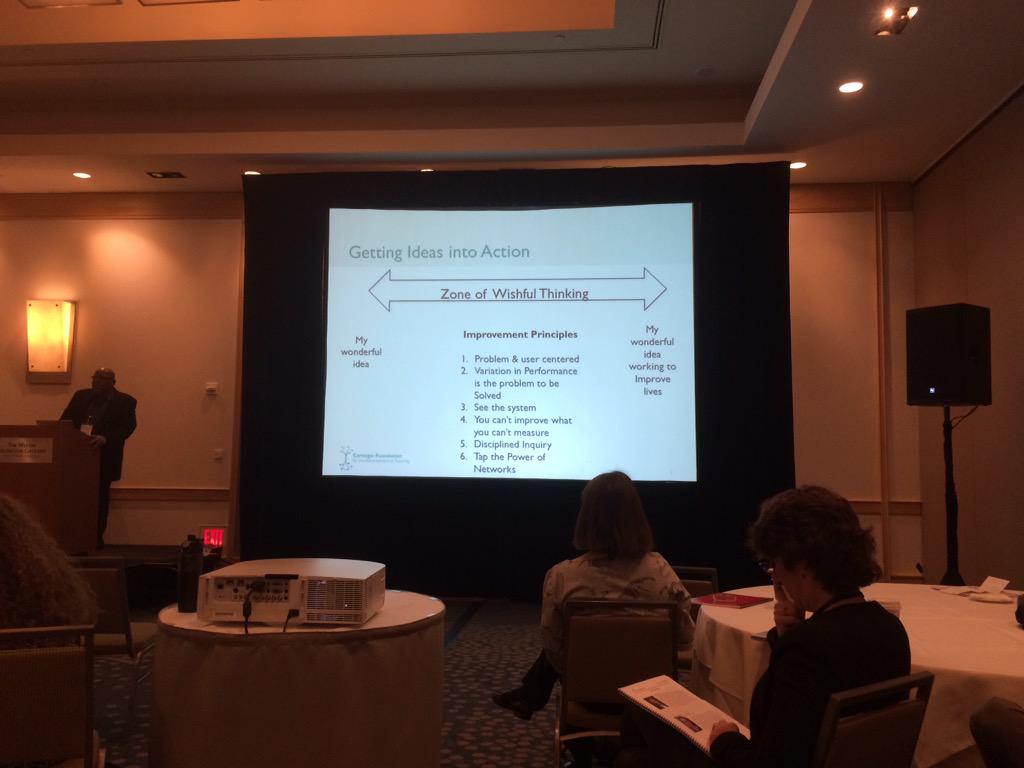
As a huge fan of UCLA’s Louis Gomez, it was empowering (and fun) to hear him talk candidly about innovation, the importance of equity, and the “zone of wishful thinking” as space between good ideas and improving lives. 
Justine Cassell from the Human-Computer Institute at Carnegie Mellon (@cmuhcii) was evocative in her keynote discussing her work with tutor simulation and rapport building with young students, noting that culture is not a set of buckets into which you can drop people; people have many cultures.

We got to spend several hours working with groups on specific impact areas that hold promise for researchers, educators, non-profits and industry to affect the projects NSF funds with this initiative.  We were particularly engaged in the sessions on collaboration with teachers, revealing methods for attraction, adoption and co-design for research and edu projects, and the broader scope of Cyberlearning, with it’s potential to offer a “Grand Challenge” to create test beds to rapidly test, deploy, iterate and scale findings and projects.
We participated in the Gallery Walk featuring several interesting works, where we demonstrated Adagio (@AdadioIS) -a remote audio mixing tool – to show visitors how the power a gigabit network impacts learners. 
Cristobal Cobo ( talked about redefining the boundaries of learning, Jim Kurose, AD for the Directorate for CISE from applauded the researchers in the room and implored them to keep doing the noble work that has inspired his long career in academia and with NSF, and throughout the two-day event, we heard dozens of PechaKucha style project talks.
And to cap things off,  visitors and live streamers got a mind-blowing and inspiring peek inside Theo Watson’s (@theowatson) interactive, embodied work (@designio), including a new, large-scale installation that will open at New York Hall of Science in June.

Hearing and participating in this event, especially as the news spreads about the four new Google Fiber cities, we see the opportunities for wider technology adoption and the imperative to seed learning innovations, and we take great pride in our opportunity to partner with these folks whose theories and research shape the genres of Cyberlearning, and offer us great parallel work streams.


Privacy Matters, Today and Everyday

Today is Data Privacy Day and we think it’s a great opportunity to get smart about your online privacy. If you are anything like us, you probably spend a large part of your daily life online which means understanding and controlling our online privacy is one of the most important skills of our age. It’s critical to the future of the open Web.
We are celebrating Data Privacy Day with a few simple actions you can take – resources to help raise your privacy IQ, some simple activities so you can help others learn more about their privacy online and ways to participate with the Mozilla community as we explore the privacy issue. Learn more about each below:

  • Visit our Data Privacy Day website to learn more about privacy issues with four easy steps to help you get smart on privacy.
  • Gather a group of friends, family or students and complete the Webmaker “Private Eye” activity. It’s a quick lesson that can create a real “Wizard of Oz” moment by pulling back the curtain to see who’s watching you on the Web.
  • Join us for a real-time privacy conversation on Twitter. Our Executive Director, Mark Surman, will be answering questions during a Twitter chat today at 2:00 pm EST, along with thought leaders from Duck Duck Go, McAfee, iKeepSafe.org and the Center for Democracy and Progress. Just be sure to tweet @Mozilla or follow along at #PrivacyChat!
  • Participate in our monthly Teach the Web talk today at 3 pm EST. Stacy Martin, Senior Manager for Privacy and Engagement, will be joining us to talk about how to be smart with your Privacy online. Join the google hangout here.

Empowering people to be in control of their online lives is an important part of  our mission – it is core to our principles and it’s why we want everyone to be smart on privacy. If you feel like we’ve helped raise your privacy IQ, help your friends and family raise theirs. It’s as easy as starting a conversation.

Transforming learning with 21 new Hive Toronto member organizations

Here at the Hive Toronto Learning Network, we started the new year by welcoming 20 new member organizations into the network, growing our membership to include more than 60 youth-serving organizations.

As Mozilla’s initiative to help youth become creators with technology and not just consumers, Hive is a network of educators and organizations transforming learning by advancing digital skills and web literacy through connected learning at both a local and global level.

Membership: Value & opportunity

To support youth learning, Hive supports member organizations by providing opportunities for educators to develop skills, share knowledge, and collaborate through the following mechanisms:

Cultivating a community of practice: Community calls, meetups, online communication platform, consultation on program and curriculum development

Facilitating professional development: Digital literacy trainings, cultivating and sharing training opportunities

Acting as a conduit: To other organizations, to funders, to opportunities for youth, promotion

Seeding collaborative partnerships: Informal partnerships, pooling funding from outside funders for cross-member Collaborative Community Projects to develop new digital learning opportunities for youth

By joining Hive Toronto, members commit to contributing to a collaborative community of practice. We often explain Hive as a potluck: members have different needs, or “appetites,” but like any good potluck, you take what you need while contributing what you can.

With this being our third membership application process, Hive Toronto strives to curate a network of diverse members that serve and are reflective of Toronto and the surrounding areas. Based on member feedback, this round of membership application was open to for-profit organizations with youth programs. The reasoning behind this was twofold: These orgs are offering quality programming to youth and/or educators and current Hive members were already collaborating with several of these for-profit orgs, indicating that they have skills and expertise that could benefit the network.

Hive Toronto: A timeline

Hive has come a long way since the 2009 origin of the model in 2009, expanding to Toronto in 2012 and currently growing in 11 locations, globally.

2009: Hive NYC was launched as New Youth City Learning Network

2012: Hive Toronto in pilot phase; 20+ members; 3 events

2013: Monthly meetups & calls; 40+ members; 12 collaborative events; 5 funded Collaborative Community Projects, Maker Party 2013, 2 members represented at the Mozilla Festival (MozFest)

2014: 5+ digital literacy trainings, 6 collaborative events; 4 Collaborative Community Projects, 2 Remixable Open Educational Resource grants, funding from the Office of the Privacy Commissioner (OPC) to co-design privacy education resources and open badge prototypes, funding from the Canadian Internet Registration Authority (CIRA) to develop appmaking resources and Webmaker functionality based on educators needs, new website, launch of Hive Global, Maker Party 2014, 3 members represented at Mozfest LINK

2015: 60+ members, professional development, more projects

Watch this 2 minute video to learn how the Hive model is transforming learning in Toronto and around the world: http://hivelearningnetworks.org/wp-content/themes/hive-learning-networks/media/Hive_Video.mp4

Hive Toronto: A key part of Mozilla’s Hive Mentor Network strategy

Hive Toronto is part of Mozilla’s growing global learning strategy. Chris Lawrence, Vice President of Learning at Mozilla, outlines Hive’s role in this strategy for 2015 in his recent post,

“As a distributed learning lab, Hives develop new practices and tools for learning. Hive has also been a key driver for Mozilla initiatives including Maker Party and MozFest. In 2015 it will continue to fuel our efforts: Hive community members may lead skillshares based on their own areas of expertise during Teach the Web weekly calls; they will continue to host Maker Party events that introduce other organizations and youth to our work; they will also be a major platform for developing Webmaker Clubs, both in terms of providing deeper web literacy learning experiences in cities around the world, and also feeding innovative content into the pipeline for other club leaders to facilitate.”

Read more about Hive’s connection to the greater Mozilla learning strategy here: http://www.clawrence.org/2015/01/06/2015-mozilla-learning-network/.

Hive members’ shared vision

Hive Toronto member organizations range in size, subject focus area, and number of youth served but the factor that unites members is Hive’s shared vision of equipping youth with the skills needed to survive and thrive in today’s evolving world.

Hive is a network of member organizations but it is also a network of individuals who contribute to the Hive community, collaborate, take risks, share their organizational and personal knowledge, all with the goal of building capacity of youth. Thank you to new and existing members and individuals for your commitment to exploring, creating, and sharing with Hive Toronto.

Please join me in welcoming our new 20 members who will be adding to our existing network of 40+ members:


Should we put payment provider options directly on the snippet?

While our End of Year (EOY) fundraising campaign is finished, we still have a few updates to share with you. This post documents one of the A/B tests we ran during the campaign.

Should we put payment provider options directly on the snippet?

This was a test of the content on the Firefox about:home Snippet; our highest visibility call to action during the EOY campaign. In the past, fundraising snippets have been a simple icon, message and link to a donation page but this year we tested putting donation amount options and a donation button directly into the space on the snippet. Getting this ‘action’ content into the snippet was more effective than we’d hoped for, and was one of the factors that helped us raise so much more this year than last.

A "standard" snippet

A “standard” snippet

2014 EOY Snippet with Donation amounts and button

2014 EOY Snippet with Donation amounts and button

However, even with this new snippet design performing so well, we wanted to test adding payment provider options in for four reasons:

  • All Snippet content suffers ‘ fatigue’ so changing the design keeps it fresh
  • Making PayPal a clearer option on our donation form encouraged what looks like a new type of donor to support the campaign – we thought this could happen on the Snippet too
  • The Snippet is our biggest audience by far; small % changes here have significant impact on our overall fundraising campaign
  • For donors choosing PayPal (~%75 of them) it would cut another step out of their donation flow

This was our champion/control Snippet at that point in the campaign:

Screen Shot 2015-01-26 at 13.47.01

And this is the test variation we ran (the challenger):

Screen Shot 2015-01-26 at 13.47.12

It’s important to note that quite a few things changed in this variation. We also had less data to compare because a significant percentage of the users responding to the snippet were sent directly to the PayPal donation flow without touching our web pages, so we don’t even have impression data. We are comparing these snippets on a strictly end-to-end basis. How many impressions of each snippet vs how many donations were made.

Results

Screen Shot 2015-01-26 at 13.49.00Blue = The control / champion
Red = The new test snippet (challenger)

The test variant fatigued quickly even though it was only seeing a small percentage of the snippet traffic in relation to the ‘Select Amount Snippet’ which had been live for a while. From experience testing lots of snippets if we scale up the percentage of the audience to see a variant, performance will fatigue even faster, meaning the ‘at scale’ results would be worse than these testing results.

In short, this new design would have a significant negative impact on fundraising income if we were to use it instead of the version we have been using before. So we didn’t scale this up.

But, we don’t have a clear answer on why this was the case (and we never will unless we isolate and test some of these ideas further).

These are some of the things that could have caused the reduction in donations:

  1. The icon (fox in a box)
    1. Adding an icon might be problematic
    2. Adding this particular icon might be problematic (prior snippet testing shows icon selecting is important for driving click-through-rate, and finding the right icon requires testing)
  2. The text highlight (or lack of)
    1. We may need to highlight the same text in the new snippet design as we did in the control
  3. The relative complexity
    1. Decision complexity: This form may require too many decisions from the donor too quickly
    2. Visual complexity: Too many elements to the design might cause some people to switch off
  4. Sending a user straight to PayPal skips some of the Mozilla brand experience / loyalty / reassurance part of the donation process which may reduce conversion
    1. This one is harder to test as we don’t get analytics data from the PayPal funnel

In conclusion:

Should we put payment provider options directly on the snippet?

Not in this format. There may be an alternative design that does work really well, but this is not it. We should keep testing in the future, but keep this data point in the back of our minds as we prioritize future work.