Open Science Comes to Campus

The Science Lab is excited to announce that over the past few weeks, Bill Mills and Shauna Gordon-McKeon of Open Hatch have been discussing a new project – Open Science Comes to Campus, a new event based on Open Hatch’s wildly successful Open Source Comes to Campus series.

Open Source Comes to Campus is a one-day event that introduces the ideas and values of open source software development to interdisciplinary cohorts of undergraduates, along with workshops on contributorship, git, and all the skills and customs necessary to successfully participate in an online open source community. The day concludes with several hours of hack time, where students attempt to address selected issues in projects specially curated for the event; students go home with both the skills and the confidence to continue to build their coding experience and contribute to the open source projects they find most compelling.

With Open Science Comes to Campus, we hope to build the same positive first experiences in contributorship and collaborative scientific coding, with special attention paid to the unique challenges that open science presents. A very early draft of curriculum looks something like:

  • Introduction to Open Science. What is Open Science, what does it hope to achieve, and how does collaborative coding empower us all?
  • Communicating Around Open Source. Open source and open science projects can live or die on the strength of their community’s online interactions. How can we leverage the web to build a space that is welcoming, illuminating, safe and productive for all our colleagues?
  • Using Git & GitHub. Version control is an indispensable tool for open science. In this unit, we’ll introduce students to using git and collaborating on GitHub.
  • Career Panel. What are some experiences professional researchers have had in the realms of open science and collaborative coding? We’d like to give students the chance to interact with leaders in the space, to see how these ideas affect real science.
  • Starting Open Science. How does one go about starting an open source project? What are the tools and resources needed, how does one craft an online community, and how does one gain both users and contributors to their work?
  • Contributions Workshop. Time to get hacking! A menu of hand-picked open source science projects will be offered to students, as great examples of open science and opportunities to jump in and get involved.

This follows the tested Open Source Comes to Campus curriculum closely, but with notable additions and modifications to speak to the scientific community – the schedule is still in heavy development, more to come as details emerge.

Getting Involved

Open Science Comes To Campus is still in its very early planning stages, and we’d like your input on the program. What sort of activities and curriculum would you present to give students and researchers both skills and a positive first experience in participating in open science and collaborative coding? Please join the discussion on Open Hatch’s Forum, and tell us your ideas.

One of the areas under heaviest new development, is the Starting Open Science unit. More traditional open source projects can enjoy enormous communities – projects like Firefox, Ubuntu and Python – and provide products a contributor is unlikely to build from scratch. But, due to the smaller communities and more esoteric nature of much scientific research, the need and opportunity for an individual researcher or lab to launch their own projects is much greater in the sciences. How can we help students and early-career researchers set up open source projects for their research that are easy to manage and inviting for their colleagues to collaborate on? We’ve started brainstorming in this etherpad – please, jump in and add your ideas, stories, criticisms and questions there.

Finally, we’re going to need somewhere to run this thing! If you think your institution has a strong open science community, get in touch with Bill or Shauna on the forum thread linked above, in the Science Lab IRC, or on Twitter. We look forward to working with you!


Mozilla Science Lab Week in Review, January 19-25

Shoutouts

A big Lab thanks to Maryann Martone, Melissa Haendel and Dave de Roure, chairs of the FORCE2015 conference, which the Lab’s own Kaitlin Thaney helped organize. A fine time was had by all, thanks to the efforts of all who participated.

In & Around the Lab

The Lab was heads-down this week, working on our upcoming projects – the schedule has been finalized for Instructor Training at the Research Bazaar conference next month, and curriculum is being assembled by Bill Mills and Damien Irving in the lead up to that event. Abby Cabunoc is putting the finishing touches on the new and improved suite of web offerings from the Lab, and Arliss Collins has been working with the rest of the team to define and explore new event ideas for 2015.

Near-Term Forecast

Shauna Gordon-McKeon of Open Hatch has been chatting with Bill about a new collaborative event, based on Open Hatch’s successful Open Source Comes to Campus events, specially tailored to the open science community. More details are going to be announced tomorrow, including an invitation for you to help us shape this new project – stay tuned to join the conversation!

Reading List

AMA w/ Moore Data Driven Discovery Investigators | Reddit

Are We Ready to Define the Scholarly Commons? Thoughts on FORCE2015 | Maryann Martone

NCEAS 2014 Highlights | NCEAS


Should we use the Mozilla or Firefox logo on our donation form?

Our end of year fundraising campaign has finished now, but while it’s fresh in our minds we still want to write up and share the results of some of the A/B tests we ran during the campaign that might be useful for others.

At Mozilla we strive to ‘work open’, to make ourselves more accountable, and to encourage others to build on the things we have done. In the same way that open source software saves thousands of developers from writing the same code thousands of times over, we hope our ‘View Source Fundraising‘ can be built on and improved upon by many organizations facing the same challenges today.

This post is looking at logos on our donation form.

Should we use the Mozilla or Firefox logo on our donation form?

It’s possible that one or the other of these two logos resonates better, or has a stronger affinity for the kinds of users who choose to support our End of Year fundraising campaign. But we didn’t know which.

The majority of traffic to our fundraising campaign comes from Firefox users so we thought the Firefox logo might be more meaningful to them. Equally, people know Mozilla as the organization behind Firefox, so maybe that logo is best.

Luckily, we can test this rather than guess.

We tested these variations of the donation form

Screen Shot 2014-12-18 at 19.40.58

Mozilla logo (the control)

Screen Shot 2014-12-18 at 19.41.14

Firefox logo

Screen Shot 2014-12-18 at 19.41.29

Mozilla & Firefox logo

Screen Shot 2014-12-18 at 19.41.39

Removing the logo

The results (part 1)

Screen Shot 2014-12-18 at 19.45.14 Screen Shot 2014-12-18 at 19.45.25

We compared the performance of each logo variation for conversions and revenue per visit, but this test didn’t produce the kind of clear winner in both categories which we usually look for.

However, removing the Mozilla logo looked to have promising (but not yet statistically significant) results in terms of revenue per visitor.

The test did have one clear loser: Using both the Mozilla and Firefox logo at the same time had a significant negative impact on conversion rate and revenue. We can only speculate about exactly why this is but we know for sure not to make that the default logo on our form.

Possible reasons the combined logo had such a negative impact include:

  • Visual complexity puts people off (this is a recurring discovery in many A/B tests we run)
  • Thinking about two brands simultaneously increases cognitive load, causing some abandonment
  • Perhaps lack of clarity or confusion about who the donation is going to

Following up with a second test

In our logo test above, the final variant where we removed the logo showed some promise and we wanted to explore this idea further.

So we started a new test with fewer variables so we could get results quicker.

The Mozilla logo actually appears twice on the page. Once in the typical ‘branding spot’ in the top-left, and once in the top-right in our ‘Tabzilla’ feature (which is a logo with a drop-down menu connecting various Mozilla properties).

Keep both logos (the control)

Keep both logos (the control)

Remove the standard logo

Remove the standard logo

Remove the Tabzilla logo

Remove the Tabzilla logo

Results of this test

Screen Shot 2014-12-18 at 20.37.09 Screen Shot 2014-12-18 at 20.37.23

Removing either the logo or Tabzilla has a positive effect, but the strongest effect is seen when removing Tabzilla. A 3.2% increase in conversion rate and a 3.4% increase in dollar per visit.

Conclusion

  • We should remove the Tabzilla feature (with duplicate Mozilla logo) from our donation pages (which we did)
  • Along with the UX change which has a measurable impact on conversion as shown in this test, loading Tabzilla from an external source (it’s hosted on another domain) has a performance impact on page load time, so by removing this at source (rather than just visually as we have done in this test) we can make further gains in page load speed, which also has a positive impact on conversion rates.

Building version 1.5 of Mozilla's Web Literacy Map

Alvar Maciel's thinking around representations of the Web Literacy Map at MozFest 2014
Mozilla’s Web Literacy Map constitutes the skills and competencies required to read, write and participate on the web. It currently stands at version 1.1 and a more graphical overview of the competency layer can be found in the Webmaker resources section.

Context

Starting last week we began working with the community on updating the Web Literacy Map to version 1.5. This is the result of a consultation process that initially aimed at a v2.0 but was re-scoped following community input. Find out more about the interviews, survey and calls that were part of that arc on the Mozilla wiki or in this tumblr post. The feeling was that we should double-down on what makes v1.x useful before moving to a v2.0 later in the year.
Some of what we’ll be discussing and working on in the community calls has already been scoped out, while some will be emergent. We’ll definitely be dealing with the following:

  • Deciding whether we want to include ‘levels’ in the map (e.g. Beginner / Intermediate / Advanced)
  • Reviewing the existing skills and competencies (i.e. names/descriptors)
  • Linking to the Mozilla manifesto (where appropriate)
  • Exploring ways to iterate on the visual design of the competency layer

On the first call we focused on the top item in this list – namely whether we should include ‘levels’ in the map. You can listen to the recording and read an overview of the decision we came to here. The consensus was that what might be ‘beginner’ in one context might be ‘advanced’ in another. So we’re not going to be including skills levels in v1.5 of the Web Literacy Map.

Get involved!

Please do join us every Thursday at 4pm UTC for the Web Literacy Map community calls (what time is that for me?). These will run to the end of March, by which time we should have created v1.5. Details of the calls are posted to the Webmaker list, or you can bookmark this wiki page.
In addition to these calls, we’ll almost certainly have ‘half-hour hack’ sessions at the same time on a Monday. These may include re-writing skills/competencies and work on other things that need doing – rather than discussing. Pay attention to the Webmaker list for more details on these!
Can’t make the calls? Please do add your feedback and ideas to the relevant section of the #TeachTheWeb discussion forum!

Image of Alvar Maciel’s notebook at MozFest 2014 CC BY Doug Belshaw

What we're working on this Heartbeat


Transparency. Agililty. Radical participation. That’s how we want to work on Webmaker this year. We’ve got a long way to go, but we’re building concrete improvements and momentum — every two weeks.
We work mostly in two-week sprints or “Heartbeats.” Here’s the priorities we’ve set together for the current Heartbeat ending January 30.
Questions? Want to get involved? Ask questions in any of the tickets linked below, say hello in #webmaker IRC, or get in touch with @OpenMatt. Continue reading …

Is our learning production centered?

This blog post provides an update on the Co-Designing Privacy Badges project, funded by the Office of the Privacy Commissioner of Canada.

Connected learning includes six core aspects. The term suggests that learning can relate to the interests of youth, involve a shared purpose and include opportunities for peer support. Connected learning can also relate to academics, involve open networking and enable youth to produce their own media, designs, or ideas. The idea of production centered learning was highly influential in creating design-based activities for peer researchers involved in the privacy badges project with Hive Toronto.

Graphic from Connected Learning Research Network and Digital Media & Learning Research Hub and used under a Creative Commons Attribution 3.0 Unported License

On December 13th, 2014, the peer researchers were presented with an infographic on connected learning, as well as the following question prompts to collect their perspectives on whether their learning from the project was production centered.

  • Were learning activities for the open privacy badges workshops production centered?
  • What are your experiences with production centered learning from the workshops? Please feel free to share positive and/or negative experiences.

Here is a selection of their excerpts from their responses:

Production centered learning is basically hands on learning. It is focused on actively PRODUCING, CREATING, EXPERIMENTING AND DESIGNING. We did all these things during our workshops.   – Yasmine

[P]roduction centered activities tend to be “Hands-On”, where the individuals involved learn by doing instead of just listening. In these workshops almost all activities we have done have been fun interactive learning experiences.   – James & Hamza

In the past couple of weeks, all our activities have had two goals. Firstly, to learn about a specific topic within broader privacy [themes] and secondly, to create a product that puts to use what we’ve learned.  – Annie

We put our collected skills into action by making and remixing to express ideas.  [However,] sometimes the work that is put into the creation of a product outweighs…[other] learning.  – Tia

Whenever I participate in production centered learning, I feel much more engaged in the activity, thus allowing me to not only absorb and learn more, but to enjoy it too….Some of my favorite experiences have involved learning about things that I previously didn’t know about, or tackling some difficult challenges. Examples include making the comic, because we had to figure out [how] to re-size creative commons images and format text, or doing the IP tracker activity, since I had didn’t know much about IP addresses before the workshop.   – Andrea

Production centered learning has allowed us to take what we have learning about privacy and elaborate on it further, through various design activities. The best thing about production centered learning is being [able] to collaborate with one another and really feed off each others’ ideas…. This allowed me to broaden my perspective around how my peers view…privacy.                    

– Jarsmeka

Outside of our workshops, we work on research task[s], and one of them was to create a video either of Privacy Officers or our Data Trail Timeline. We used Popcorn to do this and I chose to do mine on my Data Trail Timeline. This project encompassed all 3 steps in the process of production-centered learning, because I had to design the structure of my video, I had to experiment with various objects I could use (text, videos, audio), and I finally created the video…a finished product.  – Sarth

The peer researchers were generally positive in their descriptions of production centered learning in the privacy badges workshop.

Although the youth reflected positively on their experiences, challenges lie ahead in translating activities into written curriculum that can successfully be delivered in informal learning settings such as community centers, libraries, or after school programs. Accessibility to laptops, digital devices and internet connectivity can vary in these settings where programming may be delivered.

Some minor spelling corrections were made in the quotes from youth.


Mozilla Science Lab Week in Review, January 12-18

Shoutouts

Shoutouts go out this week to the community members who spoke at our community call last Thursday: Grant Miller from Zooniverse on lessons from Citizen Science, Garret Christensen from BITSS on the Reproducibility Manual for Social Science, and Tim Errington from the Center for Open Science on the Reproducibility Project – Cancer Biology.

Our great gratitude also goes out to Ben Marwick and the eScience Institute at the University of Washington, for organizing and hosting a huge and successful trial run of staffing a Software Carpentry workshop with instructors recently graduated from Instructor Training – Russell Alleen-Willems, Becca Blakewood, Tracy Fuentes, Emilia Gan,  Chungho Kim, Maria Mckinley, Dominik Moritz, Ana Malagon, Ben Marwick, Marina Oganyan, Jaclyn Saunders, Peter Schmiedeskamp, Thomas Sibley, Rachael Tatman, Tiffany Timbers, Sam White, Earle Wilson, helpers Esther Le Grezause and Tania Melo,  and more. Thanks all!

In & Around the Lab

Kaitlin Thaney announced the launch of the Science Lab’s first fellowship program this week – we will soon be offering fellowships for early career researchers centered around training for more efficient, collaborative research as well as community leadership. The fellowships each run for ten months, and are paid positions at $60,000 each, as financed by a generous grant from the Leona M. and Harry B. Helmsley Charitable Trust. Applications will open in the near future – stay tuned and be sure to apply!

In addition to the fellows, this announcement also included the creation of three new positions at the Science Lab – a call for a Data Program Lead, a Train-the-Trainers Lead as well as a Curriculum Designer will open in the next few months, to help support the fellows program, and carry our education program forward with dedicated staff. We are very excited to have three new hands on deck, and will begin the call for applications in the coming months – we hope you’ll join us!

This past week saw the Science Lab resume its monthly community call – thanks again to the speakers named above, and please take a moment to peruse the notes.

Meanwhile, Bill Mills visited the eScience Institute at the University of Washington to help MC a Software Carpentry workshop, staffed with the huge line-up of new instructors named above. This was the first cut at this model, of encouraging as many participants in the live Instructor Training as possible to throw a workshop shortly after the event in order to test out their new skills and get some practical, hands on experience at teaching, under the supervision of one of the instructor trainers. The event was a huge success, and generated a rich set of observations and recommendations to inform the next time we try this model, at the Research Bazaar next month.

Near-Term Forecast

Over the next few weeks, the Science Lab will be finalizing its plans for Instructor Training at the Research Bazaar; preparing the details for when the call for applications opens for our new fellowship and staff positions in the coming months; and shaking down a whole host of new design and features for when Collaborate finishes its beta period, hopefully as soon as the end of the month! Meanwhile, please join us on IRC or the forums – we’d love to hear from you.

Reading List

What Would Happen if Grant Reviews Were Made Public? | Nature

The Next Big Step for Wikidata – Forming a Hub for Researchers | Wikipedia

Two New Major Wins for Transparency Advocates | Healthcare Dive

Diversify – Creating a Hackathon with 50/50 Female and Male Participants | Spotify Labs

Catalytic Education Event @ Gigabit City Summit

The Gigabit City Summit was an experience, both social and technical, that laid out Kansas City’s bi-state Playbook for all to see, poke at, learn from and, when it’s all said and done – take back to their blooming broadband communities.  It didn’t hurt that on Wednesday, there was a hearty boost from the White House when President Obama supported municipal broadband with spunk, from Cedar Falls, IA, not leaving out a mention to the trailblazers of Kansas City, Chattanooga and a solid shout out to our friends at Next Century Cities.

No doubt you’re curious about what happens (or DID happen) at the Gigabit City Summit. So, here’s the Storify from US Ignite (@US_Ignite) to give you an idea.
Screen Shot 2015-01-16 at 6.34.56 PMYou can’t bring 34 cities together to talk about how to build a connected city without addressing the issue of Education.  It is the economic development agenda.  How can we develop talent, and a workforce, without good schools?  How can we ensure equity and access to all citizens?  We wanted to feature education leaders’ voices amongst city delegates to ensure education’s voice was heard in the broader context of smart and connected cities.
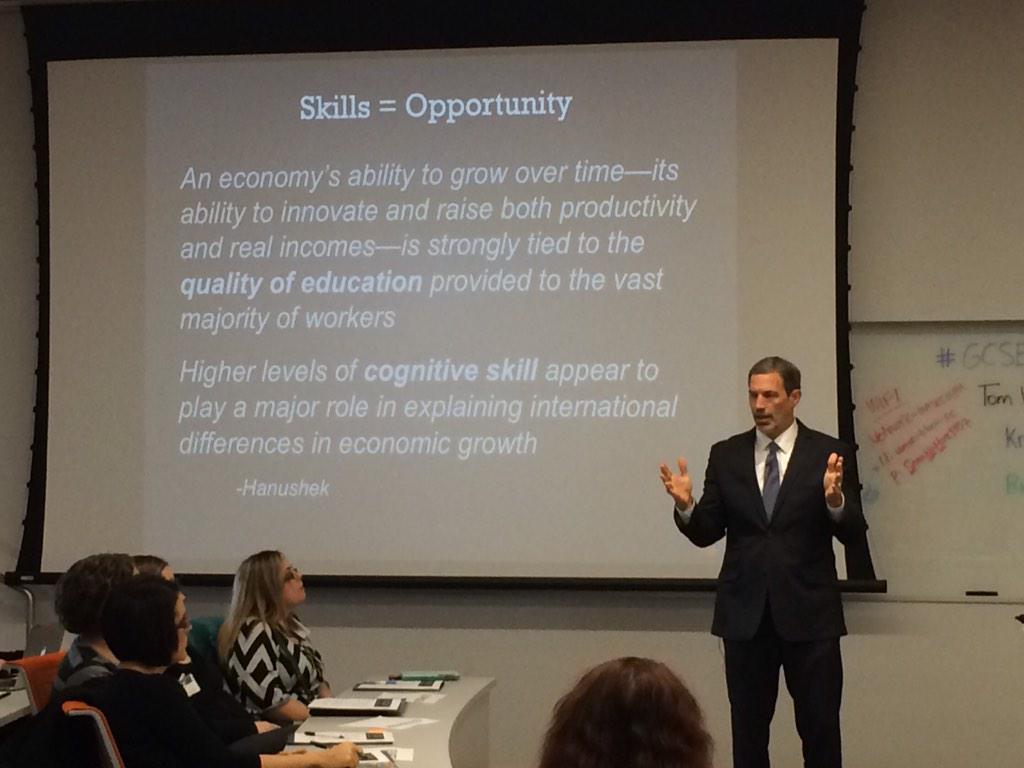
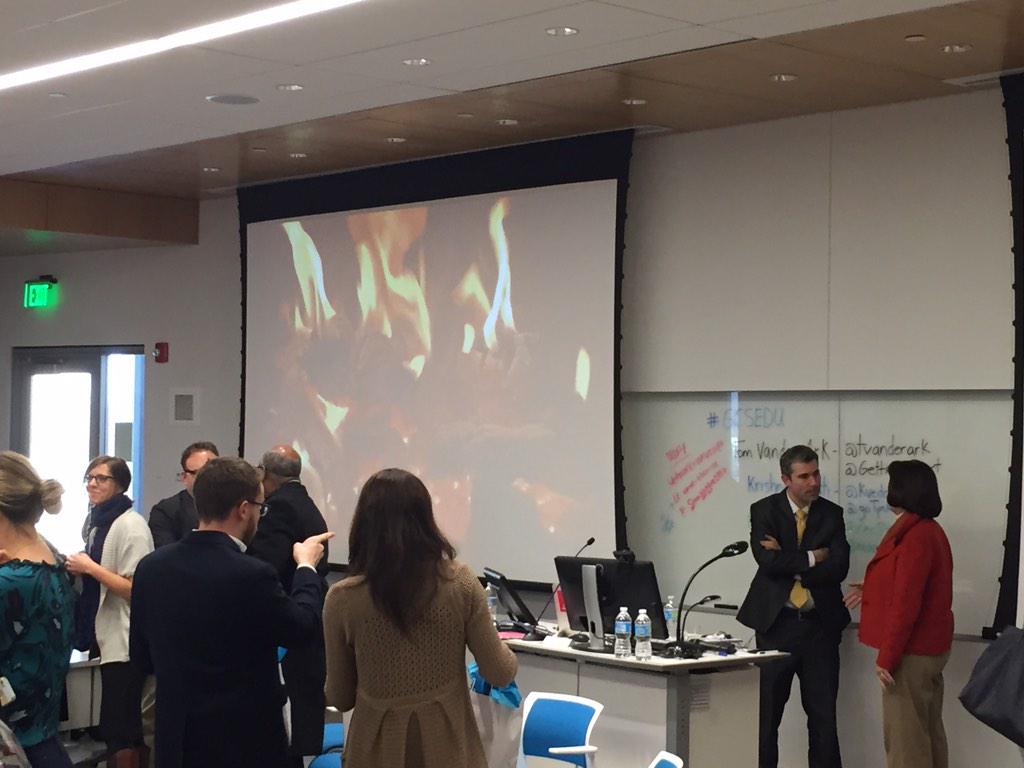
We succeeded.  And it was catalytic.  People are talking, and we aim to keep them talking. And doing things.  With us.  Mozilla sponsored the Edu Track that opened on Tuesday afternoon with a rush of energy from Tom Vander Ark (@tvanderark), CEO at Getting Smart.  He presented an engaging and interactive session on next generation learning for smart cities based his latest book – the headline and inspiration for the Edu content – Smart Cities That Work For Everyone – 7 Keys to Education and Employment.  It was standing room-only, and in case you missed the event, or if you just want to recollect and review what to do now, Tom’s presentation is shared here, and you can check out his blog on the Summit, too.
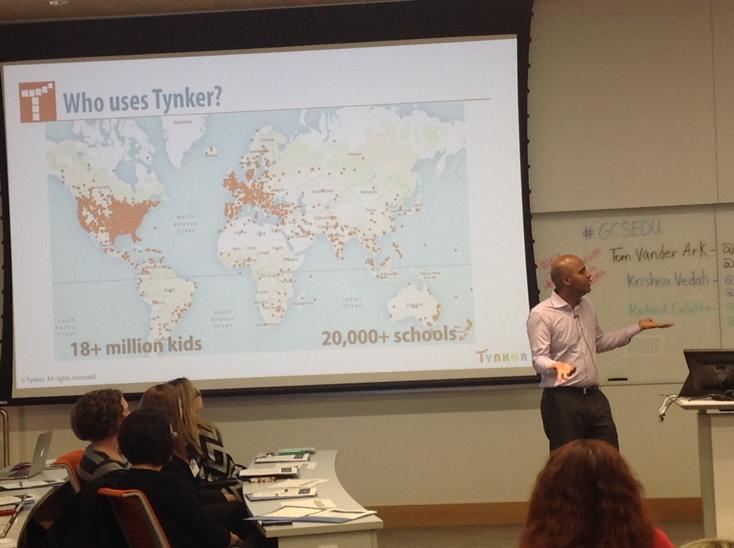
Krishna Vedati (@kvedati) was on deck to showcase STEM learning from the perspective of his edutainment company, Tynker (@gotynker), and he delivered a high-energy look inside Tynker’s games and the education principles they support.
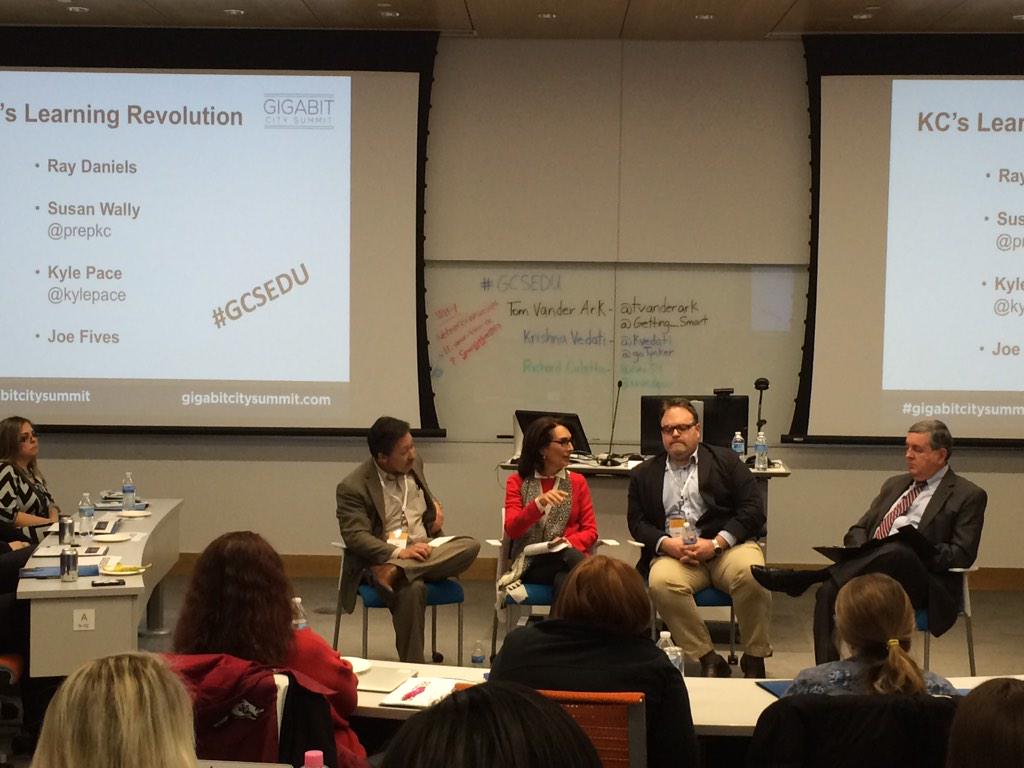
A local panel of experts, led by Dr. Ray Daniels, former Superintendent of Kansas City, Kansas Public schools (see Vander Ark’s blog on Daniels’ dramatic improvement efforts), talked about the road to connectivity, digital inclusion and lessons learned with Lee’s Summit EdTech leader Kyle Pace (@KylePace), Joe Fives, CTO of KCK Public Schools, and Susan Wally, President of  PrepKC (@PrepKC).
A national panel stocked with three EdTech super stars, including Richard Culatta (@rec54), Director of Office of Education Technology (@usedgov), Erin Mote (@erinmote), founder of Brooklyn Lab (@BklynLabSchool) and Lev Gonick (@levgonick), CEO OneCommunity created a lightening rod for next gen learning with a spotlight on Equity, Human Capital and Collaboration.
The event capped with a Fireside Chat with Richard Culatta which provided local educators and conference goers a chance to ask questions in an informal setting.  Culatta was honest and inspiring as he shared his work and vision for Future Ready Schools and ConnectED
Education in gigabit cities is here.  Let’s talk.
 

Software Carpentry at the University of Washington

A Software Carpentry workshop just wrapped at the University of Washington, hosted by the eScience Institute and organized by Ben Marwick. Our great gratitude to the organizers, and also to the huge lineup of instructors: Russell Alleen-Willems, Becca Blakewood, Tracy Fuentes, Emilia Gan,  Chungho Kim, Maria Mckinley, Dominik Moritz, Ana Malagon, Ben Marwick, Marina Oganyan, Jaclyn Saunders, Peter Schmiedeskamp, Thomas Sibley, Rachael Tatman, Tiffany Timbers, Sam White, Earle Wilson, helpers Esther Le Grezause and Tania Melo,  and more – you all did a tremendous job (and if I missed your Twitter / GitHub / blog and you’d like it linked, ping me on Twitter or in the Science Lab IRC).

This, as one can guess from the enormous list of instructors, was no ordinary workshop. We staffed the event almost entirely with first time instructors who went through the live Instructor Training delivered by Greg Wilson, Tracy Teal, Warren Code and myself at UW last November. In order to shore up the practical skills and experience of new instructors, we wanted to get them in front of an audience for some real hands on teaching as soon as possible; I attended to help out, support the new instructors, and try to find out just how well Instructor Training is preparing people to jump in to their first workshop. The results were illuminating & encouraging.

Everyone did a fine job, and I think everyone learned a lot. But through my observations and a debrief at the end of the workshop to get the instructors to reflect on their experience, a number of recommendations came to light, both for Instructor Training proper, and how to pull off a shakedown run like this one, as we plan to do following the Research Bazaar event in Melbourne next month.

Recommendations for Instructor Training

The Cardinal Rules. In Instructor Training, we present a lot of ideas, and most of them are pretty flexible; we want new Software & Data Carpentry instructors to think about the pedagogy the workshops were founded on, but ultimately, to teach in a way that is natural and compelling to them. There are, however, a few key points that we’d like everyone to observe:

  • Live Code, No Slides. As discussed in Instructor Training, live coding slows instruction down to the pace of learning, keeps the size of examples manageable for students’ cognitive load and short term memory, and lets students see both our practice, and how we recover from mistakes. Also, by live coding, we create a context that encourages students to follow along on their own machines. Conversely, when instructors went through slides or projected the lesson notes, I saw a great many students just scrolling through the same material and taking notes like a traditional lecture.
  • Use The Sticky Notes. The sticky note system of ‘all good’ vs. ‘please slow down / I’d like some help’ is a great safe way for students to provide feedback to the instructor and interact with the helpers. Don’t forget to advertise them early and often, and encourage their consistent use.
  • Encourage Pair Programming. Not only is pair programming demonstrated to produce better code, it creates a more social, interactive atmosphere for students, subtly introduces the value of collaborating on code, and helps prevent discouragement by making sure no one feels isolated. Encourage your students to work together, right from the first challenge.
  • Check In With Your Students Often. Make sure you frequently (at least every 15 minutes) take the class’ temperature with a formative multiple choice question, or at least a thumb gauge for how everyone is feeling. Not only is this necessary in order to adapt your lesson to your students’ needs, it lets them know that we care about how well they’re doing, which is a very encouraging atmosphere to be in.
  • Write The Questions Down. Don’t just call the challenge questions out; people will hear as many different things as there are students in the room. Write them on the board, cut and paste them into the etherpad, or even throw them on a slide (the one and only thing I use slides for in my teaching).

Think of these as the pep8 of Software Carpentry (and is, of course, a draft list – we should discuss and agree the points we consider core). Presenting a list of ‘if nothing else, do this’ at Instructor Training was both requested by instructors during the debrief for this event, and would have upped everyone’s game even more; without this, it seems these points sometimes got lost in the torrent of information.

Promote Material Familiarity. It is absolutely not necessary for a new instructor to be a master of every single thing in the Software Carpentry canon, not even close – but instructors reported after this event, that it would have been helpful if Instructor Training could have reinforced their knowledge of one of the units they were planning to teach. I plan to pursue this with Damien Irving in Melbourne at the upcoming Research Bazaar event; I’d like students to familiarize themselves with the content of a unit of their choice, and base their exercises during Instructor Training on that unit, so that they go home having a great deal of preparation done, and a genuine sense of familiarity with a piece of the curriculum.

Show How It’s Done. One thing that I think is missing from Instructor Training and that could really benefit new instructors, is a straight-up demo of how it’s done. At Melbourne, I’d like to include an example of someone (hopefully the masterful Damien Irving) just teaching a 30-minute chunk of SWC to demo putting it all together, so new instructors see how to confidently live code, how to use formative questions to interact with the students, what sort of things get emphasized, and how to manage the classroom. A picture of what it all looks like will clear up misconceptions, and give new instructors a target to shoot for.

Recommendations for a First Workshop

The ensemble of new instructors at UW did a fine job of piloting their first workshop; I got to sit back and watch the magic happen, and they didn’t disappoint. I would enthusiastically recommend continuing this model of following Instructor Training with a shakedown run for new instructors, with a few tweaks to ensure it runs just right:

  • Maximum two new instructors per topic. We were eager to get as many people on stage as possible, and to keep the amount of material each new instructor was responsible for small, so we split the units up across several instructors each. Where this runs into trouble, is with my perpetual advice of ‘just cover what you cover, never rush’ – while this is key for making sure your students are all along for the ride, and doesn’t really cause any problems if some material just falls off the end of a unit taught by a single instructor, it becomes more problematic if a single unit is divided up among many instructors, each of whom may have to drop some material from their sub-unit, leaving students unprepared to move on to the material the next instructor planned to cover. In practice, this wasn’t really a problem with two instructors covering a single topic; three started to get chaotic. With two instructors, I would recommend they come prepared to teach the first and last two thirds of the unit, respectively – that way, there’s a big overlap in preparation, thus allowing some flexibility in situ of where the first instructor hands off to the next within a topic.
  • Have an experienced MC. Make sure an experienced instructor is on hand to mind that all the details of the workshop run smoothly, keep the large roster of instructors to time, help prepare and debrief the team before and after the workshop, and just generally dispense support and high fives. This went off without a hitch at UW, but is a definite must have, in keeping with how Software Carpentry has always paired new instructors with experienced ones.
  • Convene prep & debrief meetings. Before the workshop, the MC should convene a meeting to check in with new instructors, and see how prep is going, in order to answer questions and make sure the cardinal rules are clear. At an event like the one at UW where Instructor Training and the workshop proper were separated by a couple of months, this should be a couple of weeks before the workshop, when everyone is getting down to serious planning; if Instructor Training is being followed by the workshop immediately, this can be done as an add-on or in parallel to the rest of Instructor Training. Afterwards, convene a debrief meeting to discuss how things went; I went around the room and asked what the new instructors learned, what they would do differently, what we should have done in Instructor Training to better prepare them, and how their preparation went, followed by an open floor for thoughts and reflections.
  • Pay special attention to demo material. With so many instructors, the coordination of where students were supposed to download demo materials from was challenging. The MC should communicate with all the instructors beforehand to assemble a zipped folder containing all the demo material, which students can download and have ready access to.

Conclusion

All told, I couldn’t be more enthusiastic for the new batch of instructors coming out of the Seattle area, as supported by the eScience Institute; the efforts of the instructors and the Institute have jumpstarted a vibrant community of practice at the University of Washington that is definitely ready to start delivering regular Software Carpentry workshops. I think it’s clear from their performance over the last two days that Instructor Training is effectively preparing them to teach, and with a few tweaks, can do even more. From the feedback I got from instructors, I also think a big first event like this is a valuable and fun way to round out how we spin up new instructors. Many thanks again to all the instructors and organizers for this event; as always, I learned a lot from this community, and I hope I can give something back in Melbourne.

Image Credit Anupam_ts, CC-BY-SA