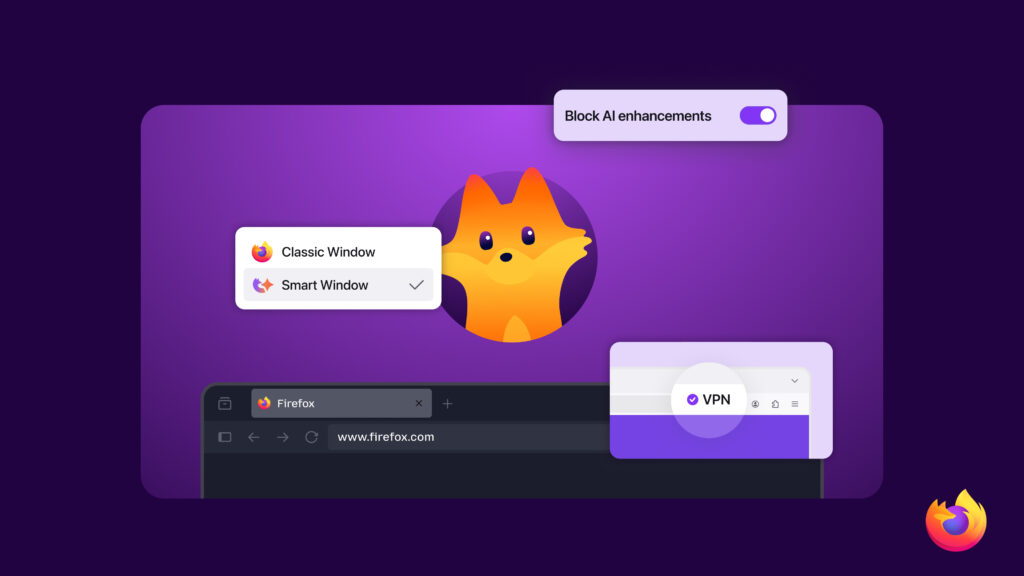
Firefox is for people who make their own choices online, from what stays private to the tools that help get things done. That commitment to choice shows up throughout the Firefox experience, and AI controls is just the latest example — making it possible to turn generative AI features off, on, or customize them feature by feature.
Over the coming weeks, we’ll be rolling out a series of updates that build on that. Expect more control where it matters, better protections in the background, and a few new tools that make everyday browsing better. You may even spot a fresh face of Firefox along the way.
Here’s a quick look at what to watch for:
An easier way to personalize Firefox
The Settings section has been improved with clear navigation and search, so it’s simpler to customize Firefox. Available soon in Firefox Nightly.
Privacy upgrades, built in
A free built-in VPN is coming to Firefox. Free VPNs can sometimes mean sketchy arrangements that end up compromising your privacy, but ours is built from our data principles and commitment to be the world’s most trusted browser. It routes your browser traffic through a proxy to hide your IP address and location while you browse, giving you stronger privacy and protection online with no extra downloads. Users will have 50 gigabytes of data monthly in the U.S., France, Germany and U.K. to start. Available in Firefox 149 starting March 24.

We also recently shared that Firefox is the first browser to ship Sanitizer API, a new web security standard that blocks attacks before they reach you.
New tools to get more done
Smart Window, previously called AI Window, uses AI to give quick help while you browse — like quick definitions, article summaries, product comparisons and more — without leaving the page. It’s completely optional to use and will be opt in. Waitlist now open for updates and early access.
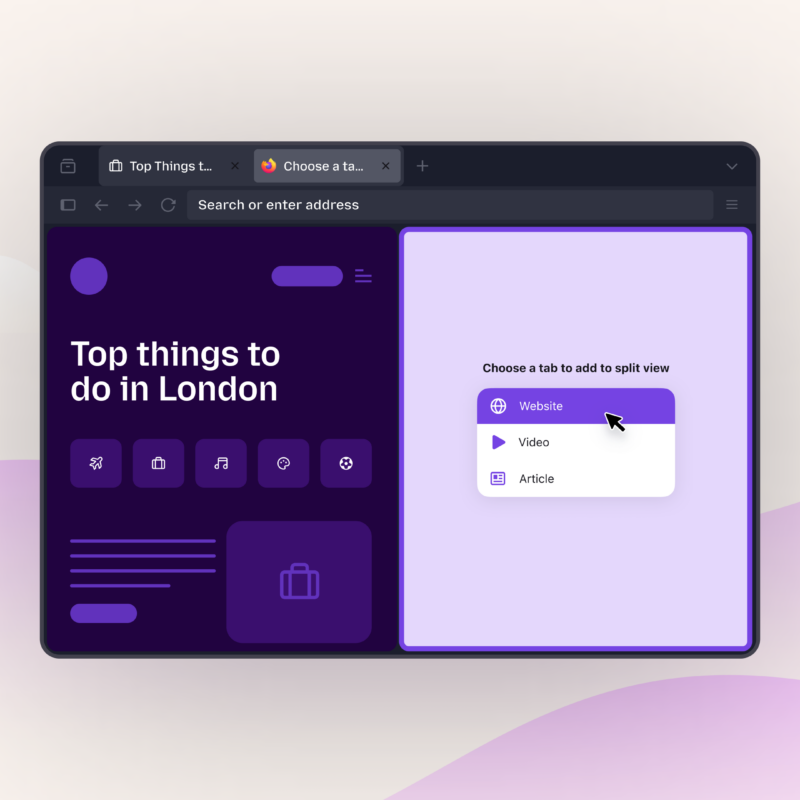
Split view puts two webpages side by side in one window, making it easy to compare, copy and multitask without bouncing between tabs. Rolling out in Firefox 149 on March 24.
Tab Notes let you add notes to any tab, another tool to help with multitasking and picking up where you left off. Available in Firefox Labs 149 starting March 24.
“The roadmap for Firefox this year is the most exciting one we’ve developed in quite a while. We’re solely focused on building the best browser, and our features over the next few months and beyond are driven by the feedback from our community,” said Ajit Varma, head of Firefox. “We’re improving the fundamentals like speed and performance. We’re also launching innovative new open standards in Gecko to ensure the future of the web is open, diverse, and not controlled by a single engine. At the same time we’re prioritizing features that give users real power, choice and strong privacy protections, built in a way that only Firefox can. And as always, we’ll keep listening, inviting users to help shape what comes next and giving them more reasons to love Firefox.”
Welcome new and improved Firefox… and Kit!
Firefox is also getting a fresh new look across our website, product and beyond. This includes updated themes, icons, and visual refinements across Firefox, including our toolbars, menus, and the homepage. It also brings usability improvements that make key features easier to access. The changes reflect user feedback and aim to modernize the browser while reinforcing a more distinctly Firefox look and feel. We appreciate the community feedback on the designs. We’ll be sharing more soon.
You also may have noticed something else showing up in Firefox recently: our new mascot, Kit. Kit is your companion in this new internet era, our way of making Firefox’s support visible and bringing a little warmth and familiarity as you browse.
More to come
Choosing Firefox means using the internet on your own terms: options when you want them, safety when it matters most, and tools that make the web easier to navigate.
Download the latest version of Firefox to try what’s new, and let us know what you think on Mozilla Connect.