

When it’s Monday morning and you’re on the subway, in a coffee shop, or squeezing in a few email replies after your morning workout, your phone becomes your digital office. But every time you open your browser, you risk getting struck with any combination of distracting ads, auto-playing videos, and open tabs from the previous week competing for your attention.
For many remote and on-the-go workers, your mobile browser can become a minefield of interruptions and distractions, slowing you down when you need to focus most.
Luckily, there are multiple Firefox features that can help ensure your mobile browser is a focused, productive workspace.
Reduce distractions and clutter with Ad Blocker for Firefox on iOS
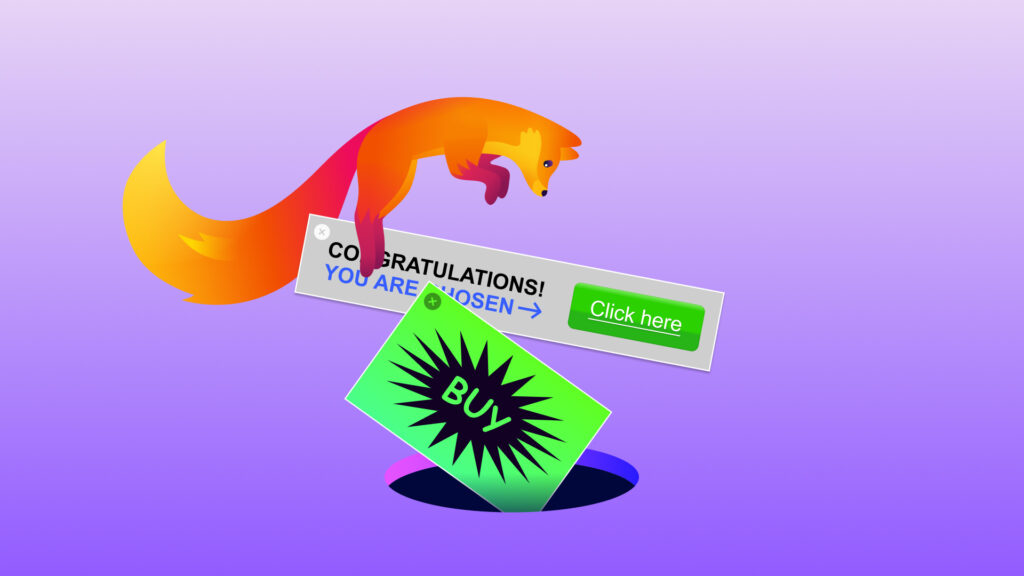
Opening a link shared via text or email can save time and keep things moving when a client or coworker needs a fast response. However, once it’s actually opened, there is a lot of opportunity for various pop-ups, overlays, and ads to get in between you and what you came in to do.
Ad Blocker for Firefox on iOS was built to reduce distractions and screen clutter while you browse, so you can stay focused on the task at hand. It’s a built-in, optional feature that blocks many intrusive ad formats, third-party ad networks, and ad-related trackers. That means no separate extension required, and you decide if and when to use it.
Because Firefox’s strong line-up of ad-blocking and privacy extensions on desktop and Android are not available in the same way on iOS, we built Ad Blocker for Firefox directly into the browser. To decide what gets blocked, Ad Blocker uses the EasyList filter and Apple’s WebKit Content Blocker technology. It won’t impact every ad or sponsored content on a new tab, as those presented directly by host sites and displayed in search results will still be visible.
To try Ad Blocker on iOS, go to Settings > Browsing > Ad Blocker and turn it on to enjoy a cleaner browsing experience.
Get the gist faster with Shake to Summarize
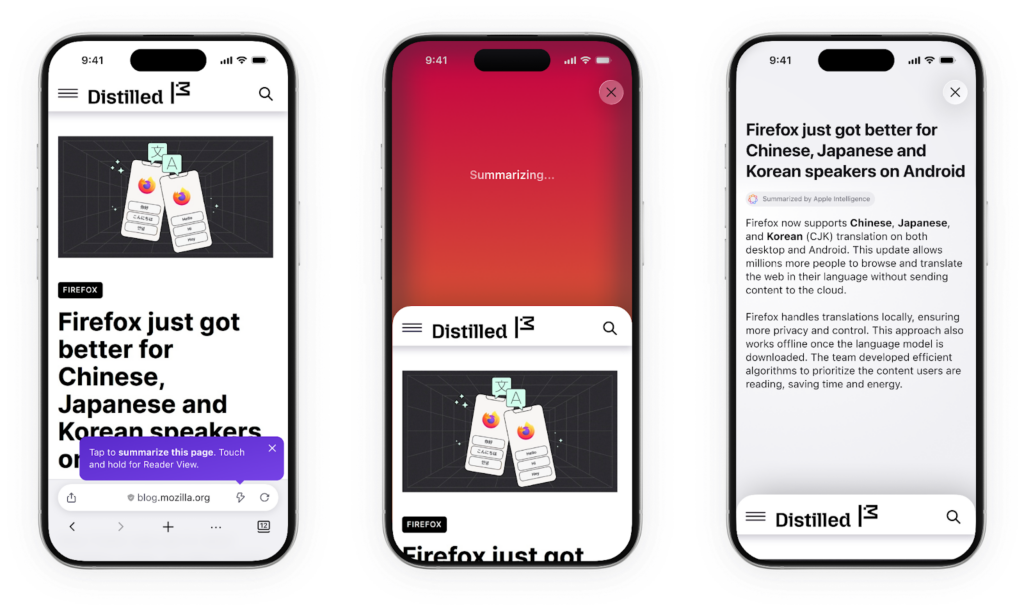
When you’re on a deadline, scanning through heavy text, ads, and filler content can turn a quick scan into an infinite scroll session.
Firefox’s Shake to Summarize feature helps people get the gist in seconds on both iOS and Android. To use it, simply shake your phone on any web page under 5,000 words, and a clean summary of the page’s content will instantly appear. It can also be activated by tapping the “Summarize Page” option under “More” in the three-dot menu.
Like all Firefox features, we built Shake to Summarize with your privacy and protection in mind. This means using device-specific technology to keep your data secure. You can learn more about the AI powering this feature here.
The feature launched on iOS last September, received a strong response from users, and earned a special mention in TIME’s Best Inventions of 2025. It is now available on iOS and Android in English, German, French, Spanish, Portuguese, Italian, and Japanese.
Keep your tabs tidy with Tab Groups on Android
Just like us, our smartphones tend to live multiple lives: work, personal, and everything in between. While it can be incredibly convenient to have everything you need for all parts of your life on one device, things can get cluttered fast.
One minute you are knee-deep in a client proposal and the next you’re flicking through the countless Google searches from over the weekend. “How old is Harry Styles?” and “Movie times near me” – while pertinent when you were off the clock 24 hours ago – have absolutely nothing to do with the work you are trying to get done now.
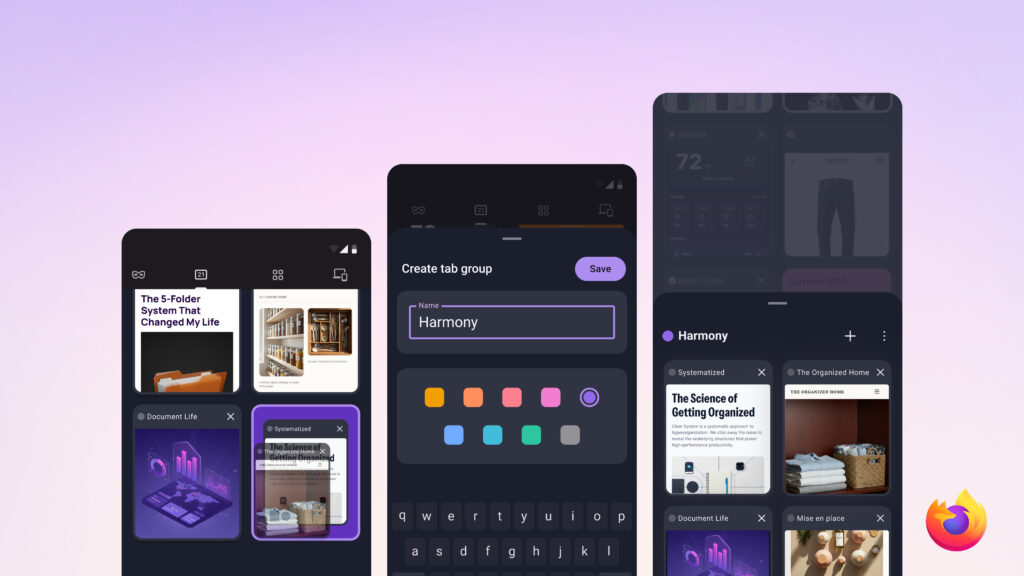
To help make sure your prep for Thursday’s client meeting doesn’t get lost in your pop music deep dive from the weekend, you can group related tabs in Firefox for Android. Each group can be labeled and assigned a color, appearing as a single, searchable card in the tab tray rather than separate tabs, so it’s easy to locate when needed. You can open, rename, recolor, and delete these cards whenever you want.
To use Tab Groups on Android, simply drag one tab onto another, or select a few and tap “Add to group.” Label the group, choose a color, and you’re all set. To try it out, download the latest version of Firefox for Android. iOS support for this feature is on the way.
Pick up where you left off across devices with Firefox Sync
Sometimes we start a task on one device and finish it on another. Maybe you found an article on your computer that you want to read on the subway on your phone. Or, perhaps you want to pull out your laptop and finish filling out that lease application you started on your tablet.
Enable Firefox Sync and you can resume tasks you paused in your browser when switching across your mobile phone, tablet, and laptop. The feature lets you access your open tabs, bookmarks, and passwords across all the devices you access Firefox on.
The best part? We put your data privacy first. Firefox Sync uses end-to-end encryption so your synced data is encrypted before it reaches Mozilla’s servers.
To take your browsing experience with you wherever you go, connect your iOS or Android phone to your Mozilla account and start syncing with your other devices.
Take back control of your focus with Firefox
For remote and on-the-go workers, focus is everything.
With Firefox features like built-in ad blocking on iOS, Shake to Summarize for instant insights, and Tab Groups on Android to keep your work and personal digital spaces organized, you can transform your phone from a distraction hub into a productive workspace.
Download the latest version of Firefox for Android or Firefox for iOS today to test out any of the above features available on your device – and take back control of your attention.