HTML5 Audio Soundboard

A few months ago, one of my famous web developer co-workers had an oh-so-special bug filed against him requesting sound bites of some of his more famous sayings. He closed this bug with great success and all was well.

Fast forward to today and not all is well. While we have our sound clips, they are not easily accessible; lying dormant on our hard drives and MP3 players. Well folks, today I have solved this problem. I give you the ClouserW soundboard:
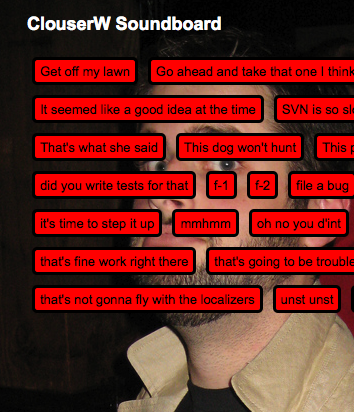
ClouserW soundboard

(Firefox 3.5 or higher required)

The page itself is pretty simple, I use PHP to get a list of all the sound clips from a folder and insert an <audio> tag for each one. The real magic happens in JavaScript with jQuery:

$("audio").removeAttr("controls").each(function(i, audioElement) {
    var audio = $(this);
    var that = this;
    $("#doc").append($('<button>'+audio.attr("title")+'</button>')
        .click(function() {
            that.play();
        ));
});

What I’m doing is first getting all the <audio> tags from the DOM and removing their ‘controls’ attribute. What this does is removes all default UI supplied by the browser. I’m doing this instead of simply not putting the attribute there for users with JavaScript turned off. Edit: Controls do not show up if JavaScript is turned off due to bug 449358.

Appended to that is .each(), which allows me to iterate over all of the <audio> tags individually. It will call the function I pass it once per each <audio> tag it finds.

var audio = $(this); creates a new jQuery object from a normal DOM node, which gives me a few functions that make getting information from it easier.

var that = this; is a closure to keep track of the current audio element inside the function for later execution. (Closures are outside of the realm of this blog post, if you’re interested in learning more about this powerful feature of JavaScript I recommend reading this tutorial).

I then append a button to <div id=”doc”>. The button’s text is taken from the title attribute of the <audio> tag.

Last, but not least, I attach a click handler to the button that uses the play() function of the audio tag I created a reference to above to play the soundclip.

No muss, no fuss. And no Flash 😉
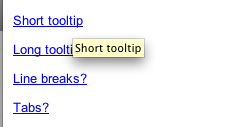
Fun with Tooltips

Tooltips example

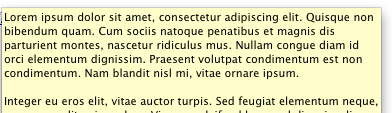
A long time ago, at a far away company, I was given a project that required a not-so-usual use of tooltips. I had to implement multi-line tooltips like so:

multi-line tooltip

Luckily it only had to work in IE, and line breaks for tooltips in IE are just normal linebreaks in HTML, so nothing too complicated. But this got me thinking, what else is possible with tooltips? What are the limitations of tooltips? Is there any consistency between browsers?

I’ve setup a test page with all my tests. I tried to test everything from max-lengths, line breaks, tabs, html, UTF-8 characters to just lots of spaces.

Some interesting things I found out are some browsers will truncate (Opera, IE), some allow tabs and linebreaks (IE) and some don’t (Opera). I won’t list them all, check out the compatibility table that’s in the test page.

Contribute to Mozilla Service Week

Spread Firefox Affiliate ButtonIn an effort to bootstrap Mozilla Service Week, we’ve put out our first call for volunteering on Idealist.org.

Want to exercise your CSS skills? We need help fixing IE 6 layout issues. We mark IE6 bugs as critical when they block a user’s ability to volunteer, but display bugs are less of a priority. It’s important that this site be accessible to everyone, but we have many higher priority bugs and features to work on, with limited resources.

Display bugs are also an easy way to get started coding, without a lot of setup:

  1. View Source and save the HTML
  2. Make a local copy of the images, CSS, and JavaScript as needed
  3. Reproduce the problem described in the bug
  4. Make changes to the CSS
  5. Submit a patch or CSS snippet to the existing Bug as an attachment

In the coming weeks, we are hoping to package up various tasks in a way that makes it easy for community members to jump in and help.

The volunteering opportunity has all the details.

Cesium 0.1 Released!

Update: We’ve released Cesium 0.1.1, which can be downloaded here: http://people.mozilla.org/~rdoherty/cesium/cesium-0.1.1.zip

YSlow is an invaluable resource for developers who want to ensure that their web applications are as responsive as possible to users. For those who don’t already know, YSlow is an extension for Firebug, another incredibly useful tool for web developers, which is in turn an extension for Firefox. Developed at Yahoo!, it calculates a score for a web page’s overall performance using a number of heuristics (http://developer.yahoo.com/performance/rules.html) based on web development best practices geared specifically toward decreasing page load times.

But YSlow is not without its own limitations. It requires the user to manually visit each individual page they want to test, which can be mind-numbing and time-consuming, especially on sites with more than a handful of pages. Additionally, YSlow does not have a feature for tracking the history of the scores that it calculates, thus making it rather difficult to examine the changes in performance as the codebase of a site changes.

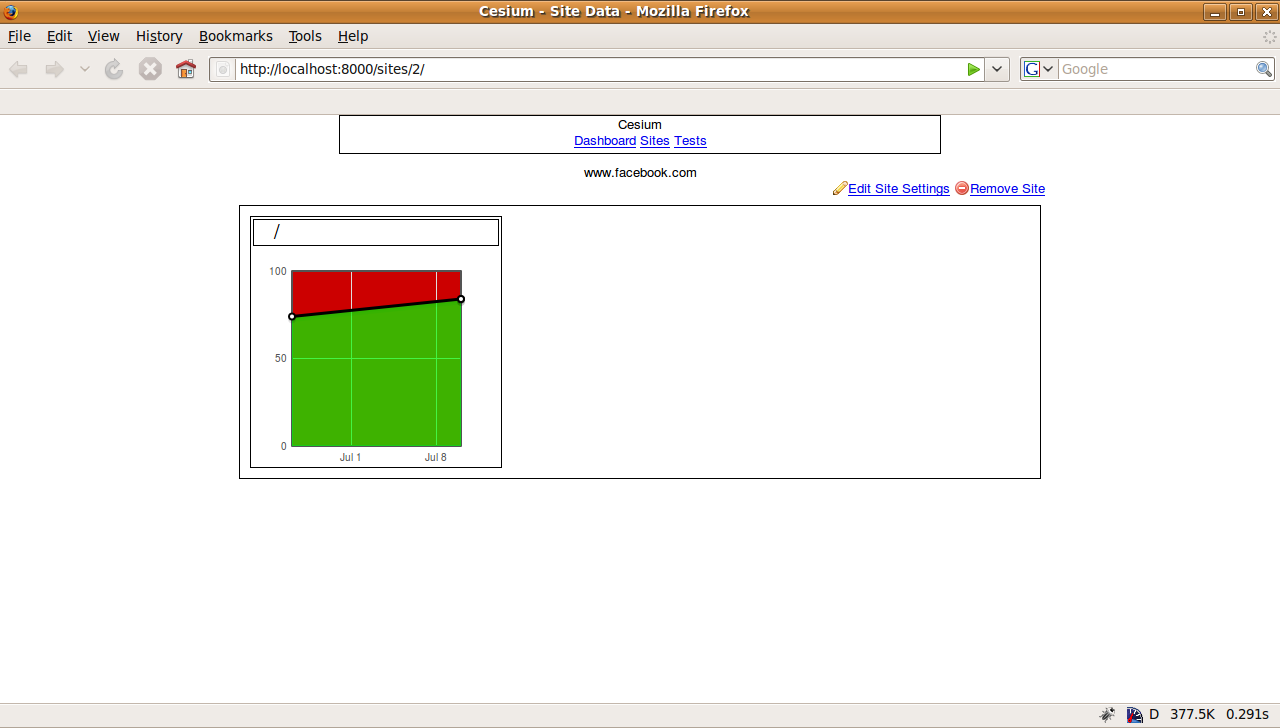
Enter Cesium. Cesium is a hybrid web application/testing harness that automatically runs YSlow on a suite of pages of the user’s choosing at scheduled times, stores these results, and provides a host of graphs and other data concerning the results of these tests.

Cesium provides these services by using a less advertised feature of YSlow called the beaconUrl. This beacon can be set to an arbitrary web address in Firefox’s about:config. YSlow will then send the results of its test runs to this remote address, allowing Cesium to record and display them.

screenshot-cesium1

Cesium 0.1 has just been released, and I would like to encourage anyone who is interested to check out the wiki page for more information on how to get the source to play around with it and hopefully contribute!  We’re planning a major redesign of the web interface along with some other awesome features.  Also feel free to contact us on IRC (#cesium on irc.mozilla.org) or file a bug.

Improving Accessibility Through ARIA

Accessibility is a pretty hairy issue in web development. When attempting to determine if your site is accessible, there are so many standards and recommendations to follow. 508, WCAG, WCAG 2.0, WAI Priority 1, 2 & 3.

Well, now there is a new standard from the W3C called WAI-ARIA (Web Accessibility Initiative – Accessible Rich Internet Applications)

The simplest definition of ARIA is adding UI semantics via HTML element attributes. Simply, you add things like ‘<div role="navigation">‘ or ‘<form role="search">‘ to specific HTML elements to give screen readers a better understanding of your content.

The ARIA spec is huge (160 pages), so I won’t go over every part of it in detail. The four areas I will focus on are landmarks, required, invalid and live regions.

ARIA Landmarks

Today, when a blind user encounters a website, navigation between elements of the page can be difficult because there is no established method of marking areas of the page as navigation, content, footer, etc. Luckily with ARIA, we can.

Here’s some example markup of a typical webpage:

<div id="header">
    <h1>My Awesome Website</h1>
    <form> </form>
</div>
<div id="content">
    <ul id="nav"></ul>
    My website rocks!
</div>
<div id="footer"></div>

And here’s what it looks like with ARIA Landmarks:

<div id="header" role="banner">
    <h1>My Awesome Website</h1>
    <form role="search"> </form>
</div>
<div id="content" role="main">
    <ul id="nav" role="navigation"></ul>
    My website rocks!
</div>
<div id="footer"></div>

What I’ve done is add ARIA roles to certain parts of the page (header, nav, search form, primary content). Because the roles are a defined spec, screen readers can parse the page for roles and allow a user to jump to each part without having to navigate through all the content.

ARIA Required & Invalid

Another part of the ARIA spec is the attribute ‘aria-required’ and ‘aria-invalid’. These attributes are for communicating to screen readers that a particular form field is required and/or invalid without requiring the user to look for asterisks or other text near the field. The screen reader would alert the user to this information. Here’s an example:

<form id="searchform" role="search">
      <p class="error">You did not enter a search term</p>
      <input name="query" value="" aria-required="true" aria-invalid="true" />
</form>
 

The above code has the ‘aria-required’ and ‘aria-invalid’ attributes set to true. When a screen reader encounters this code, it will read aloud ‘required’ and ‘invalid’. This is a lot simpler for a user than attempting to find error messages and/or asterisks in the page.

ARIA Live

A particularly difficult area of accessibility is dealing with AJAX. How can you communicate to a screen reader that content is loading or has changed? Thankfully, with ARAI Live Regions, it is quite simple. Here’s an example:

    <div id="sidecontent" aria-live="polite"> AJAX content goes here... <div>

Adding the ‘aria-live’ attribute to an element alerts a screen reader that content will change in this region and to read it aloud when it does. The aria-live attribute has ‘politeness’ levels, which allow you to specify how polite the updates should be. The four levels are

  • off – updates are not communicated
  • polite – notify of changes only when the user is not doing anything
  • assertive – announce as soon as possible, but not interrupting the user
  • rude – which will be read aloud immediately – removed per Nick’s comment

The various levels of politeness allow for different situations where users would need to be notified immediately of important information or for content that is not as important.

Summary

This is just a quick overview of ARIA and its uses, but I’m really excited about the possibilities it creates. We can communicate the intent of our content much more explicitly. There’s also a lot of other aspects to ARIA including widgets (slider, checkbox), application structure (alerts, log, progressbar) and document structure (article, grid, definition) that are exciting.

Further Reading

Use Sprites Wisely

Vlad has good points about proper use of CSS sprites in his recent post on the subject as well as his comments on Ryan’s post.

In short, even the simplest sprite images can eat up massive amounts of system memory — 50MB to even 100MB per page or more. Perceived speed for your site is important but you should always be concerned about how sprites and other hacks can affect user experience.

More info:

Announcing Mozilla Service Week

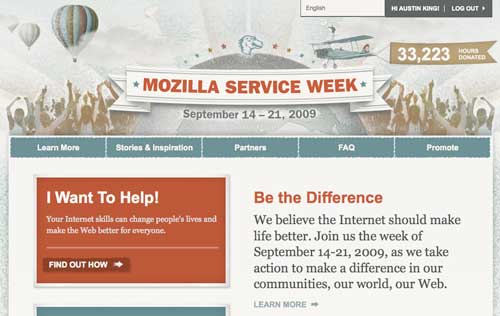
We are excited to announce the release of Mozilla Service Week. It is a new website for our community that aims to:

  • Promote technology related volunteering between Mozillians and their local communities
  • Promote idealist.org and other existing websites that make it easier to connect and change your world
  • Inspire your participation during Sept 14-21 through pledges and stories

Screenshot of Mozilla Service Week

Start today

Check it out and pledge some hours. You can refine your pledge over time. Be sure to tag your various items with mozservice09.

Mozillians have many “hi-tech” skills that they may not realize are valuable outside of our community. You don’t have to be a Firefox code contributor to do tech volunteering. You can help configuring routers, helping people setup a WordPress blog, or teach a workshop on using social networks to promote causes. Anything from writing copy, doing data entry, or simply helping groups organize their information can make for a valuable service contribution.

There is a real spirit of service growing and it’s fun to chip in and Be The Difference. Cynicism is out and Participation is in!

Help Us Build

We’re launching early (and releasing often) to get this site into the community for early feedback. Most importantly we hope to prime the pump for volunteering opportunities. We are launching in English, but have built out i18n support and coordinated with the L10n-drivers team. Post Firefox 3.5, where our localizers are pouring their energy right now, we are excited to launch many locale specific versions of Mozilla Service Week. Our first non-english site will probably be mitmachwoche.de (German). Many other localizers have shown excitement for mozservice09 and localizing the site.

Of, for, and by the Web

We’ve partnered with Idealist.org for the English site to make it easy to find ways to help or to register your needs. With the mozservice09 site, we have taken a very de-centralized strategy, hoping to take advantage of the strengths of the web itself. Outside of Idealist.org’s framework, if you want to organize a project through your blog or website for a type of service that we haven’t begun to imagine, that’s great! Mozilla Service Week introduces no heavy-weight process or centralized control.

Just be sure to pledge, Tell Your Story and spread the word. We will feature many of these stories to inspire others to get involved.

Show us the code!

From a technology perspective, one interesting aspect of the site is that when you write a story, you can provide an image or video from another website. Examples include your blog, Flickr, Youtube or Vimeo. The entire website is of course open sourced and available now, but this JavaScript widget/PHP backend is available as a stand-alone library. I’m looking forward to your contributions to make it smarter about finding photos and videos from your favorite websites. An example would be support for dailymotion.com which will be added to the site shortly.

Credits:

It’s been a wild and fun ride building the site with the core team:

  • Mary Colvig (Marketing)
  • Jane Finette (Marketing)
  • Stephen Donner (WebDev QA)
  • Krupa Raj (WebDev QA)
  • Jeremy Orem (IT)
  • Peter Deitz (Social Actions)
  • Austin King aka ozten (WebDev).

Many People have been involved with the project so far (and I hope I don’t forget any shout-outs): In roughly chronological order, Michael Morgan provided guidance and support. Axel Hecht, Pascal Chevrel provided l10n guidance with code review from Ryan Doherty and Fredrick Wenzel. Throughout the project Mark Surman and David Boswell from the Mozilla Foundation have helped us shape the vision. John Slater and The Royal Order of Design (Aaron Shimer, Tim Hogan, and Stephanie Bankhead) helped design the site and Craig Cook did an amazing job with the HTML and CSS. Ladonna Willems pitched in on the copy. Again on the L10n front Seth Bindernagel and Wil Clouser gave input. Stas Malolepszy contributed code for rewriting our gettext strings. Les Orchard wrote the Activity Feeder module. Alex Buchanan and Reed Loden prepared the promotional Badges. Our new intern Raymond Agbeame did a great job testing the site. and Jeff Balogh filed some good bugs. The rest of the webdev team also gave input and support. Additionally thanks to our partners idealist.org (Juan Cruz Mones Cazon, Ami Dar), betterplace.org (Tim Benke, Matthias Pries), and of course, the SocialActions team.

As we add more locales and partners, I look forward to volunteering with you, watching the hours pledged ticker go up, and reading your stories.

Socorro Moves to New Hardware

What has two quad core 3GHz 64bit CPUs, sixteen gigs of RAM and makes the Socorro users happy? That would be the new hardware that the Socorro system moved to during a six hour operation on Thursday night. The new hardware was recommended by the folks from the aptly named PostgreSQL Experts, Inc after an intense week of consultation and analysis in March earlier this year. After auditing our existing system of hardware and software, it was apparent that we were woefully underpowered for what we were trying to do. While simply tuning PostgreSQL helped in the interim, a more powerful platform was clearly in order.

Before we deployed the new hardware, we had to take several steps to tame our voracious use of disk space. In the previous week, we removed the archived dumps from the database. They were rarely ever accessed but took up the lion’s share of our disk space. By migrating them to file system storage, we made a three hundred gig database migration onto new hardware into a migration of only sixty gig.

While there may be a need for tuning over the next week, Socorro users should have a much accelerated experience using the Socorro Web site.

Many thanks to aravind for shepherding this project through IT, chizu in IT for his db cloning/replication scripting/tweaking and jberkus from PostgreSQL Experts for his superior navigation skills and a steady hand at the PostgreSQL tiller.

How Download Day Succeeded

The Download Day campaign won a People’s Voice Webby Award for online campaigns and a SoFIE award for Most Effective Online Brand Experience. As Mary said, NoBox came up with a great design, and the project was a great success.

From where I sat, it was a pretty amazing view. There were many people involved from start to finish who helped make the project a success and I felt this would be a great opportunity to give you an idea of what makes up a project like this at Mozilla.

Simple diagram of contributors

  • Initiation and Design — Mary and Nobox worked hard to come up with an awesome idea, concept and design. They continued to provide insight and direction throught the entire process.
  • Development and Implementation — Ryan Doherty (Webdev) and Jeremy Orem (IT) worked hard to deliver the system to support streaming download counts as well as the programming necessary to make the project happen — database design, PHP, map overlays with accessible alternatives, HTML, JavaScript and CSS. Jacob Potter and Brian Krausz (both Webdevs) helped with stats and mailing lists.
  • Localization — Our international community helped us localize our web application by providing translations.
  • Testing and Deployment — Stephen Donner (QA) verified and tested all working parts of the site. Legal helped us make sure we were handling information responsibly. Our IT group helped us deploy the application onto our web infrastructure.

As I read Mary’s post, I thought of how this project was a great example of teamwork between multiple moving parts within the Mozilla ecosystem. Not just within a growing company with many different groups, but between different community contributors — from translators to pledges to downloaders.

I am amazed at the level of participation, passion and effort that goes into our projects. We are all proud of these awards. They are a testament to the cooperation and teamwork that happens in the Mozilla community every day.

Geolocation in the Browser

Firefox 3.5 makes it super simple to discover the location of a user on your website  You can read more about it from Doug Turner or the official Mozilla page, but today I want to look at how to use the new API.

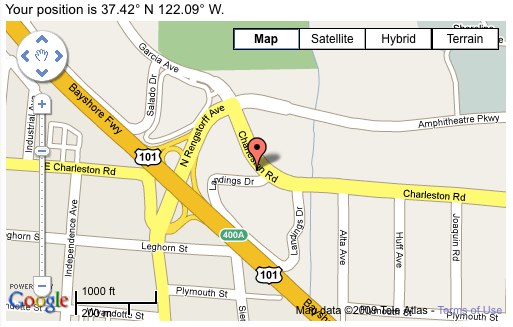
The following image is a screenshot of geolocation plus Google maps. If you’re running Firefox 3.5, we’ll replace that with a real map showing your current position.

Geolocation services finding me at the Mozilla office.

Geolocation finding me at the Mozilla office.


First, we should check that the browser supports the Geolocation API:

if (!navigator.geolocation) { alert('Get a better browser'); }

Now that we’ve cleared out the riff-raff we can dive in to the new feature:

navigator.geolocation.getCurrentPosition()

I love the simplicity of this API; that’s all you need to know to get the user’s position! To do something useful, we’ll need a function to handle a successful positioning call:

navigator.geolocation.getCurrentPosition(function(position) {
    alert(position.coords.latitude + ", " + position.coords.longitude);
});

Since it takes a few seconds to gather location data and send it up to the geolocation services, we must use an asynchronous callback instead of a return value.

The Position object has two fields: timestamp and coords. position.coords holds all the position and velocity information, with the two most interesting (on my stationary desktop) being latitude and longitude. The motion information will be a lot more fun on mobile devices, especially in conjunction with navigator.geolocation.watchPosition.

This blog goes over the most basic usage of the geolocation API, but I have a slightly more involved example available at http://people.mozilla.com/~jbalogh/geo.html. If you view the source you can check out geolocation, -moz-border-radius, and -moz-box-shadow in action.

NOTE: due to a bug in the current Firefox 3.5b4, the geolocation services may fail on repeated calls. The bug has been fixed, but we’re stuck with it in the current release.