Announcing Mozilla Hatchery

David Ascher

We’re happy to share a new offering from Mozilla Labs called Hatchery, a program and assemblage of resources and people to help Mozillians with early-stage product growth and success.

What Is Hatchery?

We offer coaching, resources and curriculum across various disciplines – user research, testing, design, product development, marketing and more – with a goal to help build Mozilla’s future products and services.

Why Are We Doing This?

Innovation is central to Mozilla’s mission to keep the web open. Without competition and diversity of offerings, the web risks being controlled by one entity and stagnating in development. Hatchery is one way we hope to foster and support continuing innovation at Mozilla. We’ve already started helping a Mozilla project, TowTruck  with pitching and design and look forward to seeing what projects you have as well!

How Can You Be Involved?

  • Submit your product idea! Check out our website, which has more details on what types of projects are a fit and how to apply, and apply!
  • Be a Coach. Currently Hatchery coaches are designers, user researchers, strategists and technologists who give their time and knowledge to participating teams. This happens through meetings in person or remotely (Skype, vidyo, telephone – whatever works). Lots of time it’s reacting to something the team is doing; sometimes it’s providing specific tools and advice. If you think you can help our teams in any of these fields – or others – to turn their ideas into products, please let us know by emailing us at labscoaches <at> mozilla <dot> com.
  • Give us feedback. This is a new initiative and in the spirit of early-stage ventures, we will be iterating early and often. Send questions, comments and constructive feedback to labscoaches <at> mozilla <dot> com

We’re looking forward to building Mozilla’s future with you!

The Hatchery Team

David, Diane, Didem, Paula, Aaron, Jinghua & Simon.

Introducing TowTruck: A Collaboration Service For Every Website

Ian Bicking

1

tl;dr
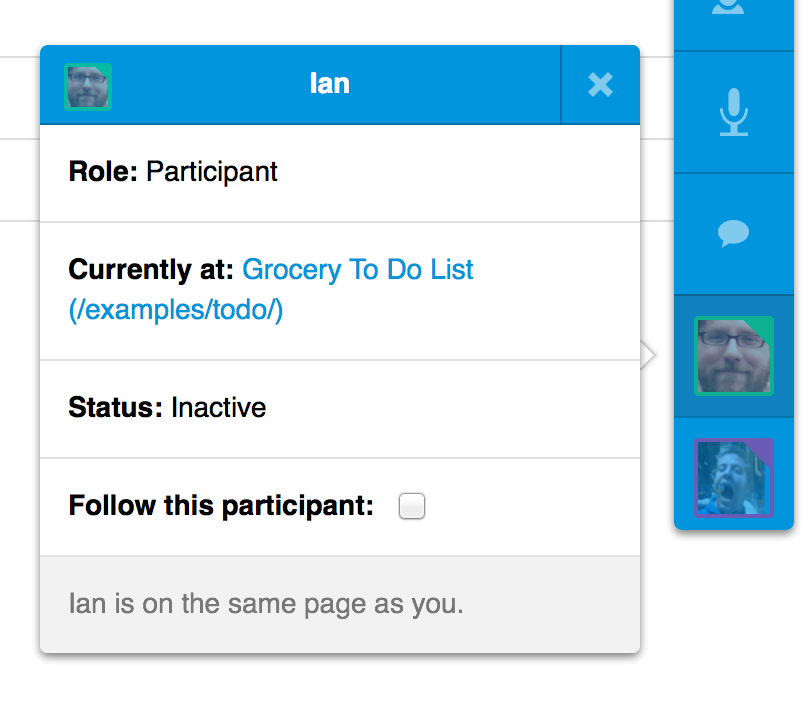
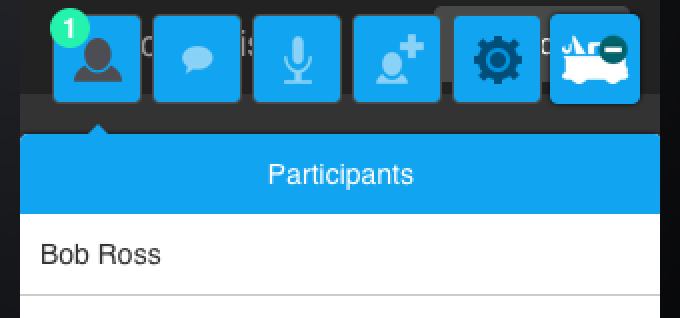
We’re building an experimental service for websites called TowTruck that makes it easy for your users to collaborate in real-time. TowTruck easily gives your website text and/or audio chat, presence, co-authoring, co-browsing, and is built to be extended by your website. Watch the screencast and see it in action.

TowTruck Logo

Do you love using Etherpad and Google Drive (previously Docs) to collaborate? We do too. The potential for that kind of collaboration is one of the great things about the web – except that only a handful of web applications take advantage of that potential. We think that every site should offer simple, easy-to-use, instant collaboration embedded directly on their site.

What makes TowTruck different.

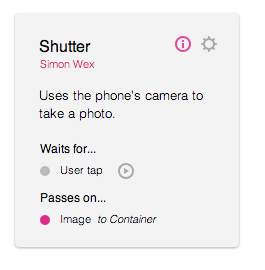
As a web developer, you simply drop TowTruck into your site and it just works. It provides the full out-of-the-box experience users need to get things done collaboratively. It will also give you the opportunity to extend TowTruck to enrich the authoring experience.

Unlike screensharing and related tools, with TowTruck there is no need for your users to jump around to use different applications to collaborate. Your users can collaborate directly and see changes in real-time on your site, no matter the context. Users could be co-authoring a page together, or helping each other out if they can’t find something on your site.

Several libraries have existed to help make your pages collaborative, but they’ve never caught on. (Google have recently announced another.) These libraries tend to emphasize editor synchronization but leave out all the other details. Those details are important: tools to show where each person’s attention is, to chat, to see each other’s movements around a site, to start and maintain sessions.

We want TowTruck to complement the web as it exists, not requiring applications to be replaced or revamped. And we’ve found the web works really well for this – we have tremendous power to apply introspection to web pages. For example, a simple query like $("textarea") can give us the text fields on a page, we don’t need to hook deep into an application’s code to apply these tools. Developing TowTruck has been exciting because it feels like the web was built for this kind of tool.

Why did we want to build this?

The original prototype was built to help budding webmakers. It was trying to be a code editor with the collaboration features you’d expect to see in a Google Drive app.

The technology has changed a lot since that first prototype, and the scope has widened: We want everyone to be able to work together on the web. Not just sharing links, and not just in siloed applications with collaboration features built in. Everywhere we look we see reasons to collaborate on the web: mentoring, making travel plans, triaging bugs, navigating large sites or complicated interfaces. Anytime we find ourselves talking about a page, we have wished we were also working on that page together.

We want to bring the experience of looking over someone’s shoulder to the web. And we want it to be just as casual as that: something you can use to ask a quick question or show something off, with no more barrier to starting than sharing and opening a link.

Learn more.

If you want to learn more, check out the site or check out the screencast. If you want to try it out, use the example. If you want to look at the code check the Github project. If you want to offer an idea, leave feedback here, on Twitter at @moztowtruck, or email the team at towtruck@mozilla.com.

The TowTruck team consists of @adruck, @ianbicking, and @simonwex.

We hope you enjoy TowTruck, now let’s collaborate!

Designs for User Controlled Shared Data

Edward Lee

(Cross-posted on the UX blog)

The Prospector team has been looking at analyzing data in Firefox, sharing a summarized form, and protecting privacy with Mozilla principles. We’ve been designing some prototypes of how to present these concepts to the user, so we would like to share a view of our very experimental mockups to get some of your feedback.

Experimental dashboard for users controlling shared data

The high level concepts of this dashboard fall into 3 parts:

  1. Informing users that they’re in control of their data
  2. Letting users see and control what they share
  3. Helping users understand the effects of sharing

In later posts, Aaron Druck, a designer helping out with these prototypes, will be going into the details of each of these parts with descriptions of the intended goals of each control, display, etc. Right now, we’ll focus on the overall composition of parts of the dashboard and not get too detailed as the specific text or shapes are preliminary content that will most likely change as we continue.

For the first part at the top, we want to give users a sense of empowerment by providing a description of control over their data. It should be brief yet informative enough so users understand what they’re able to control and sets some expectations of how the data is analyzed from Firefox. We also want to give users a quick peek into how Mozilla protects their data, which gives more control to the user. For each of these pieces, users who do want to learn more should be able to do so.

The second part is on the left side where users see a representation of their analyzed browsing behavior as well as controls to adjust their shared data. We want users to be able to easily understand what amount of data and what type of data is being shared or potentially can be shared. The interface should be simple enough in the common case for the users who want basic changes but potentially also allow for more detailed controls for advanced users.

The last part on the right side is a feedback module to give users a sense of how the web changes as they control their data. We want to help users make an informed decision that they are comfortable with, so this area should lead users to change their settings if they are uncomfortable or want more. For the feedback to be useful, users will need to be able to quickly understand and “consume” what is shown to get an immediate reaction and make a decision.

We would like to get your feedback on these high level parts, so don’t get caught up too much on any particular detail or visualization of this experimental prototype. Below are some initial questions to get you thinking, but feel free to provide other comments:

  • Are the three main parts the right combination? Anything missing or unnecessary?
  • Do the conceptual parts need to be distinct parts? Can they be combined visually?
  • Will users understand the connection/flow from the left control and right feedback?
  • How should the parts be organized? One view for each? Composition/arrangement?
  • What should be the relative importance? What comes first? Which is larger?

- Ed Lee on behalf of the Prospector team

New Tab Site Suggestions

Edward Lee

4

Over the past weeks, we’ve talked about ways to analyze data in Firefox and to share that data out of the browser while keeping users in control. Today we’re putting those pieces together with a proof-of-concept: Site Suggest. This simple add-on locally analyzes your browsing history to pick an ODP category that you seem to have interest in then makes a secure and privacy-protected remote request for a site suggestion to then display on your new tab page.

A site suggestion with why it was suggested

Conceptually, the flow is much like the add-on update mechanism in Firefox. Users install add-ons, then Firefox makes a request to see if any of those add-ons have updates, and then updated add-ons can change the behavior of Firefox. From a high level, here are the similarities of Site Suggest and add-on updates:

  1. The user creates activity in Firefox (browsing pages vs installing add-ons)
  2. Firefox analyzes that behavior (finding ODP categories vs listing add-ons)
  3. Firefox securely sends the data (sent to Site Suggest vs add-ons servers)
  4. Firefox updates with the response (new tab content vs add-on functionality)

One thing we want to be explicitly clear is that the ODP category sent to the server is not tracked with the user. The site suggestion server does not use cookies or any way to identify the request to then use previous requests to personalize future requests. This simulates the terms of use on the user’s data where the server is only allowed to use the information in the request for that one response. This also means that if your interests change, the server is always using the freshest data to personalize the site suggestion.

For this proof-of-concept, we didn’t bother creating a large number of suggestions, so we don’t expect people to get high quality recommendations. In fact, we probably could have put all the suggestions in the add-on, and the site suggestion on new tab experience would be exactly the same. For many users, there isn’t a distinction between local suggestions and remote suggestions, and these users trust Firefox to do the right thing.

But by having this secure and privacy-protected remote request, the quality of suggestions can improve without requiring a Firefox or add-on update. And this is especially important as the number of potential suggestions increase, so instead of having millions of unused suggestions built into Firefox that can become outdated, Firefox can focus on just the newest suggestions the user cares about.

We would like your input on what you think about this privacy-protected flow of data that improves users’ Firefox experience. So install Site Suggest then open a new tab, and see if that triggers any ideas for you. As always, you can check the source on Github, provide feedback, and submit issues or suggestions!

- Ed Lee on behalf of the Prospector team

Ideas on Terms for Shared Firefox Data

Edward Lee

We’ve gotten good responses about how to protect shared Firefox data, so we’re following up by highlighting some interesting ideas and clarifying some points. The initial concept of setting some terms of use on the data shared from Firefox seems to be easily understood, but there are many aspects with their own set of details. The four topics in the rest of the post cover a wide range: rewarding good behavior, using data non-transactionally, increasing transparency, and creating contracts.

Rewarding good behavior

The about:trackers experiment tries to simulate what would happen if a web site had access to a user’s locally analyzed Firefox data and if the site could have used cookies to get more information about the user. It would block cookies to prevent mixing the user’s Firefox data with other data as well as to only allow the Firefox data to be used for the current request. More importantly, this would mean a web site that followed the terms of use on the user’s data would work normally without any blocking.

Firefox could warn of breached contracts like it does for malware

This tool of blocking can be seen as taking away from web sites, but Firefox can also reward good behavior without directly negatively impacting the web sites that do not comply with the user’s data requirements. For example, Firefox can detect if a web site is known to break the user’s terms and then suggest a similar web site with a better privacy policy that respects the user’s data. It’s then up to the user to decide if they want to keep using the current web site or to try something better. This rewarding good behavior helps web sites not only by directly increasing visitors but also by indirectly reminding users that their data is safer, and these users might be willing to spend more money than usual for that safety.

Using data non-transactionally

One concern about the original proposal was the requirement of temporary or transactional access to the Firefox data. This means web sites can use the data only for the current request to personalize the content, and future visits could not be personalized if the user turned off the sharing of their data. There could be contexts where the user’s data isn’t readily available for the web site such as the user visiting from a different device, computer, or browser; so it might make sense to allow the data to be saved on servers for short periods.

Just like how the terms of use on the data could require transactional use, the term could allow a site to borrow the user’s data — almost like leasing some private property from the browser. Again, the terms could put requirements on the remote storage of data: for how much data, in what fashion, to whom has access, and until when. The most direct approach for specifying time could be a number of hours or days, but another interesting approach could be to put a price per unit time where the monetary value could be directly exchanged or indirectly given through discounts.

Increasing transparency

While all the terms are for the user’s benefit, an interesting idea is to have some primarily to help users learn more. An example term would require the web site to report back to the user what parts of the user’s data have been used. Depending on how much the user has allowed to be shared, there could be many attributes, so for example, a technology related page might only use the fact the user is interested in smartphones and ignore the user’s interest in sports.

This reporting back to the user could be formalized through the browser, so Firefox would understand what’s being used as opposed just having the page display some text. This means Firefox could provide a standard interface for users to check what data is used on each of their tabs without needing to search around on the page. Firefox could then also provide a view showing each individual piece of shared data with the sites that is making use of it.

Creating contracts

Some responses to the original terms of use idea raised concerns about the effectiveness of contracts because individual users are less likely or able to make sure the contract is not broken. However, a web site that is breaking the contract with one user is likely to be breaking contracts for many users especially if there is a standard set of terms across all those contracts. These users could simply stop using the web site that blatantly fails to fulfill the contractual obligations, or if the problem is widespread, concerned users can get together and raise awareness to notify the offending party’s breach of contract.

Another approach would be to have a separate entity take on this role of making sure contracts are not broken. A non-profit that cares about the Internet and users’ privacy would seem to fit the part quite well. :) This group could also directly create contracts with web sites instead of creating them at the per-user level. Contracts are mutually beneficial and agreed upon by both sides, so the non-profit that puts users first can set some standard terms to protect users’ data and privacy. None of this would have to be limited to just Firefox users either, so potentially all Internet users can benefit from the non-profit’s contracts with web sites.

We believe there will be many more ideas in this area given that we made this extra post to cover four topics from the one initial idea last time. So please continue to provide feedback on how Mozilla can help protect users’ data. We’ll continue next week with the originally scheduled experiment that puts some of these pieces of user data together.

- Ed Lee on behalf of the Prospector team

about:trackers – Protecting Shared Firefox Data

Edward Lee

5

Last time we explored improving the Firefox experience with locally analyzed data and sharing summarized data to web sites. The Prospector team understands the importance of giving users control of what Firefox data is analyzed and what summarized data is shared. Even with Mozilla evaluating sensible defaults that support privacy by design, some users might want to share more or less, and this gets even trickier when data is shared to web sites out of Firefox’s direct control.

We’re looking into ways for how Mozilla can help protect users’ data that gets shared to improve the web experience. We’ve gotten some useful feedback already on how to analyze data in Firefox and what to do with the data, so we would like to hear more from you about this topic of protecting shared data.

One idea we have is related to the “terms of service” that users often need to agree to before using certain web sites. Except here, we want to flip that around and require web sites to agree to terms before accessing the summarized Firefox data.

Using that as a starting point, there are many ideas of what could be included in the terms, such as requiring the web site to only use the shared data for the current request and not associating the data with the user for future requests. This would ensure that web sites are using the freshest Firefox data that might have recently changed, and this gives users control to grant access to more or less data.

To help users make sure web sites comply with the terms, Firefox can provide tools such as targeted cookie blocking or connection blocking. These are useful because without cookies, the web site would have a harder time to associate any shared data with the current user. If this safeguard at the individual user level isn’t enough, Mozilla could reveal the bad acting web site and even put up warnings for all Firefox users similar to the existing built-in phishing and malware protection.

Different policies based on web site behaviors

We’ve put together a proof-of-concept add-on, about:trackers, that explores this idea of policies that allow for cookie blocking and connection blocking. While this add-on shares no data to the web sites with accompanying terms, this experiment gives users some settings to adjust and see if their browsing experience would be positively or negatively affected.

Just like the about:profile proof-of-concept, the main purpose is to get people thinking about what could be done in Firefox. So the exact details of the concept policy aren’t too relevant, but at a high level, about:trackers will gradually block sites that would have been able to see you across too many other web sites. It somewhat simulates a term that allows access to a user’s shared data as long as the web site isn’t trying to get other data by using cookies when on other web sites. This also means that web sites that don’t rely on cookies will have their connections working normally.

With the idea of Firefox helping enforce terms for the user on a per-web-site basis, this could help shift more control of data to the users — a better web experience on the user’s terms. So please try out about:trackers without restarting Firefox and think about ideas of how Mozilla can help protect users’ data. Next week, we’ll put some of these pieces together in yet another experiment. And as always, you can check the source on Github, provide feedback, and submit issues or suggestions!

- Ed Lee on behalf of the Prospector team

Update on Firefox Marketplace

Rick Fant

4

Modern browsers based on open standards (like Firefox) enable developers to create amazing Web applications and websites. Mozilla is rapidly increasing the capabilities of the browser platform, which means developers can build more and more of their applications using Web technologies and we’ve been working hard to add more capabilities to the Web as a platform.

We first started working on building these capabilities into the Web and developing our own Firefox Marketplace last year. And, we have seen on the Web and particularly in mobile – Apps, those focused experiences are gaining massive adoption by consumers.

The future is mobile and we’ve made amazing progress with exposing Web APIs across platforms. We’re working to unlock the power of the Web on mobile, just as we did on desktop.

To this end, and based on what we have learned through our efforts to date, we’re now focusing our Marketplace offering. While we previously believed that desktop was the right initial first step to building out an HTML5 app ecosystem, we now believe that we need to pivot further and lead the way with mobile.

We’re not in any way changing our commitment to add features to Desktop as we still feel that Apps are as relevant on desktop as any other environment, but we do need to focus on mobile for the next few releases and as such you won’t see any changes in Desktop for a short period. As soon as mobile has caught up to desktop in features related to Apps we will refocus.

This means:

1) Mobile platforms will be the first target for our HTML5 apps, with desktop to follow providing the means for users to discover and manage their experience;

2) Initial platform targets are Firefox OS and Firefox for Android, with others to follow from our successes there.

We’re happy with the progress we’ve made and excited to share more soon about the next steps for the Web apps ecosystem and Firefox Marketplace. Stay tuned!

Improving Firefox with Locally Analyzed Data

Edward Lee

2

Just as there are many ways to analyze data in Firefox, there are many different ways to use that data to improve the Firefox experience. For example, many people love using the AwesomeBar in Firefox because it helps them navigate to pages with just a single keystroke. This is possible because Firefox locally keeps track of the pages visited and previous selections.

The Prospector team would like to have a conversation about how data can improve the Firefox experience while supporting Mozilla’s principles such as protecting user privacy. Below are some initial ideas for people to ponder for changes to the Firefox interface and websites.

Using the ODP categories shown in about:profile, Firefox could understand what types of sites interest you. Keeping in the context of navigating the web, Firefox could help you focus on some of the many links on a page by highlighting those that you will find interesting. For example, social streams and search result pages often have many links to different sites, but you might only have time to click on the ones that are of interest.

Firefox helps you scan by highlighting interests

On a similar idea of highlighting links to interesting domains, Firefox could analyze the page titles in your history to figure out what topics you look at often. With that data, Firefox could highlight those topics or keywords on pages that have a lot of text such as a list of news or a long article. This saves you time when scanning while letting you see other topics or read the rest of the article for more context.

There are many interesting uses of data outside of navigation such as data organization, behavior matching, content (re)discovery, and more. Some brief ideas include auto-tagging of history, context-awareness of time/location/users of Firefox, and reminders of potentially-unfinished or one-time previous browsing experiences.

Automatically generated list of interests to present

A different kind of benefit of analyzing the data in Firefox is that the results can be processed to a summarized form such as “interested in Video Games,” using the example from about:profile. Potentially Firefox could facilitate the process of sharing this summarized data to websites by helping the user make an informed decision about what is shared to which sites.

Assuming users could easily share summarized interest data, some barriers of users trying out a new website are removed. For example, a content website could easily personalize itself to a user that presents a list of interested topics after a single click. This is contrasted with current patterns of asking new users a series of questions that might even include log-in credentials to import data from other sources.

There could also be benefits for the regular users of the website because now users are in control of how they present themselves to a website. Firefox could keep the interest data up-to-date, so the website can show users the most relevant content. This also means users might not even need to go through an account creation process nor be bothered to log in when returning to the website.

This is just one simple example of how Firefox could improve the web experience by facilitating users to share data. Next week we’ll focus on ways of protecting users and helping them feel safe about potentially sharing data to websites. If you have ideas for other ways to use data in Firefox while supporting Mozilla principles, please send us feedback.

- Ed Lee on behalf of the Prospector team

about:profile – Analyzing Data in Firefox

Edward Lee

7

The Prospector team has always been interested in analyzing the data stored locally to an instance of Firefox to experiment with improved interfaces that leverage that data. Previous prototypes have focused on both processing data and changing the interface in a single add-on, but the team sees a benefit of splitting apart the two because more people can get involved and brainstorm ideas of what can be done with each individual piece.

Focusing on the first piece, we would like to get your input on how the data in Firefox should be analyzed. There is a lot of existing data in Firefox such as titles of bookmarks, auto-completion for forms, times you’ve visited pages, cookies from sites, and much more. And even focusing on just one type of data, there’s many ways to analyze it.

We’re releasing about:profile to get the conversation started. It only looks at the domains of pages you’ve visited and references them with two packaged sources of data: ODP categories and Alexa siteinfo. All the analysis is done within the add-on and no data is sent out from Firefox, so you can take a look at about:profile even when offline.

Overall categorization and detailed/recent interests

As a proof of concept, the exact details of how we combine the data isn’t too interesting, and we don’t expect the visualized results above to be accurate for everyone. But briefly, about:profile shows your overall browsing interest based on the top-level ODP categories, your largest sub-categories given all the domains in your history, the largest increases of sub-category interest over the last few days, and estimated demographics for the domains visited.

We would like your input on other ways to analyze data in Firefox, but also keep in mind the goal is to improve Firefox while supporting Mozilla’s principles of openness and user privacy. You can install about:profile without restarting Firefox, and it’ll open a tab with a user profile based on your browsing history. Take a look at the visualization and click around to see if that triggers any ideas.

Next week, we’ll focus on the second piece of using the data to improve Firefox. For example, Firefox currently analyzes browsing patterns to make the AwesomeBar super-smart with predictive suggestions for where you want to go.

As always, you can check the source on Github, provide feedback, and submit issues or suggestions!

- Ed Lee on behalf of the Prospector team

A New Way to Control Printing Output

bdahl

4

An experimental API for printing has landed in Firefox 18. The API’s creation was driven by the needs of pdf.js and was designed by Robert O’Callahan and Julian Viereck and implemented by Julian and I.

Problems

  • How do you print a pdf with hundreds of pages?
  • How do you get high quality output?

Solution

mozPrintCallback – A new callback for canvas that is executed during the printing process. This callback can access the printing canvas context and perform any calls that are normally done to a 2D canvas context. When the callback is finished with rendering it must call printState.done() to tell the printing code to advance. The benefits of this approach are: 1) we don’t have to try and render every page before print, 2) the output gets rasterized later in the printing process where it should be. (This is not available for all platforms yet).

Example

Feedback

As I mentioned above, this is still experimental and currently only available in the Nightly (FF18) version of Firefox. However, we plan to propose it as a standard since we think it has many interesting use cases outside of pdf.js. We’d love to hear your thoughts. Is this useful? Is there anything you’d change or add? Please share your feedback here via comments or in the mailing list.