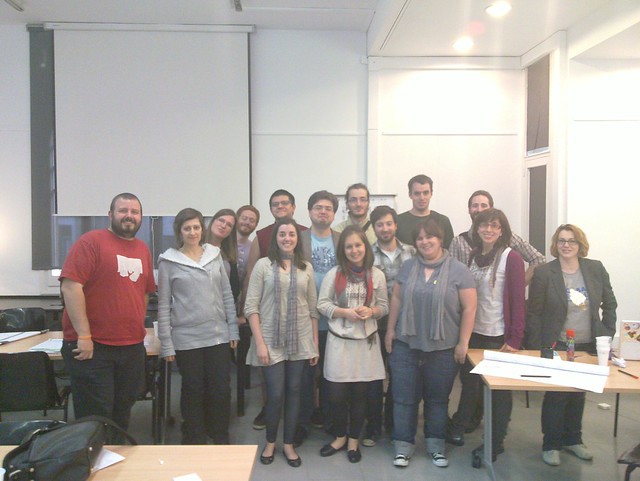
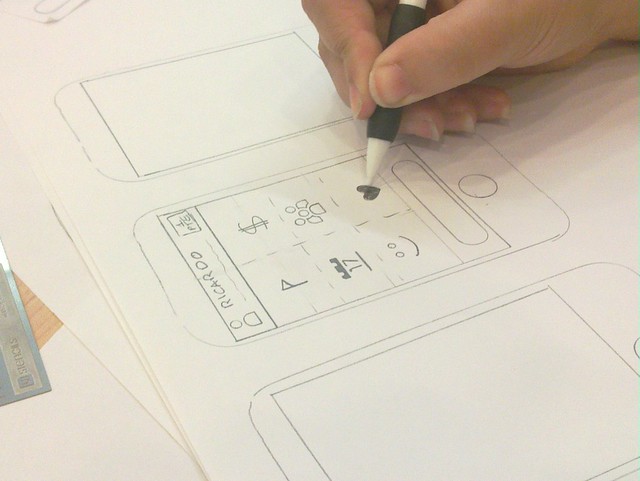
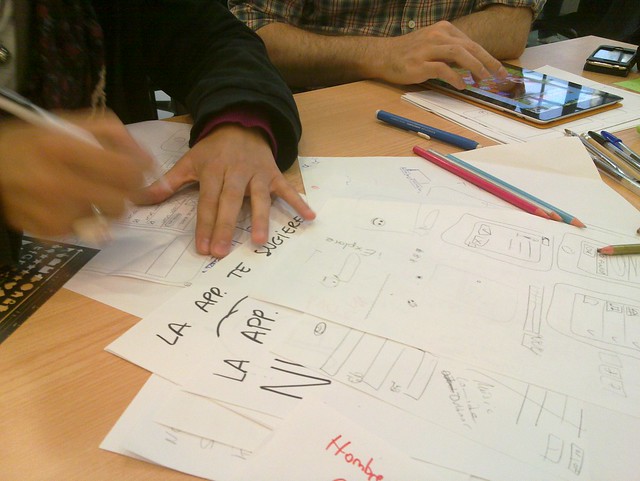
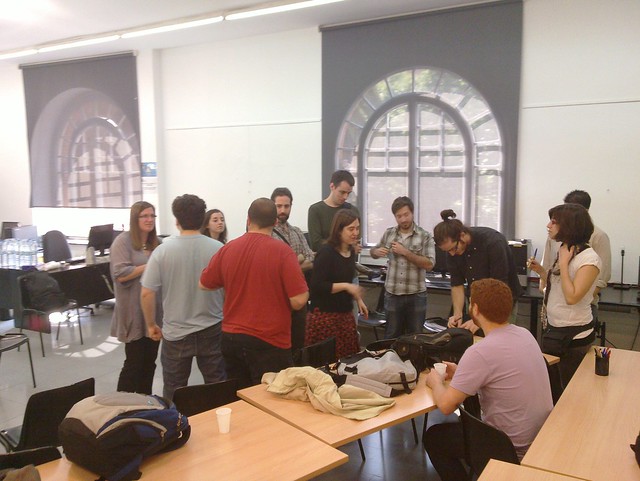
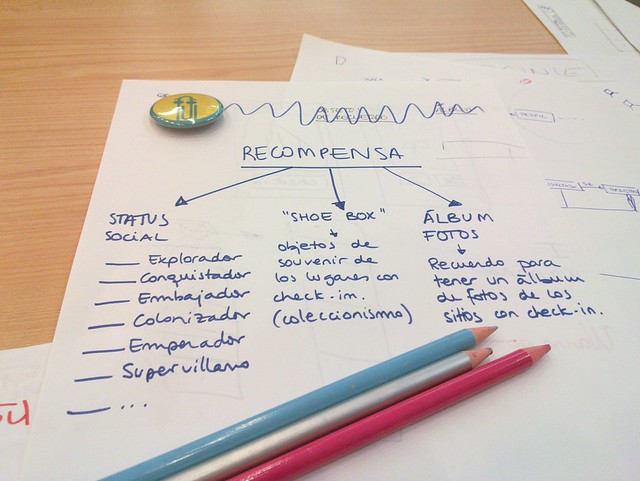
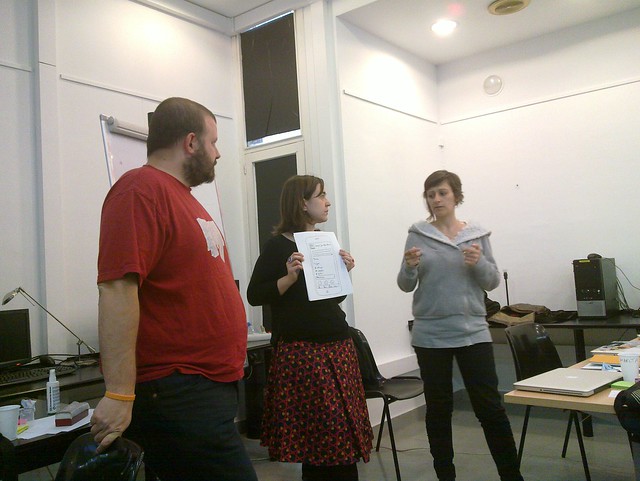
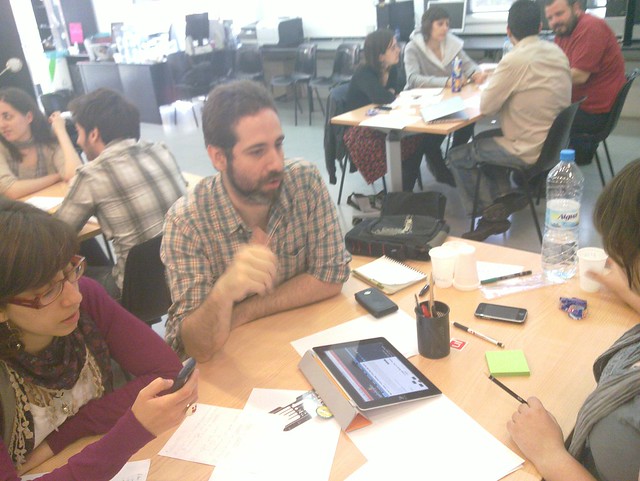
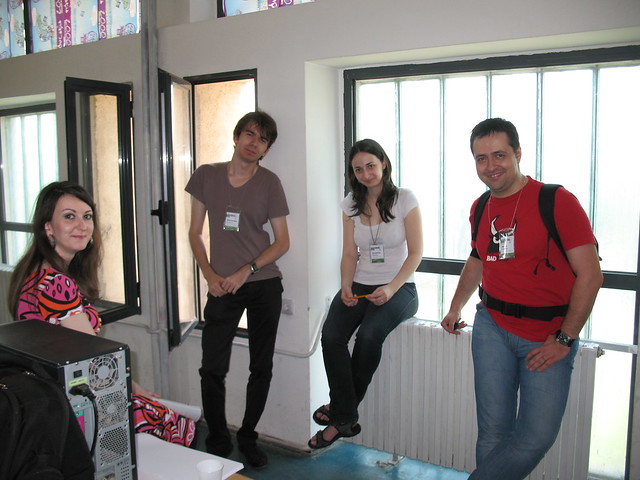
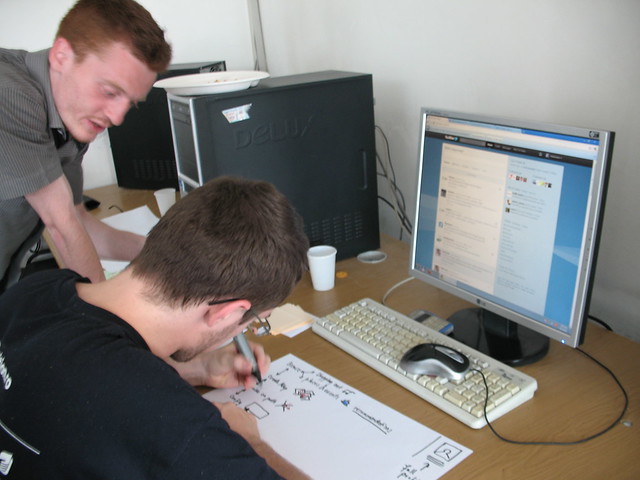
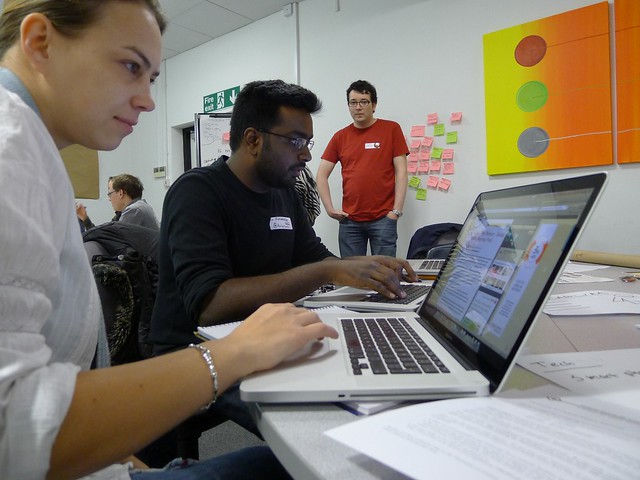
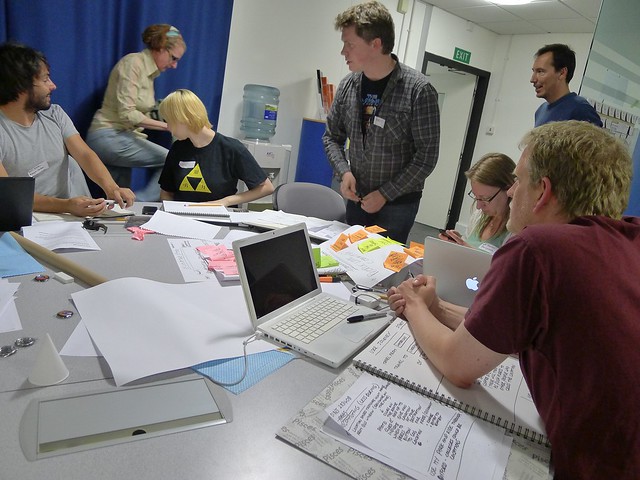
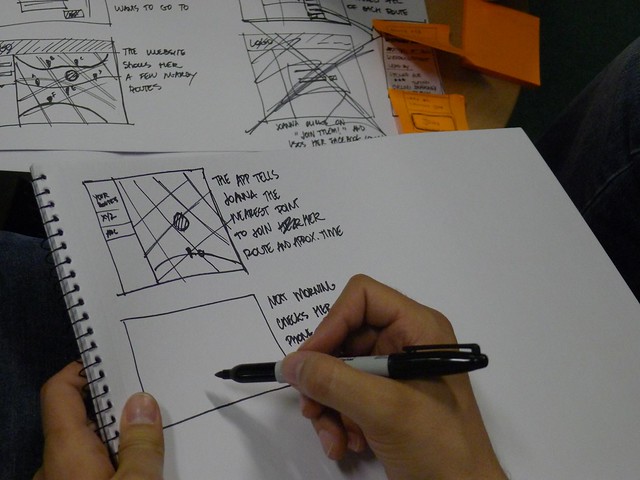
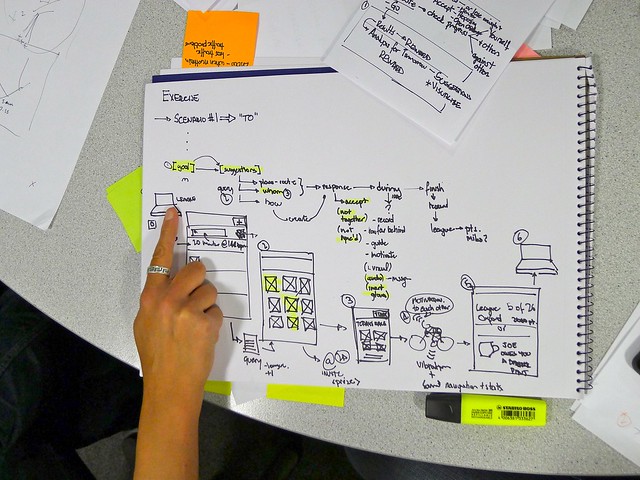
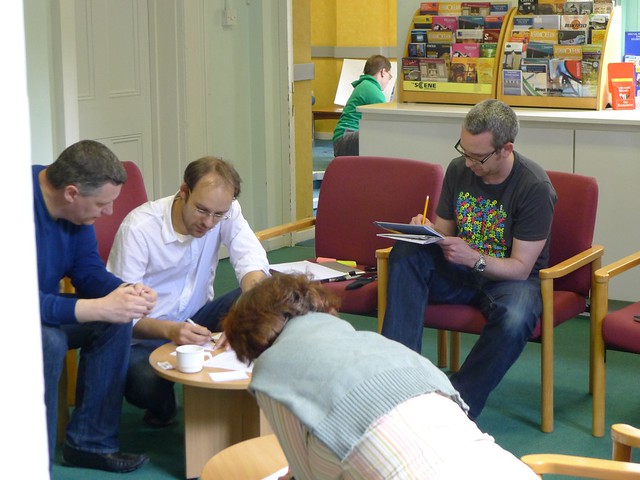
Together with other local champions – Javier Usobiaga, Marta Armanda and Toni Hermoso — we successfully held the first Design Jam here in Barcelona. We were joined by over 15 fantastic participants who made the day an amazing success!
The Day
Fueled with caffeine — we all kicked off bright and early on Saturday, the 4th of June.
After the topic was announced, the four teams started to talk, brainstorm and research during the morning session.
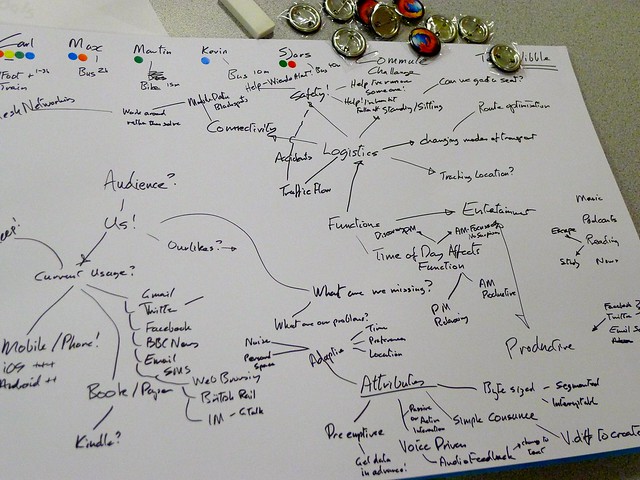
There were some really interesting proposals and mock-ups by the end of the day such as:
General consensus was that all attendees had a great day of sharing knowledge, prototyping, meeting new people and having fun — not to mention unearthing a much welcomed new collaborative community.
“UX community not dead in Barcelona. Just atomized and hiding. I’m on a mission”.
“A mixed group of people (UX, Dev, Sysadmins) but with focus on UX and user research, collaborated for more than 6 hours to get done 4 kick-ass prototypes.”
Will We Do It Again?
Yes, indeed! All participants have expressed interest in a followup Design Jam! Be sure to follow @DesignJamBCN on Twitter for news on the next jam.
Shout outs also to fellow global Design Jam local champions (Franco – for introducing us to cool UX folks in Barcelona, Joanna and Joe – for sharing lots of tips and advice when they visited Barcelona recently).
What’s It All About
It is a one-day design session, during which people will team up to tackle an engaging User Experience challenge. Similar to developer ‘hackdays’ the aim is to get enthusiastic local UX professionals, designers, and developers from both local technology and university sectors together to learn and collaborate with each other while working on a design problem. Check out past Design Jams.
Want to get involved? Know someone?
We’re actively on the lookout for more local champions around the globe!
Earlier this week, we pushed a first version of RecallMonkey. The goal of the project is to make it easier for you to find something you’ve visited in the past. My earlier post outlines some of the things we did to make RecallMonkey a better search experience compared to Firefox’s built-in history search. With early user feedback, we made a few improvements.
Instant search. RecallMonkey now shows results as you type to help speed up your search.
“Pinning” is now called “Prioritized,” it turns out that the word pinning was confusing users between pinned tabs and this feature. We made it clearer that this represents the ability to prioritize results from certain websites.
You now have the ability to exclude sites from your search results. Too many matches from Google searches? You can now exclude results from Google in order to better filter your search.
Some basic UI changes – both prioritization and exclusion are now clearly marked next to the domain name. Its wasn’t obvious that clicking on the domain should prioritize it, so we changed it. Here’s what the UI looks like now:
You can go ahead and download the latest version here. As always, the source code is open and we welcome your feedback so we can make RecallMonkey even better!
We make a lot of web searches with the intention of finding something we’ve seen before. If you’re trying to recall a page, chances are your browser has seen it before, so it should be able to rediscover it quickly. Unfortunately, the search features built into most browsers are based on exact-match methods. This means that if you’re looking for that “fried blueberry pancake” recipe that you’ve seen before and accidentally remember “fried raspberry pancake,” chances are you’ll get no results because your browser hasn’t seen all the words from your query in one document before.
This is where RecallMonkey comes in. Internet search engines don’t do exact-matching, they rank based on how closely your search query and document matches. So we borrowed a leaf from their book and wrote a ranked search engine on top of Firefox’s history database. Then, we added on some other features like filtering by time and the ability to “pin” websites. For example, you remember that article on water was on Quora, so you can pin Quora (by clicking on its domain name) while searching to prioritize its results. RecallMonkey lets you pin up multiple sites at the same time.
So what are you waiting for, go get the addon and start playing with it! Activate RecallMonkey from the File -> RecallMonkey item on the menu (or the shortcut). As always, the source code is open if you want a look or help us hack, and we’d love to hear what you think of it. Please keep in mind that this is a first implementation and may be buggy, so we welcome your feedback!
In most major browsers, when you open a new tab, you encounter a “speed dial” – a list of web sites you frequently visit. We’ve written a new Prospector experiment, Predictive Newtab, to explore the idea of supplementing the fixed list of top sites with a dynamic list that changes based on your behavior:
make items on your speed dial more relevant to what you are currently browsing
suggest potentially interesting and relevant websites that you’ve visited but forgotten about
In its current experimental implementation, Predictive Newtab works by starting from a website that you are currently viewing, e.g., Pandora:
Currently viewing Pandora
After opening a new tab from Pandora, Firefox searches both your bookmarks and history for similar websites that you may be interested in based on what you were recently browsing. This is currently displayed along with some experimental statistics such as score (which is how similar the tags are), frecency (which is a measure of frequency and recency) and others. A hub is a page out algorithms and heuristics believe is a good candidate for being a “home page” or otherwise important page in a website, and BM Engine is an indicator of whether the search result came from a bookmark tag. The results are ranked by no individual one of these but instead a combination.
Predictions based on Pandora
Typically, Predictive Newtab works best if you have a large number of well-tagged bookmarks, but it should work if you have no bookmarks too, though not as well, so we if you keep well-organized bookmarks, this is likely to help you a lot. The plugin does all of its computation inside the browser and no personal information is sent to the web. Please keep in mind that this is a very early stage experiment and not a polished product, and we believe that the ideas behind Predictive Newtab will help us advance in multiple areas:
improve the history search feature inside of Firefox
develop better methods for telling what pages are important to you
introduce a painless way for users to provide feedback to the browser about what they like so we can help them find it quicker the next time
The dust has finally settled on Summer Web 2011 and — myself and other local champions Stefan Negru, Dr. Lenuta Alboaie & Andrei Panu — have just about recovered. Phewwww!
Background
The event, which included the inaugural Design Jam in Romania, saw over 50 keen UX & Technology people participate over 2 days. A few hundred more from across the globe remotely watched via the live stream.
Day 1 — Presentations
Day 1 comprised of a number on engaging presentations. These included:
Day 2, was the actual Design Jam itself with the topic focused around designing a ‘Mall Guiding Assistant’. After 6 or so hours of intense fun the following team outputs were produced:
MallMasters – Bogdan Dumitriu, Mircea Serediuc, Sergiu Filip
Concentrico – Alexandru Andronic, Emanuel Martonca, George Teiosanu
Bird Mall – Alexandru Chelariu, Adrian Trefas, Nicu Spinu
Oomba – Vlad Manea, Stefan Enache, Bogdan Gâza, Andreea-Diana Stanciu
Feedback
Just some of the quotes from participants:
Cristi Bârlădeanu
“The word of the day for Design Jam Iasi was for sure “inspiration”. The mix’n’match of ideas coming from people with different background and complimentary perspectives on what design and UX should be modeled like laid a rock-solid foundation for creativity and innovation. That’s how we got a robot, augmented reality and paper tablets as solutions for the same challenge – ) A big thumbs up for the local champions and congratulations for all the attendees, looking forward to see the same enthusiasm and passion brought together to Design Jam Iasi #2!”
Marius Ursache
“Great fun and great ideas at Mozilla DesignJam Iasi #djiasi. Looking forward for the next edition!”
Silviu Savin
“I was honored to mentor @designjamiasi /If you missed #1, you should come to #2. #djiasi was inspiring, fun, a great experience. Congrats!”
Andreea Buraga
“Design Jam supported by Mozilla Labs was a cool initiative and I encourage all the design enthusiasts to sign up in the future because it is a great learning and idea-generating experience in a relaxed and fun manner. I was impressed with the creative and innovative solutions offered by the participants. I was hoping to see actual designers participating to this event (I mean as “jammers”), but on the other hand it is great seeing people from diverse backgrounds giving a real interest and dedication to this field. I hope this is a first step in starting a community of designers and attracting more people in this field and this type of events – maybe try making Iasi a leading creative center of Romania, for example?! I am very happy and honored I was invited to Design Jam and looking forward to the next editions!”
Bogdan Gâza
“Had loads of fun at #djiasi. Looking forward for the next iteration of the event. Many thanks to the organizers!”
Also a huge thanks to student volunteers: Sabina Bolboceanu, Victor Panaite, and Adriana Schiopu. Live streaming services were kindly offered by MEDIAEC.
Till next year!
What Are Design Jams
They are one-or-two-day design sessions, during which people will team up to tackle an engaging User Experience challenge. Similar to developer ‘hackdays’ the aim is to get enthusiastic local UX professionals, designers, and developers from both local technology and university sectors together to learn and collaborate with each other while working on a design problem.
Upcoming & Past Design Jams
Other scheduled Design Jams going forward include:
Continuing our quest to remove debris from the browser, I’d like to discuss two related issues. The first is the issue of Back/Forward. As many comments pointed out, Inline Tab History doesn’t replace the Back/Forward drop-down list, leaving it difficult to jump quickly to a specific page in a tab’s history.
Before addressing that issue, I’d like to address a more fundamental problem: tab proliferation. If you’ve ever found that you have just too many tabs open, you’ve experienced this problem. The tab bar becomes cluttered, tabs get hidden past the ends of the tab bar, and it’s hard to keep track of the relationship between tabs.
There have been numerous attempts to address this issue. Firefox 4 comes with Panorama (‘Tab Groups’), which does a good job of helping you organize all those tabs manually. The Tree Style Tab extension groups spawned tabs with their parents, thus bringing some order to all those tabs. And Mozilla Labs’ Home Dash figures out for you which tabs are related and groups them together. These efforts and many others provide some valuable insight into the problem. But what if we could prevent tab proliferation at its source?
Where Did All These Tabs Come from?
We can identify two types of tabs: tabs that were opened on their own (original tabs), and tabs that were opened from other tabs (spawned tabs). The former type consists of sites like your e-mail, feed reader, social networking site, and search engine—sites that you open directly. The latter type consists of pages that are opened in new tabs from pages in the former class. For example, you click on a link in your e-mail, or open a news item in new tab. It should be fairly evident that the biggest source of tab proliferation is spawned tabs.
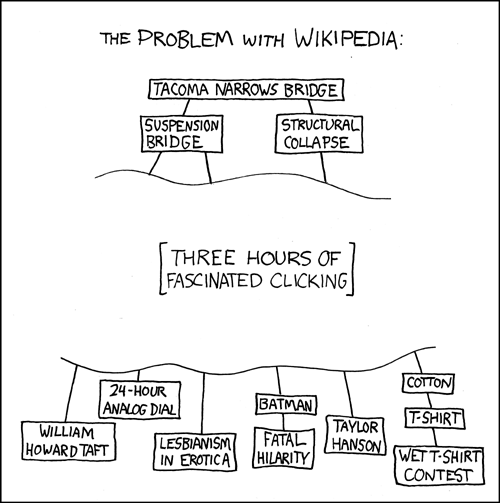
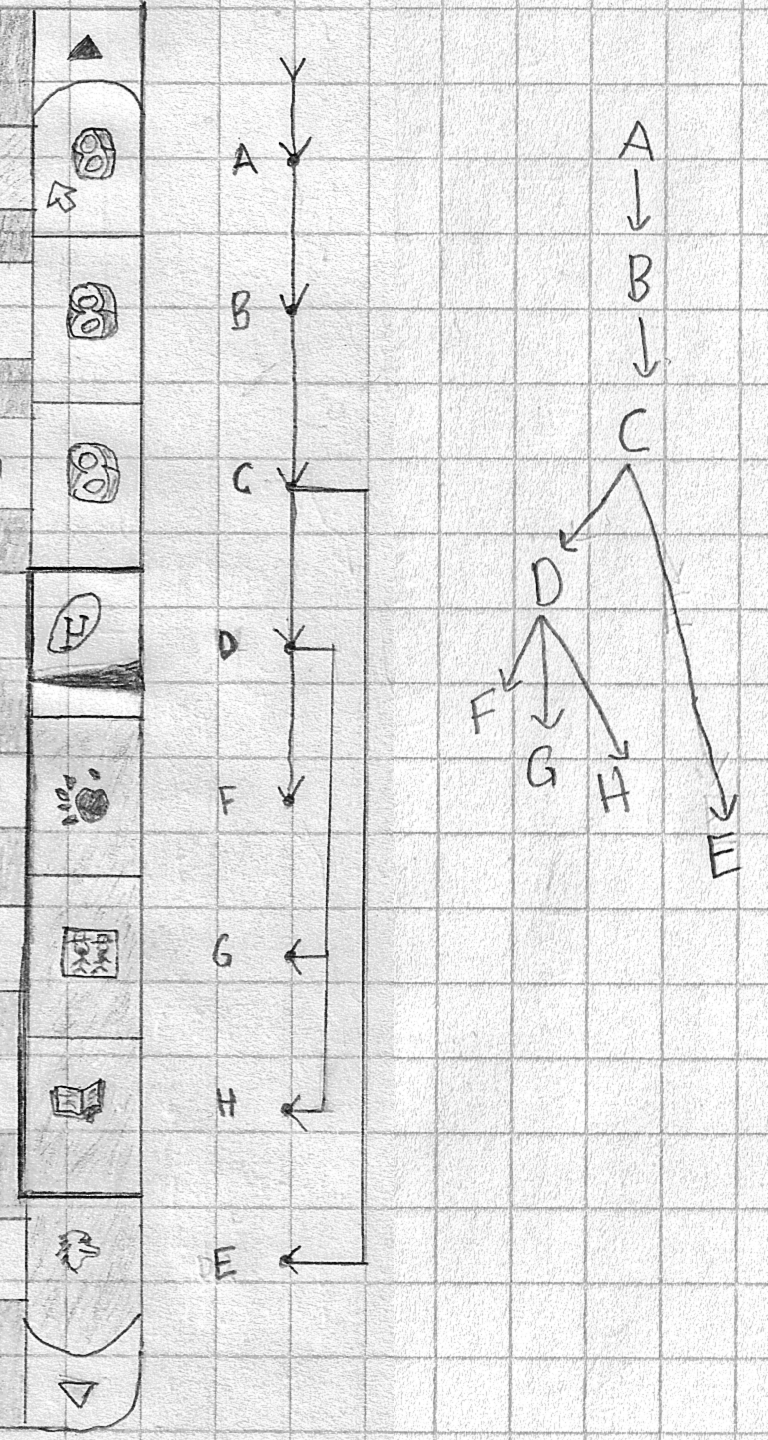
The top-most node in that tree is an original tab, while all child nodes are spawned tabs. Every single node is a tab that was opened at some point, spawned some tabs of its own, and then closed. That’s a lot of tabs! It’s also a lot of opening and closing—tab management that you shouldn’t have to deal with.
How would the tab bar look during such a browsing session?
You start off with the original tab:
[ A ] +
While you’re reading a page in that tab, you come across two interesting links, so you open them in new tabs (italicized):
[ A ][ AA ][ AB ] +
When you’re done with A, you close it and move on to AA:
[ AA ][ AB ] +
But AA itself has three interesting links!
[ AA ][ AAA ][ AAB ][ AAC ][ AB ] +
‘Oh dear! I shall never get to AB at that rate!’ But you plow on anyway. The sequence continues in a manner similar to this, spawning and closing tabs as you travel rightwards along the tab bar. Eventually, if you’re lucky, you manage to close every single tab, ending up on AB (or ABCDE, or wherever you finish). Of course, not all tab-heavy browsing sessions yield such deep trees. Some have more breadth, with one page spawning a great many pages.
Note how this system reveals yet another fundamental problem: the Back/Forward system is broken. Back/Forward is inherently linear. That’s fine as long you remain within a tab; this is how people browsed the Web when these buttons were first introduced. But this type of tabbed browsing is two-dimensional. For example, AA and AB are not opened within A, but are each opened in new tabs, while A is closed immediately when you’re done with it. Thus, both AA and AB have A as their ‘back’ page. And these tabs rarely stick around long enough to develop their own internal history, The Back/Forward history is, therefore, a poor representation of where you’ve been and where you’re going. The tab bar, on the other hand, provides a visual indicator of where you have to go (while the Recently Closed Tabs list tells you where you’ve been). The tab bar has almost come to replace Back/Forward during these types of tab-proliferating sessions.
But is this type of browsing necessarily two-dimensional? After all, you’re not likely to read AA and AB at the same time, but in a certain sequence. What if we rearranged the tree in reading order?
A → AA → AAA → AAB → AAC → ⋯ → AB → ⋯
This linear order is identical to the order that the tabs appeared (and later disappeared) on the tab bar.
The Solution: Tab History As Queue
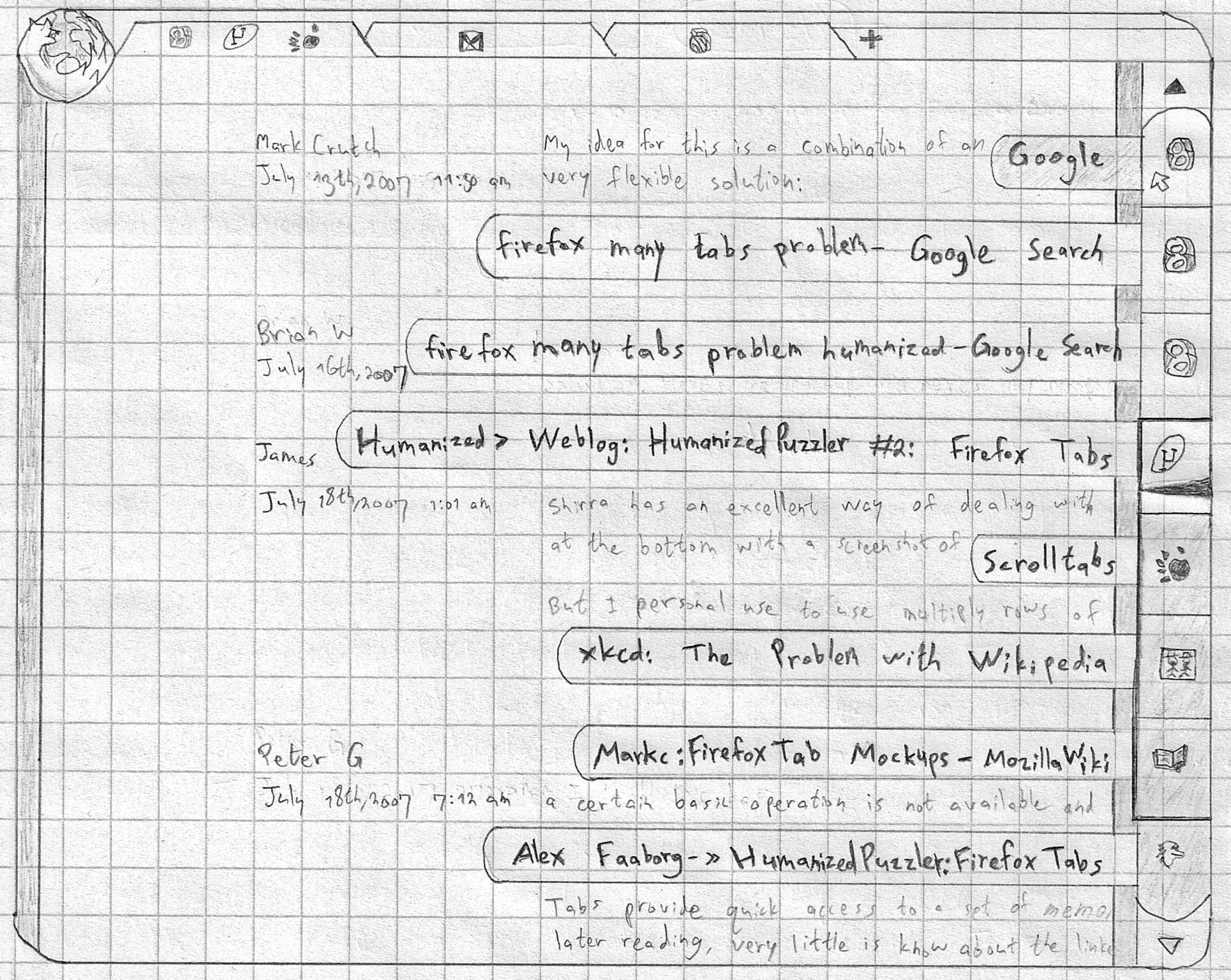
My proposal to fix all the above problems is the History Scroller:
The History Scroller
This builds on the ideas from Part 1, especially Inline Tab History. To recap, in that design, the pages in a tab’s history are all displayed in the content area arranged vertically. Additionally, each page gets a header with a favicon, its location, and other useful metadata. The header is attached to its page, so that it scrolls together with it. (If you’ve ever used Google Reader or Google Groups, this design is similar.)
The History Scroller combines the Back/Forward history with the scrollbar at the right of the interface. It is a visual representation of the tab’s history, with the favicons for each page shown in order. The current page being viewed in the content area is highlighted visually. This highlighting is done both in the scroller and in the content area (both with a darker border in the mockup), so you know which page is active. All other pages, meanwhile, are frozen and their resources managed by the browser.
Overlaid on the current page in the scroller is an indicator for where you are on that page. This is essentially a replacement for the scrollbar. (Ideally, the design should be along the lines of the ‘Content-Aware Scrollbar’.) Above and below the current page are the most nearby pages in the history. The scroller may also be scrolled in order to see more of the history. Hovering over any part of the History Scroller shows the page titles for each page (as seen in the mockup), making it easy to find the right one. (This touch was inspired by the Scrolltabs demo.) Clicking on any item will quickly scroll the content area to that page, preserving the previous location on that page.
When you click on a link, this new page is opened and displayed below the current one and the content area scrolls to the new page. You can, however, interrupt that scroll by scrolling up, leaving the new page unread. You get the same result from middle-clicking the link, which adds a new page to the history without scrolling to it. Unread pages are also indicated (they have a darker background in the mockup), so you don’t lose track of what you need to read, in case you go back or skip around. They are also loaded fully and then frozen, so they don’t continue running until you view them.
If you spawn several pages from one, they are added to the history in the order of being spawned. Together with the current page, these pages are highlighted separately as the active page group (the darker border in the mockup). This indication tells you where each new page will appear. Spawning these page won’t suddenly remove any history items below them (in the “Forward” history), because the Forward history is immutable. Thus, if you go back to a page and follow some link, the Forward history won’t suddenly disappear, like it does now. Similarly, if AA is followed by AB and you open a couple of pages from AA, AAA and AAB will appear between AA and AB, leaving AB untouched (and unread).
Since the tab history is now a representation of your reading queue, it makes sense to allow this queue to be reordered, in case you want to read pages in a different order than the how they were opened. Pages may, thus, be moved up and down in the history. Pages can also be transformed into new tabs by dragging them to the tab bar, for those situations where you need to keep a page open longer. Meanwhile, app tabs, being inherently permanent, get their spawned pages opened in a separate connected tab. (More thorough ideas for how to deal with web apps tabs are welcome.)
Finally, because the tab bar no longer represents a single page but a whole tab history and an entire browsing session, it no longer makes much sense to show the title of the current page. Instead, the tab shows the icons for the current page and the two surrounding pages. It would also make more sense to show this tab bar at the left side (like with Firefox for mobile).
To clarify further:
Solving the Tab Proliferation Problem
The tree diagram at the right arranges the nodes by reading order, with earlier nodes placed above later siblings. Collapsing that linearly results in an order identical to the result achieved through the new behaviour I’ve described. Note that this is identical to the order these pages would have appeared on the tab bar. What we’ve done is rotated the tab bar (the part with all the spawned tabs) and made it vertical, merging it with the tab history. This is made possible through a modification of the ‘open in new tab’ behaviour. In this new model, the tree remains unchanged. If you were going through the xkcd session, you would view and open those pages in exactly the same order. The big difference is that the browser now organizes them for you and makes your journey much clearer. You know where you’ve been, where you have to go, and how pages relate to each other. On top of that, you need not constantly be closing tabs as you go along. All you have to do is scroll down and the pages you’ve viewed are history. Meanwhile, the tab bar remains uncluttered and devoted to original tabs, allowing for a more organized tab bar (and Panorama).
Another way to view this new model is in terms of tab as task. The tab bar is devoted to separate potentially-simultaneous tasks, while the History Scroller for each tab is devoted to one mostly-linear task. The tab bar is for multitasking, while the History Scroller aids unitasking within each tab.
To summarize, by replacing the debris of the Back and Forward buttons with a more visual, informative, display of your content (the tab history), we were able to offer a solution for the problem of tab proliferation. Since the tab history is no longer hidden behind some buttons, we could update the Back/Forward behaviour to be more useful and more logical, leaving the tab bar no longer overloaded and cluttered. The Back button used to be more frequently used than the Forward button. In this new paradigm, however, we move forwards!
Conclusion: A Call to Developers
Tabbed browsing no doubt is not limited to the use cases I mentioned. How would this paradigm affect your own behaviour? Will it ultimately help (after a necessary acclimation period), or are there situations where this will make the browser less useful?
Moving on, what we need is a few extensions that demonstrate and test some of these ideas. Each extension should implement a feature that could stand on its own. These are, in order of importance:
New Back/Forward System. This extension will modify the new-tab/middle-click behaviour as I’ve described. Spawned pages will appear in the Forward list, and that list will always be maintained, so that the Forward history never gets overwritten. This extension will not modify the interface in any other way;
The History Scroller. This will modify the scrollbar in the way outlined above. It will display tab history, whether the history has been modified by the previous extension or not;
Inline Page Info. When combined with LessChrome HD, we can create an interface similar to the mockups while keeping the location bar. Later on, this can be expanded to display Inline Tab History.
Note how none of these extensions would rely on Ubiquity. We can create most of this design without removing the location bar. Ubiquity integration (and permanent removal of the location bar as it is now) can wait until it’s ready.
If anyone is interested helping develop these extensions, please get in touch by emailing david[dot]regev[at]gmail[dot]com (or leave a comment within the discussion).
Addendum
– A few of the ideas in Part 1, specifically those of applying monotony to Ubiquity and of adding a new command, have previously been described by Jono Xia, one of Ubiquity’s developers. Jono deserves credit for discussing these ideas publicly first.
The idea is to create a Mozilla Labs Concept Series channel which showcases inspiring & innovative concepts (ideas, wire-frames, prototypes) created by the community. We then invite open discussion & collaboration — leading to these artifacts being further enhanced and driven forward via a wider Mozilla community involvement.
Do you have a concept that you believe inspires future design directions for Firefox, the Mozilla project, or the Web? Get in touch via email dchinniah[at]mozilla[dot]com or add it to the Mozilla Concept Series group.
After two successful events, the third London Design Jam is happening on the 2nd of July, thanks to continued support from Mozilla Labs and City University London.
Design Jams are for anyone who wants to improve their design, collaboration, brainstorming and presentation skills by tackling an interesting UX design challenge. It’s an open call for interaction designers, UX researchers, information architects, web and graphic designers, developers, product managers + more…. from students to experienced practitioners.
To facilitate the free exchange of ideas, all outputs, visualizations and other contributions made during the day are shared globally under Creative Commons Attribution (CC-BY) licenses.
Topic & Mentors
The topic will be revealed on the day, but you might be able to guess the theme of the day by checking out the interests of our mentors:
Hannah Donovan is a Canadian interaction designer living in London. She led design at Last.fm for five years, and before that worked agency-side designing digital campaigns. Since leaving Last.fm this spring, Hannah’s become an independent product designer focused on ways to make music better on the web. When she’s not busy with new work, Hannah contributes to spacelog.org and plays cello with a real orchestra as well as a comedy orchestra.
Matthew Ogle is a transplanted Canadian who has spent seven years in the UK mixing music and technology. He runs the London outpost of music intelligence platform The Echo Nest, helping developers build amazing apps with its APIs and making a few of his own too. Before joining the Nest, Matt spent almost six years at Last.fm, directing several evolutions of the website and growing the teams and technologies that took Last.fm from 0.5 to 40+ million users. Besides music, Matt likes space, archives, and whiskey.
Jason Mesut is Head of User Experience at RMA Consulting, where he leads a team of 36 Experience Design specialists developing cutting-edge enterprise applications. Jason doesn’t get much time to design stuff himself these days, but takes great pride in helping others frame their challenge better and develop solutions that matter for an organisation. Outside of his crazy work schedule, UX recruitment and industry presentations, Jason likes to use a whole bunch of strange technology to make disturbed electronic music in his little studio in Richmond.
Whether it’s a small monetary donation to help with stationery, coffee & other refreshments requirements, or perhaps something larger to help with catering costs during breakfast or lunch.
It would be fantastic to get sponsorship to cover remaining costs, including food, drink and stationery. Supporters are mentioned all the time, on the wiki, via social media, on the day itself and in all subsequent blog posts and updates.
Like to help support Design Jam London 3? – please email designjamlondon[at]gmail[dot]com
This event is part of Mozilla Labs DemoParty, an initiative to foster artful exploration of web technologies.
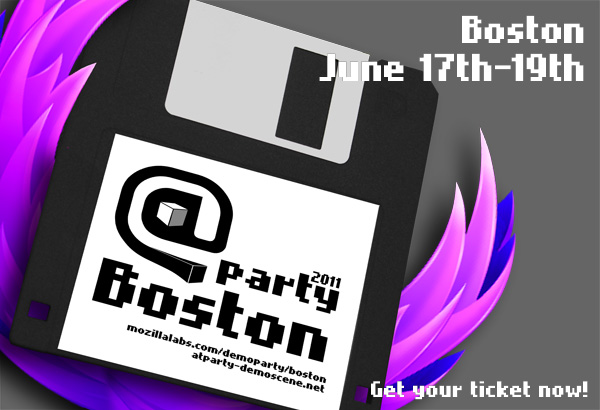
June 17th – 19th Demoparty @party Boston
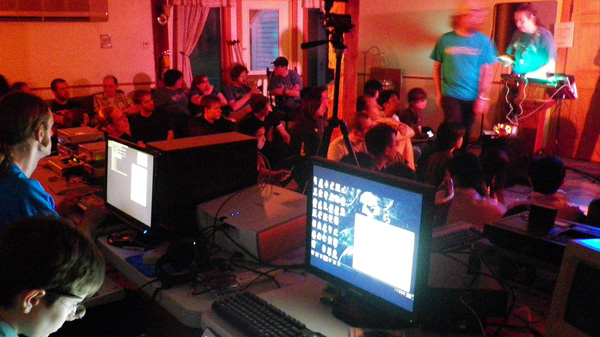
On June 17th “North America’s Only Live Freestanding Demoparty” is happening and we’re part of it! Bostons’ demoscene is meeting at the “@party” to hack and compete on platforms from Nintendo Gameboy over 8-bit music to two newly added categories: “Single Effect Web Demo” and “Full Web Demo”.
Alister MacDonald aka F1LT3R, member of the Mozilla #audio team, will host a hacking workshop to get Bostons’ demosceners excited about using web technologies in their art work.
This is going to be a hot weekend for demosceners, not only in Boston – The Flame Party Helsinki is happening at the same time!!!
This event is part of Mozilla Labs DemoParty, an initiative to foster artful exploration of web technologies.
Demoparty hits India / Pune
We’re excited to annouce that Mozilla India is arranging a DemoParty in India, Pune on June 25th. This is especially cool, because it’s probably even the first DemoParty in India – Serious culture exchange *smile*
Join Mozilla India for a full day + night of open web (aka HTML5) demo hacking, food/drinks! An artful exploration of open web technologies, in the tradition of the Demo Scene.
Attend hands-on HTML5 workshops and collaborate with hackers and artists till late night or even the next day to take home the evenings Demo Party Award.
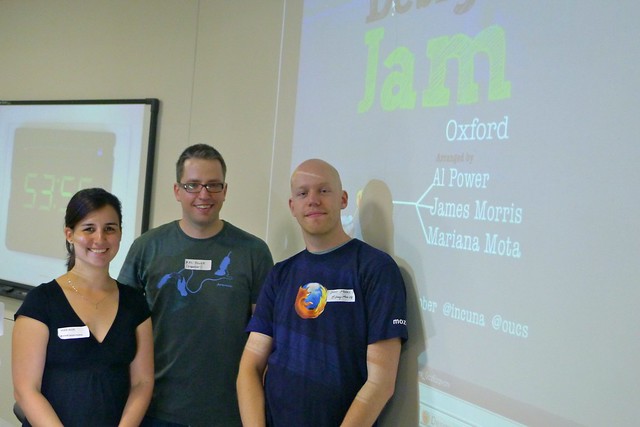
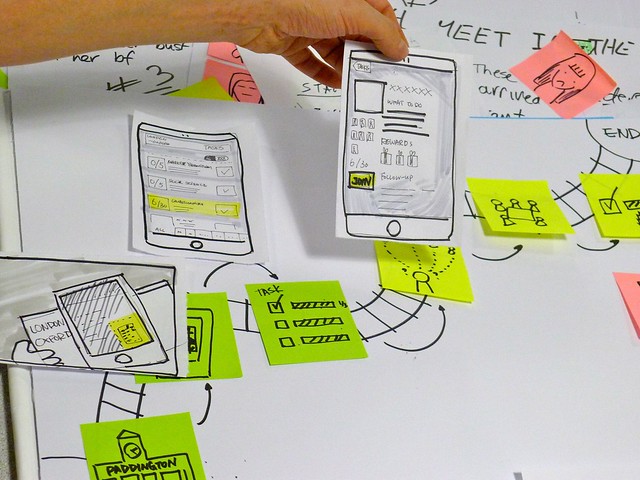
A guest post by, Al Power one of the local champions from Design Jam Oxford.
The first Oxford Design Jam was held on the 14th May, and two weeks later I thought I would collate some of our thoughts now it’s all over. My two co-organisers, Mariana Mota and James Morris were both Design Jam alumni, so had a good idea what it was all about, but for me it was a totally new experience.
The Build-Up
As organisers all the hard work was done up front really, and on the day we spent a lot of time making sure things were running smoothly, and moving from group to group photographing, videoing and general assisting to move things along.
Luckily the support from all the previous Design Jam organisers running up to the day was stellar, and after reading through several blog posts, wiki articles and chatting with previous organisers over Skype, I really felt like I was getting to understand the concept well and really focused on the planning side of it.
All in all it was a really successful day, with a total of 47 out of 50 people registered, attending. We ended the day with ten teams worth of output! That’s a stellar effort — considering the short, intense time-frame:
Having taken a look at feedback from attendees as well as evaluating our own thoughts, there are a few things worth highlighting…
The Good
Things we thought went well:
having more than one organiser – we had three and we assigned pre-event tasks out which worked out really well;
tightly time-boxing the day – we projected the task times up on the wall and were ruthless in keeping to them – this kept the energy levels up and people seemed to work well with constant awareness of the time constraints;
actively checking people could still come through emails/twitter – we made several attendee changes right up until the night before, and because we put constant reminders out, those who couldn’t attend let us know earlier and we were able to substitute;
colour coding people by roles – when creating attendee index cards for the teams we gave each role (dev, designer, ux person, project manager etc) a coloured dot, and this allowed us to easily see whether certain teams were evenly balanced, and shift people around;
running through the topic with the mentors the week beforehand – getting the mentors involved before the day really helped fine tune the topic, and also gave them some more time to think about it, rather than coming to it fresh on the day.
The Not So Good
Things to improve for next time:
do both sets of presentations in the same order (makes editing video way easier);
figure out a way to encourage better recording of ideas, whether on the wiki or some other medium (due to time constraints, people were reluctant to spend much time documenting their ideas);
maybe provide a list of UX tools for less experienced groups to choose from if they needed a kickstart.
Q: Would we do it again? A: Heck, yes!
All in all I thought it was an amazingly inspiring and successful day, and was well worth the efforts in planning (big thanks to my co-organisers James and Mariana). This was echoed in some of the feedback we got: ‘it was a very inspiring day’, ‘Intense but fun..a great day’, ‘makes me want to build things’, ‘most inspiring weekend I’ve ever had’, and ‘designjamoxford was really cool, gets better every time’.
Updates
You can keep up to date with the latest news and updates from other global Design Jams by following the #DesignJam hashtag on Twitter
What’s It All About
It is a one-day design session, during which people will team up to tackle an engaging User Experience challenge. Similar to developer ‘hackdays’ the aim is to get enthusiastic local UX professionals, designers, and developers from both local technology and university sectors together to learn and collaborate with each other while working on a design problem. Check out past Design Jams.
Want to get involved? Know someone?
We’re actively on the lookout for more local champions around the globe!