Please download Firefox 4 to watch the WebM video.
Full-size video (0:52) download: webm (6mb) and ogv (5mb)
Transcript:
As part of the Prospector exploration, Twitter has worked with us to develop a new Firefox add-on, Twitter Address Bar Search, to explore ways to jump straight to the web page that you want. Along the same ideas behind AwesomeBar HD, instead of first doing a general web search, you can now easily focus on finding messages and users on Twitter.
If a billboard for Firefox mentions “@firefox”, I don’t need to bother typing in http://www. Instead, I just type @firefox directly into the address bar and hit enter. And I’m now ready to find out more about Firefox.
The add-on also allows me to instantly check up on what people are talking about for a #hashtag topic like #firefox. Or if I just want to search through Tweets, I can select Twitter for the search box. And if I’ve previously done a search in the Twitter app tab, it lights up to let me know that new Tweets are available.
Do you think showing @username as a keyword instead of urls will help users find websites?
AwesomeBar HD uses category prefixes, e.g., “people:”, to trigger site-specific searches, and here we use “@” and “#”. Do you have suggestions for other ways to detect when not to do a general web search?
The course HCI / Design Studies, under the guidance of Ben Matthews and Trine Heinemann, researchers at MCI, aims to teach skills in pinpointing interaction problems with technologies in the widest sense. Students are asked to demonstrate their understanding of the theories and tools covered in class through undertaking a critical analysis of any machine interaction, and proposing a redesign of the technology in question.
Through a series of lectures and practical exercises attendees are supported in developing these skills. Part of these exercises is a semester project running in parallel to the weekly lectures. For the project students form groups of 3-4 and decide autonomously on a topic to work on.
Project Scope
Initial video recordings of users in interaction with a given technology are transcribed and analyzed. Evaluation is done with regard to shortcomings in the design that eventually cause frustration due to confusion, misunderstanding, and false operation.
Grounded on their observations students suggest alternative design solutions that comprise deliverables like use stories, sketches, low- and/or high-fidelity prototypes, and such. In multiple iterations proposals are opposed to in-class discussions against the background of general design principles taught throughout the course.
Mozilla Involvement
Reading about Mozilla Labs initiative to expose students to relevant industry experience through the Student Outreach channel, one group of students decided to approach Mozilla Labs for a potential collaboration on their semester project.
It’s a Mozilla Labs Concept Series channel to give industry related experience exposure to students at global institutions – via co-created and collaborative Design (UX, UCD, HCI, IxD) courses.
We aim to directly work together to propose and structure a engaging course module that’s relevant to the institutions own goals, interests and timing schedules.
(This is a guest post from Ben Francis, a member of the Mozilla community and a contributor to the Chromeless project.)
Webian Shell 0.1 is a full screen web browser for devices that don’t need a desktop. As of today you can download a prototype built on Mozilla Chromeless which you can try for yourself.
A Graphical Shell for the Web
If you’re anything like me then you’ll find that most of the stuff you do on your PC these days happens in a web browser, and the desktop environment you used to depend on is now just getting in your way. Modern web applications can do just about everything traditional desktop applications can do (like flashy graphics, sound, video and offline storage) so often all you really need is the browser.
The idea of the Webian Shell project is to replace your computer’s interface with something much simpler, which treats web applications as first class citizens and does away with all the un-necessary clutter.
Download the screencast in theora, webm or mp4 formats.
Rapid Prototyping with Mozilla Chromeless
Shell started as a simple design concept with a few static mockups, but when Mozilla Chromeless came along it was suddenly possible to rapidly develop a working prototype using standard web technologies like HTML, CSS and JavaScript. As a member of the wider Mozilla community this was an opportunity I couldn’t resist so I quickly got to work on putting together a prototype using the technologies I already knew from web development.
This initial early release really just gives you a minimalist, full screen, tabbed web browser with a clock and a rather empty looking home screen. I hope this is enough to convey the basic idea behind the project and that with the open source community’s help we can quickly iterate this prototype to encompass lots of exciting ideas about what living on the web could really be like.
Future Directions
These are some of my ideas for future directions to take the prototype, but I’d love to hear your ideas.
Home screens – instead of a desktop, Shell could have multiple home screens like you see on mobile devices, but containing web widgets and icons for “installed” web apps. See Mozilla’s Open Web Apps project for some inspiration.
Hardware controls – any graphical shell for a hardware device needs the ability to monitor and control hardware for things like sound, network, GPS, battery etc.
Zoomable tiled window manager – zoom out to a view of all currently loaded web pages (like Panorama in Firefox or Expose in OS X), then zoom in to the page you want.
You can find out more on the Webian web site or go straight ahead and download and install Webian Shell 0.1 on your Mac, Windows or Linux computer today. I’d really love to hear your feedback!
You can propose ideas, report bugs and ask questions on GetSatisfaction, or join the Google Group to take part in the conversation.
Based on a Mozilla initiative, and after the successes of other worldwide Design Jams, local champions Alina Mierlus, Marta Armanda, Javier Usobiaga & Toni Hermoso, have been instrumental with the organisation of the event. In doing so have they have created a real buzz amongst the local UX community.
The event is non-profit, champions open-source thinking & sharing under Creative Commons licenses. Find out more about Design Jams.
Registering
Registration is well under way and spots are going fast! However, there’s still time to grab your spot via Eventbrite.
Date: 4 of June 2011 (Saturday) Time: 09:00 – 18.00 Venue: Centre Cívic Golferichs Address: Gran Vía Corts Catalanes, 491, 08015 Barcelona, Spain (map)
The team are presently discussing a design topic with the mentors. Keeping with tradition, the topic will only be revealed on the morning of the event.
Local Champions
These folk rock! Events like these are not be possible without the hard work and dedication of local champions:
It is a one-day design session, during which people will team up to tackle an engaging User Experience challenge. Similar to developer ‘hackdays’ the aim is to get enthusiastic local UX professionals, designers, and developers from both local technology and university sectors together to learn and collaborate with each other while working on a design problem. Past Design Jams include…
Want to get involved? Know someone?
We’re actively on the lookout for more local champions around the globe!
This interview is part of Mozilla Labs DemoParty, an initiative to foster artful exploration of web technologies.
On a recent trip to Finland, Helsinki I had a chance to meet the demo artist Visa-Valtteri Pimiä aka Visy. He is part of the “Alternative Party” crew and co-arranging “The Flame Party” in Helsinki with us. Visy has co-released impressive demos on a variety of platforms and most recently on the web. I asked him some questions.
“Growing up with technology and finding the need to express myself made me choose digital media as the platform to do it”
TBX: Visy, where does your immense passion for creating demos come from and how did you get sucked into this art scene?
Visy: I’ve been fascinated with computers as long as I can remember. They have always been a part of my life. Growing up with technology and finding the need to express myself made me choose digital media as the platform to do it; my first steps with computers were always creative in nature, be it creating BASIC program, pictures with paint programs or tracker songs.
I found the demoscene through the files uploaded on Finnish BBS file sections, seeing various productions by PWP and other Finnish demo groups, and I instantly knew that this was something I wanted to do as well. In reality, it took some years of trial and error and learning from my mistakes to actually find my own way of doing creative things on the computer. The first thing I was proud of was a demo on the Nintendo NES, and I’ve never looked back since.
“You don’t have to be a part of any scene to be an artist”
TBX: What defines the demoscene for you? There are many traditions, but sometimes traditions need to be broken. Like making a demo interactive or moving onto a different platform. Is there something like a quintessence of the scene?
Visy: The “scene” is a very loose knit collection of people. I’ve just considered it as the scene of people that like the aesthetics of demos, nothing more (in addition of the old cliques of demo creators that had to organize parties to see each other face to face!). What I mean by that is that you don’t have to be a part of any scene to be an artist.
I don’t think there’s any restrictive qualities in what can be a “real” demo and what can’t. I’ve always defined it as being “mostly realtime”. Demos are the art of realtime calculation, for sure, and anybody can make them, be they part of the “scene” or not. It’s not a contest.
In any case, the boundary between a digital artist and a demo artist is very fine if not nonexistent.
(Image: Portrait Visy)
“…eschewing traditions for the grueling process of finding something truly original creatively. I’m still searching for my own voice as an artist”
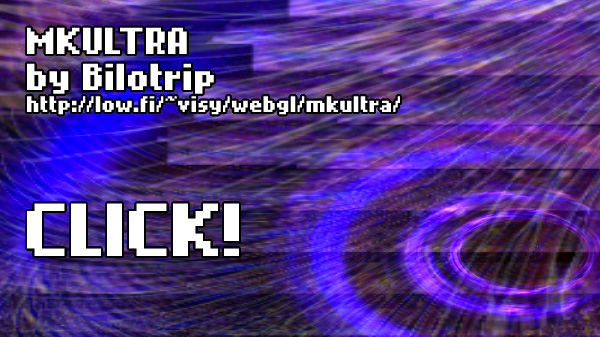
TBX: Most recently you’ve been experimenting on several WebGL effects and I think “MKULTRA by Bilotrip” is your first full demo for the web. Please tell us something about the demo and who is Bilotrip? (The demo on top of this page)
Visy: The demo is the second part of Bilotrip’s “mind control” trilogy, a series of demos designed to evoke a feeling of something forbidden, strange and out of this world. The main source of inspiration for them are the legends of CIA mind control experiments and the stories of attempted human brain programming. I’ve tried to convey this feeling of helplessness through our work, culminating in the third part that’s still to come.
Bilotrip itself is the “brand” of our demos that are more experimental and try to be something else than what already exists. It’s the shadow brother of Trilobit, the clean cut and straight edge demogroup we organized as before. It’s a sort of mirror of my personal development as an artist as well, eschewing traditions for the grueling process of finding something truly original creatively. I’m still searching for my own voice as an artist.
TBX:I have to disagree – As I see it you already very much found your voice! : ) Are you considering releasing the “tool” you are working with as open source at some point, so others can build on your work, too?
Visy: It’ll be on Github soon, but I think this is not the best source to learn from, as I very much compromised form for function this time, trying to get the end result done in time for the Stream 8 demoparty. But definitely I’m happy to share all and any code with people if they want. I consider my stuff always open source.
TBX: Which demo you’ve worked on in the past is your favorite and why? I want to show it to the readers.
Visy: My favorite is “Doctor” by Trilobit, a demo we did on the Atari 2600 console a few years ago. The reason it is my favorite is because it’s one of our works where I really had a strong idea what the end result would be and we really executed it perfectly; it stands by itself, requiring no more explanation from ourselves. You can see it on Youtube:
TBX: I can’t wait to see more web-based demos from you, thanks for the interview and see you at the Flame Party in Helsinki!
Visy: Thanks! I’ll definitely work with WebGL in the future as well, seeing that it really helps with the multi platform aspect I’ve always driven for in our productions. See you are the Flame Party!
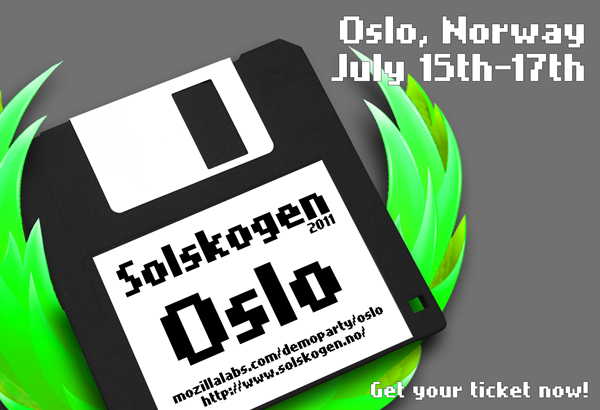
Join us for 2 days of web (aka HTML5) demo hacking, soccer, camping, Amigas, outdoor BBQ, beers and Scandinavian hospitality!
Like at “The Flame Party” in Helsinki, Solskogen 2011 will also challenge you to participate in a “Single Effect Compo“. Full compos can be submitted to the combined demo category also.
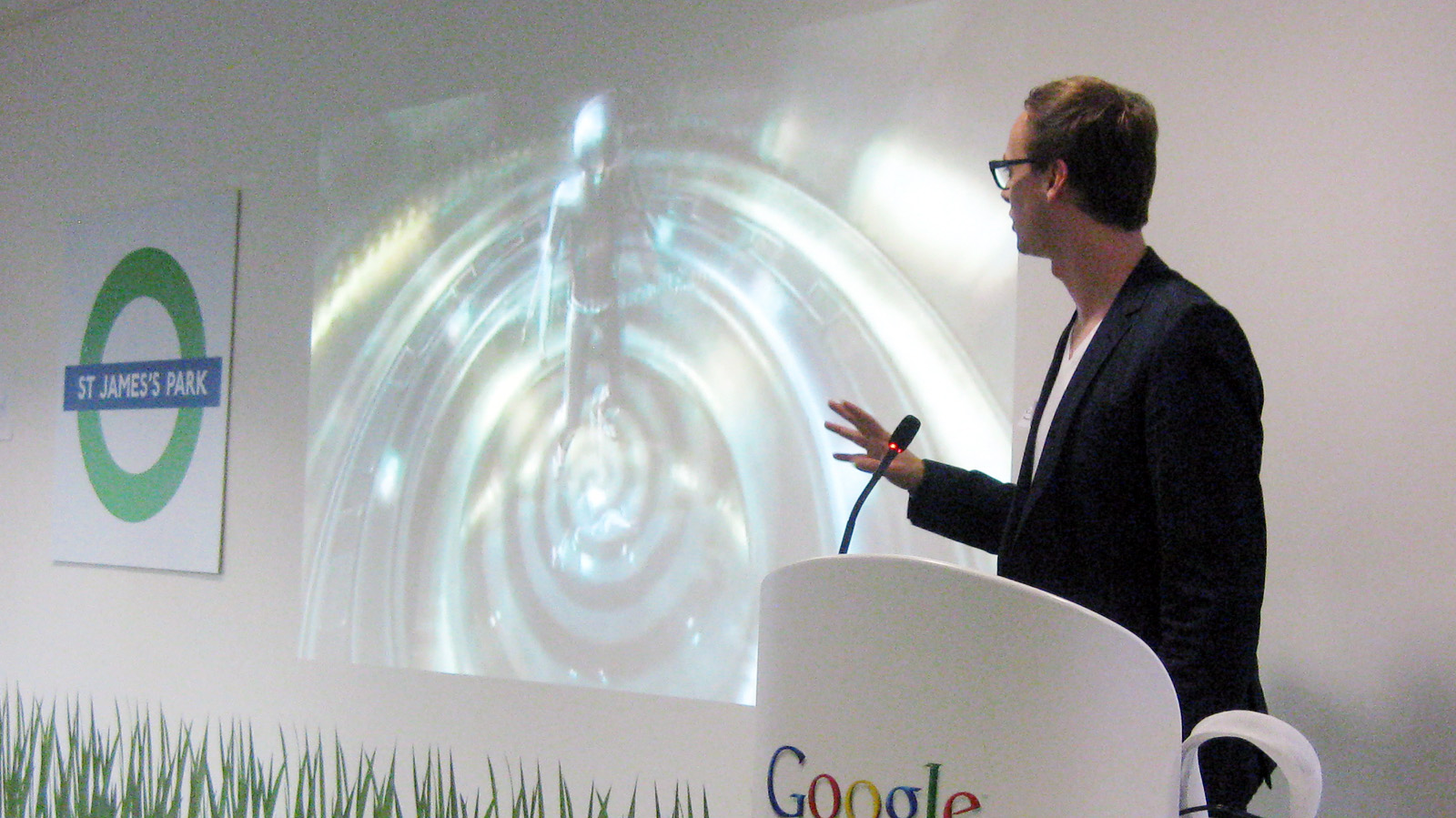
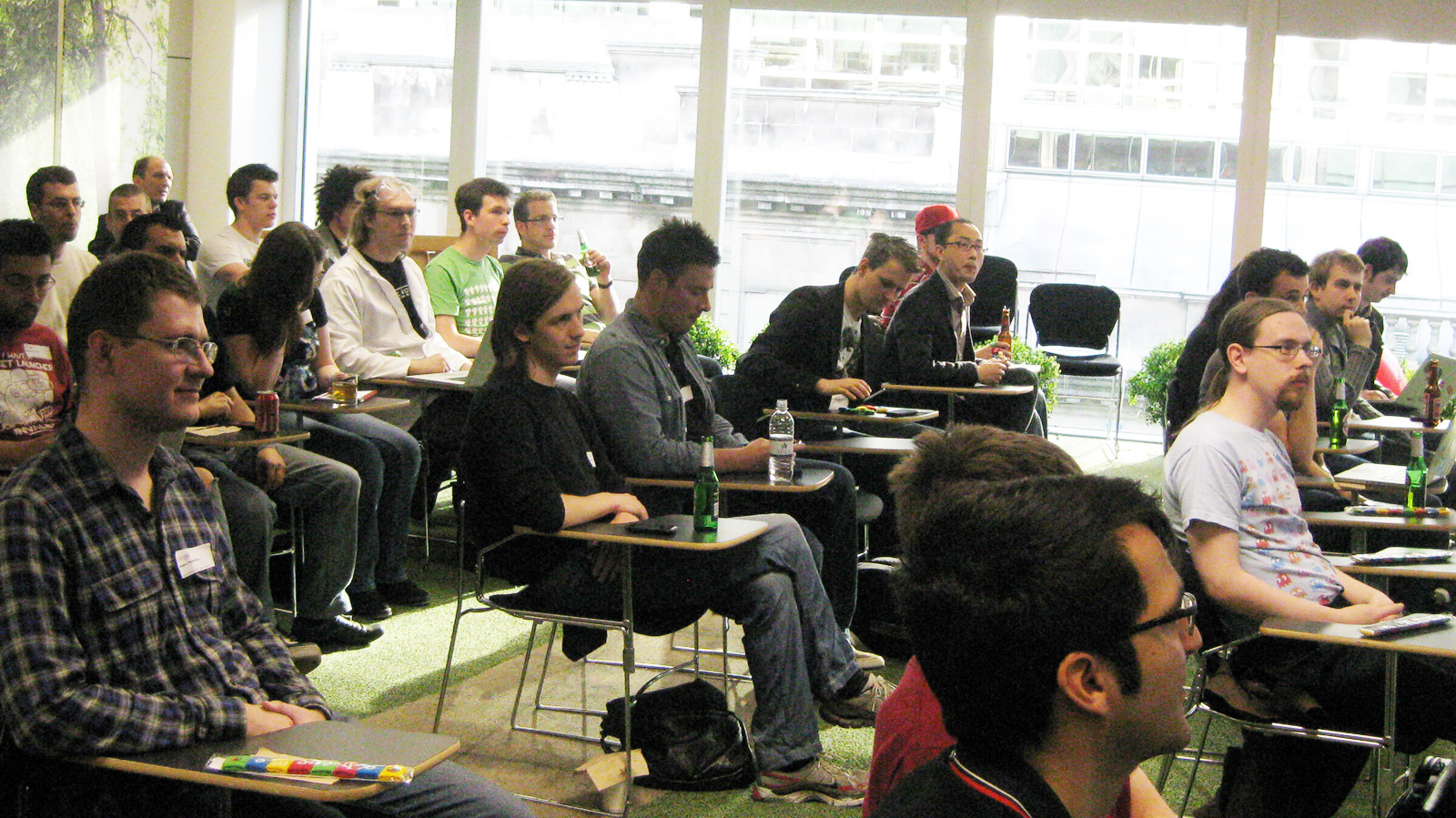
At last night’s WebGL meetup we presented our new project DemoParty including C64 cracker intros and WebGL art pieces from the Mozilla universe. When asked for “How many of you know what the Demoscene is?” 90% raised their hands. Record!
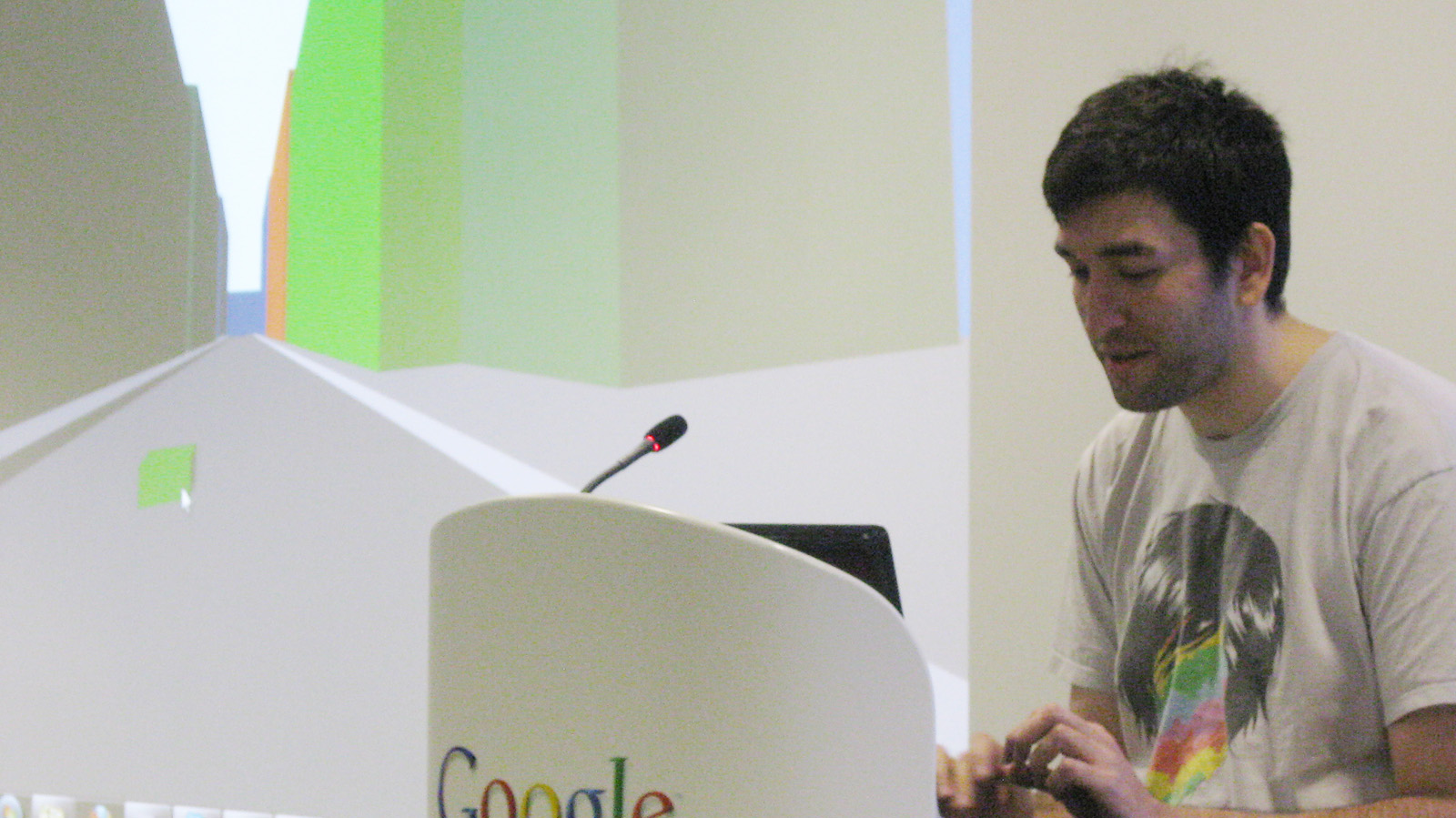
A highlight was demo-rockstar Mr. Doob (picture above) presenting us a making-of of the recent Ro.me Demo, a big movie-like interactive production where he was the technical lead.
Well-done event! Maybe we’ll see you at the next WebGL meetup? Word on the street is it’s happening in 2 months…
Design Jam Iasi is a two-day venue, during which people team up to discuss, share ideas and solve engaging UX challenges. The day champions open-source thinking & sharing under Creative Commons licenses (check out past Design Jams).
The first day (June, 3rd) consists of a series of presentations about selected topics (Interaction Design, UX, Design Patterns, UI, etc) within Summer Web 2011, a workshop on Web technologies organized by Dr. Sabin Buraga since 2001. Several interesting talks are already confirmed:
Design principles — Alecsandru Grigoriu, MSc student and 4 times participant at the Mozilla Labs Design Challenges
Creating things for the Internet of things — Stefan Negru, PhD Student
On the second day (June, 4th), attendees – Students or Experienced Practitioners, Interaction Designers, UX Researchers, Information Architects, Web and Graphic Designers and Developers – will assign themselves to a group based on the skills they contribute and what they would like to learn. The teams will have to tackle a design challenge with a “secret” topic (to be revealed on the day) by doing Research, Sketching, Guerilla Testing and other UX techniques. Among mentors, we can mention Andreea Buraga and Silviu Savin.
Teams will share their process and ideas. Outcomes — available under the terms of Creative Commons — could be a prototype, sketches, storyboards or videos — whatever communicates the idea best. These resources will be publicly available on the Design Jam Iasi wiki.
Updates
For all the latest news and updates (schedule, topic, activity, outputs etc.) follow — @DesignJamIasi or the #designjam & #djiasi hashtags — on Twitter. There will also be a live streaming of the event on each day.
Also keep an eye on the Design Jam Iasi wiki, which will update and collate a repository of outputs throughout the event.
Want to get involved? Know someone?
We’re actively on the lookout for more local champions around the globe!
A guest blog post by community member, David Regev — a philosopher, Firefox enthusiast, and an aspiring interaction designer.
First Principles
What would web browsers look like today if we redesigned them from scratch?
The following is an attempt to answer that question, where we start with an empty canvas and add functionality back one step at a time. For this exercise, I take as guiding principle the idea that content should be its own interface while administrative debris should be minimized or wholly eliminated. Administrative debris is what Edward Tufte calls anything that isn’t content: toolbars, buttons, and other widgets—in other words, chrome.
We cannot haphazardly introduce functionality by adding an ever-increasing array of buttons and bars to the interface. There must be a consistent and expandable method of issuing commands to the browser—one that does not rely on adding chrome everywhere. Such a method already exists in Mozilla Labs’ Ubiquity extension. Ubiquity introduces a method for executing commands using natural language. (If you haven’t seen Ubiquity in action, there’s a video at the link.) What’s great about it for our purposes is that it makes adding features to the browser relatively easy without adding chrome.
One final consideration before beginning this exercise is tabs. For various reasons, I chose to keep tabs in this design (for now). We can revisit the concept later.
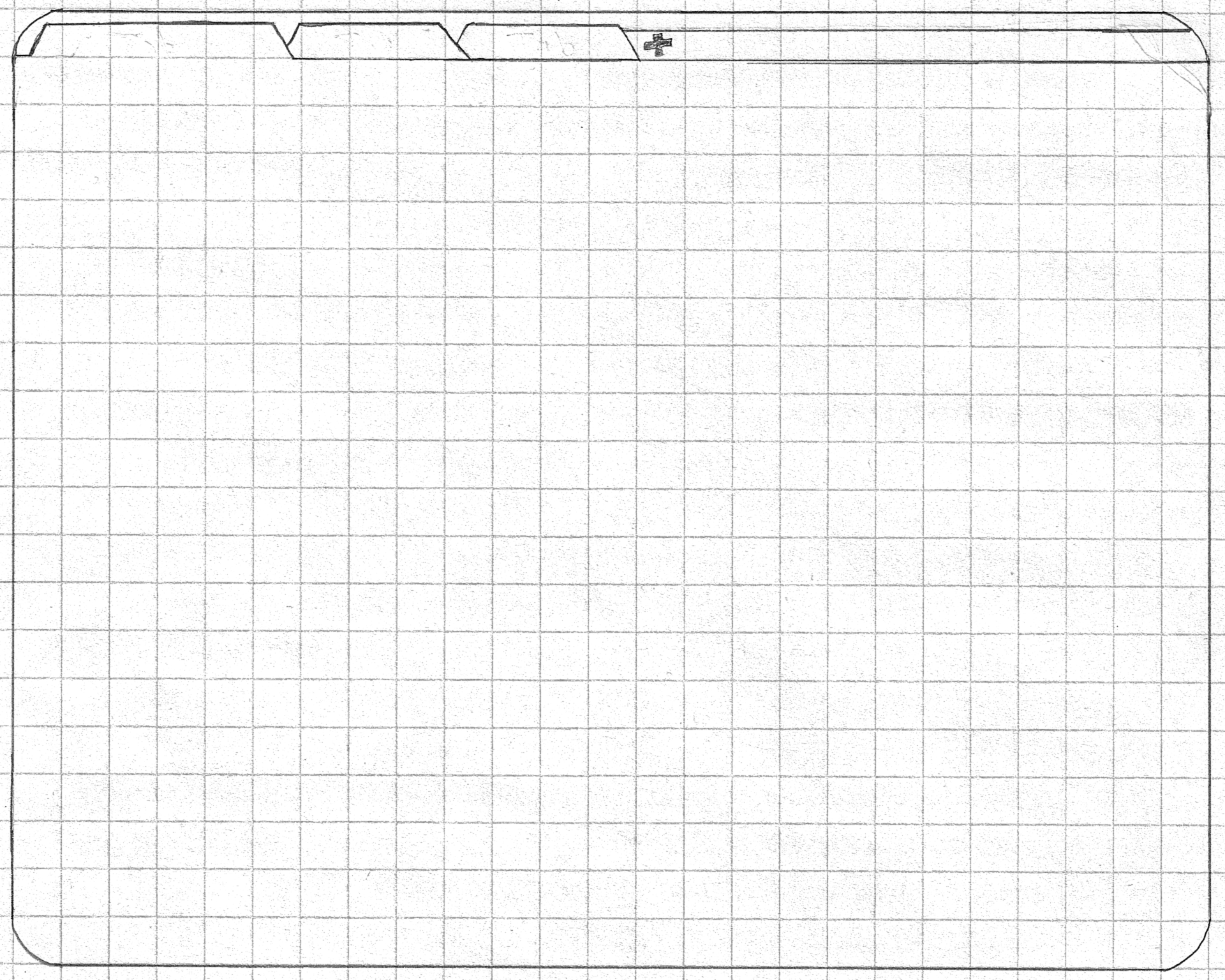
Given these constraints, we start off with a bare-bones interface, containing tabs and nothing else. This will be our template:
The Browser Template
Given this template, we can finally rebuild a browser in a more “Ubiquitous” manner. Given that this is currently just a train of thought at the moment, feedback and criticism at every step of the way is welcome and recommended.
Integrate Ubiquity Into Firefox
Ubiquity must be the method of issuing commands—not through buttons, menus, obscure keyboard shortcuts, or anything like that, but via natural-language commands. Doing so ensures that you’re not constantly wondering what method to use for each function, since there’s always one and only way to perform each action. For this to be made possible, Firefox’s current commands must be converted into Ubiquity commands. Moreover, invoking Ubiquity should be quicker and less modal. I propose reusing the Alt key for invoking Ubiquity quasimodally, by requiring the key to be held down.
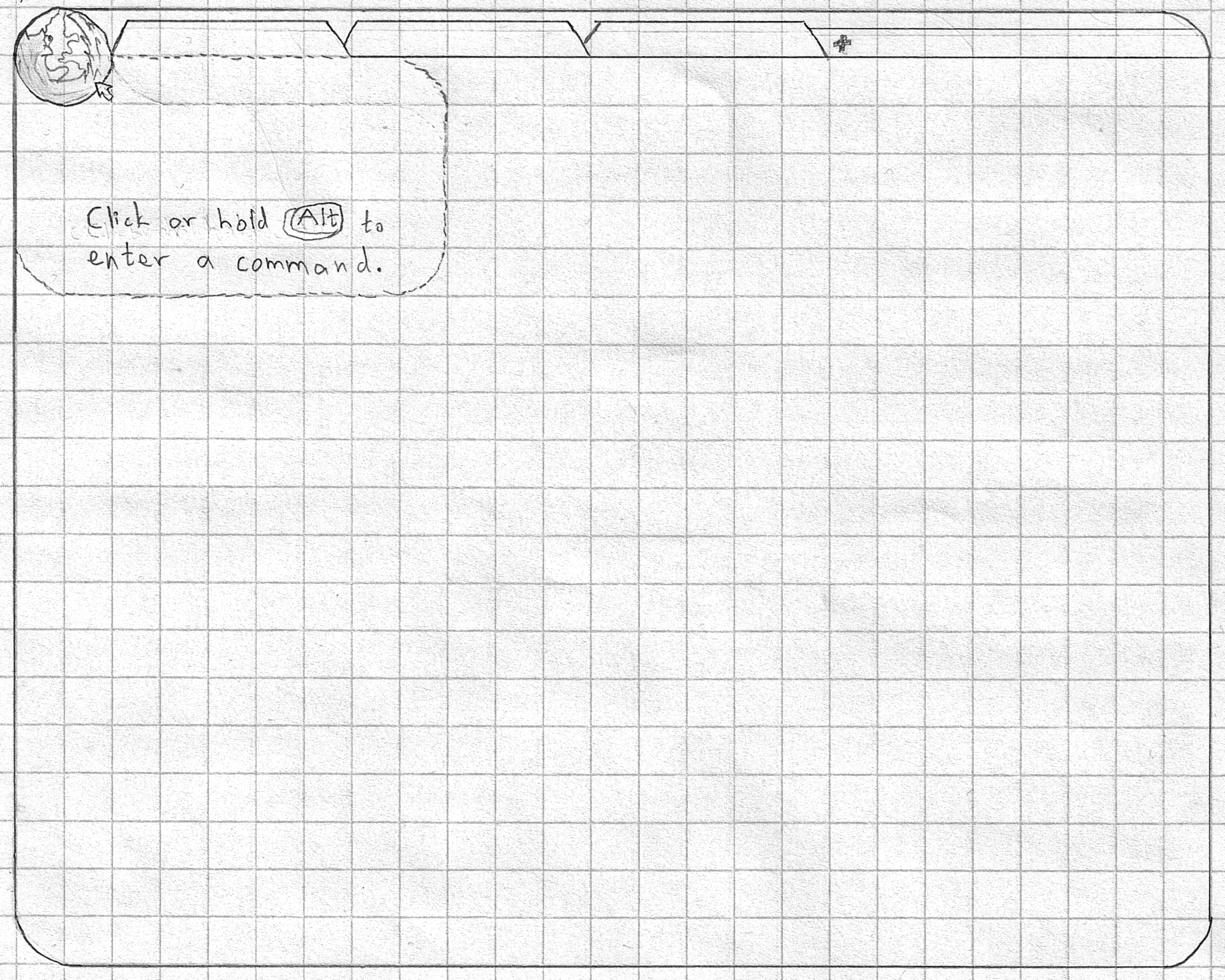
Ubiquity also needs to be much more discoverable. I propose adding one—and only one—button to the interface: the Firefox Button (similar only superficially to the current Firefox button).
The Firefox Button
This button serves as a proxy for Firefox and its commands. It is also the sole real button in the interface and should, thus, attract more attention than it might otherwise. Perhaps the button should pulse when the pointer approaches it. The Ubiquity overlay is attached to the button in order to make it clear that you can always bring it up by clicking on it. Finally, I propose a new feature, Ubiquity hints: whenever the pointer hovers over something that carries out some action, the corresponding command is displayed in the Ubiquity transparent overlay. Even hovering over the Firefox button brings up a hint, as can be seen in the above mockup.
Replace the Location Bar
The location bar has to go. It has many problems. For one, it’s always visible and constantly takes up a large amount of space. Secondly, it’s hard to read, since people don’t really understand URLs. Moreover, it’s modal: it has a mode for displaying the current page’s location and a mode for entering your next destination. It’s not always immediately obvious which mode you’re in and what the current text is indicating, and switching modes is not easy either. Finally, the destination-entering mode is merely an example of running one command, and we already have a better interface for running commands: Ubiquity.
We need to separate the location bar’s two modes and remove the location bar as we know it.
The browse Command
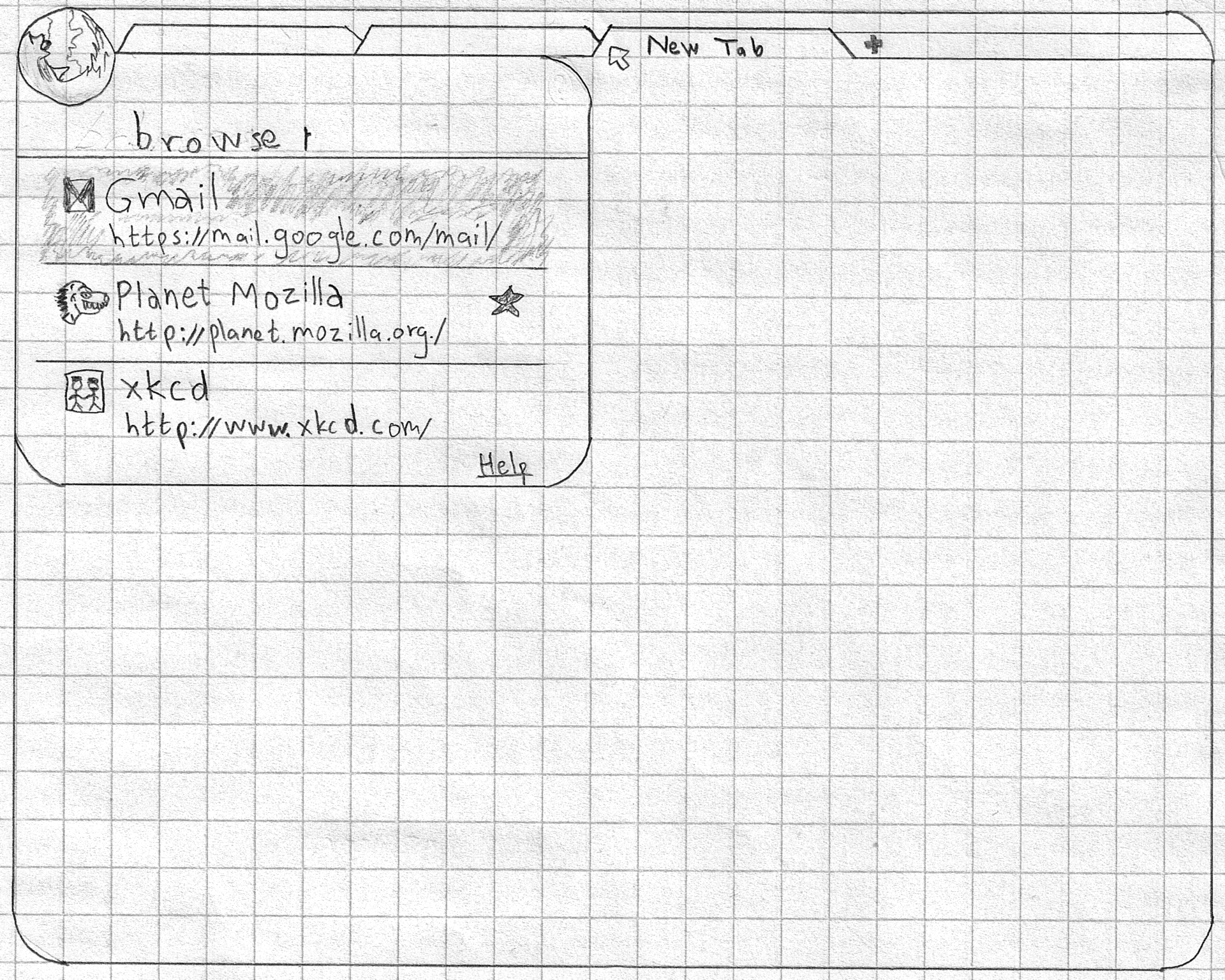
Instead of using the location bar for entering your destination, we introduce the browse command. Its arguments are the same as those of the location bar’s (namely, URLs and page titles). Invoking this command shows the same suggestions as the location bar currently shows. Moreover, opening up a new tab immediately opens Ubiquity with the browse command already filled it, along with the standard “awesomebar” suggestions. This feature should make browsing with Ubiquity just as quick and discoverable for novices as browsing with Firefox currently.
The browse Command
Inline Page Info
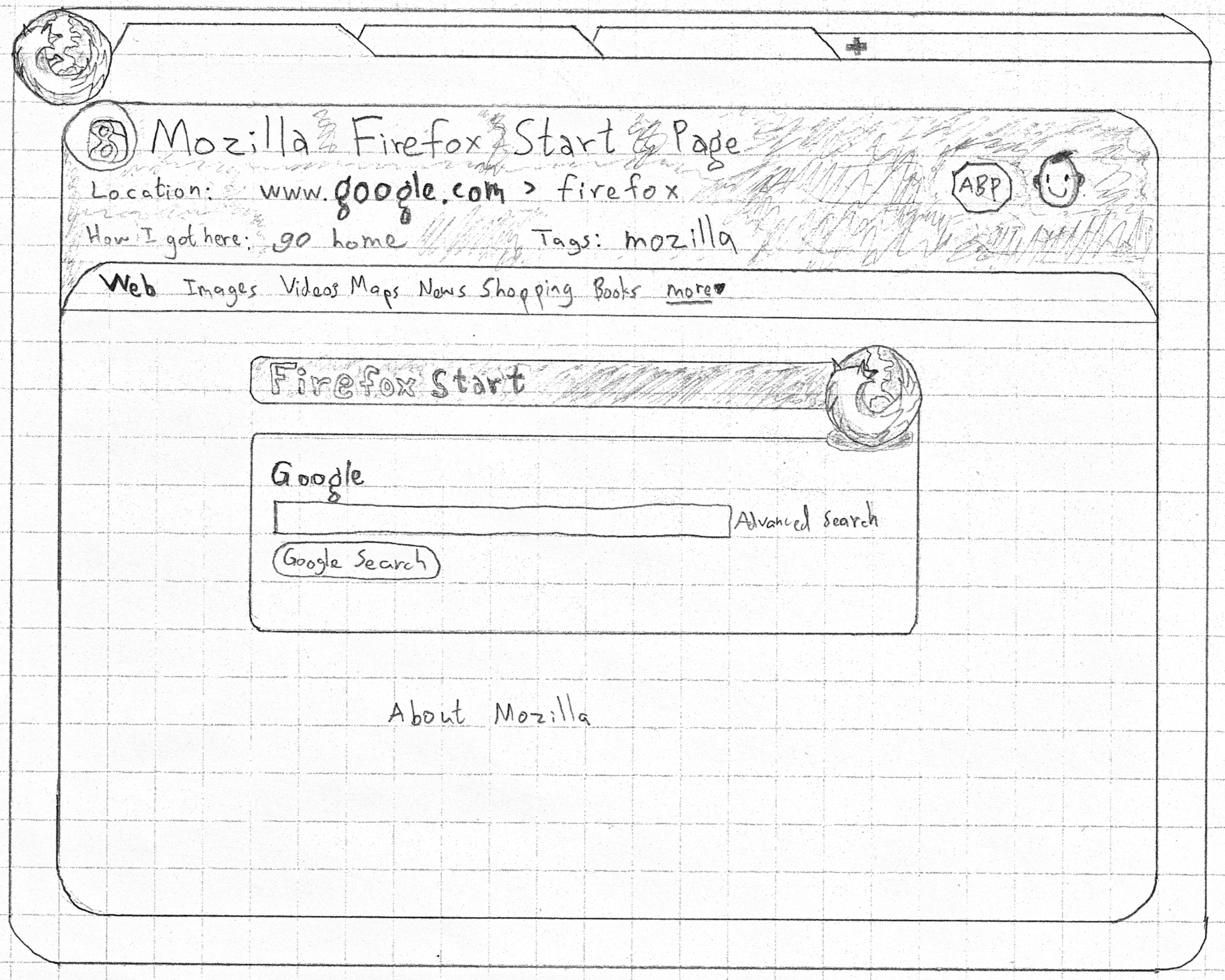
With the location bar gone, we need some sort of debris-less way of displaying the location of the current page. Instead of placing the location in chrome, we could place it inline. This way, it could be always scrolled away, leaving more room for content. This is similar to what happens in many mobile browsers (including Firefox) and with LessChrome HD.
Inline Page Info
Since this information can be hidden easily, we can use the Page Info area to display not just the current location but a more information-rich summary of where we are. In the mockup, we have the favicon, the page title, a breadcrumb display of the current location (which should be more readable than a standard URL), the command that was used to get to that page (thus adding even more discoverability for Ubiquity commands), the tags under which this page is bookmarked, and some additions added by the Adblock Plus and Greasemonkey extensions. This area could also be expanded manually by the user to display even more information inline, thus replacing the current Page Info dialogue.
Edit URLs Easily with Ubiquity Hints
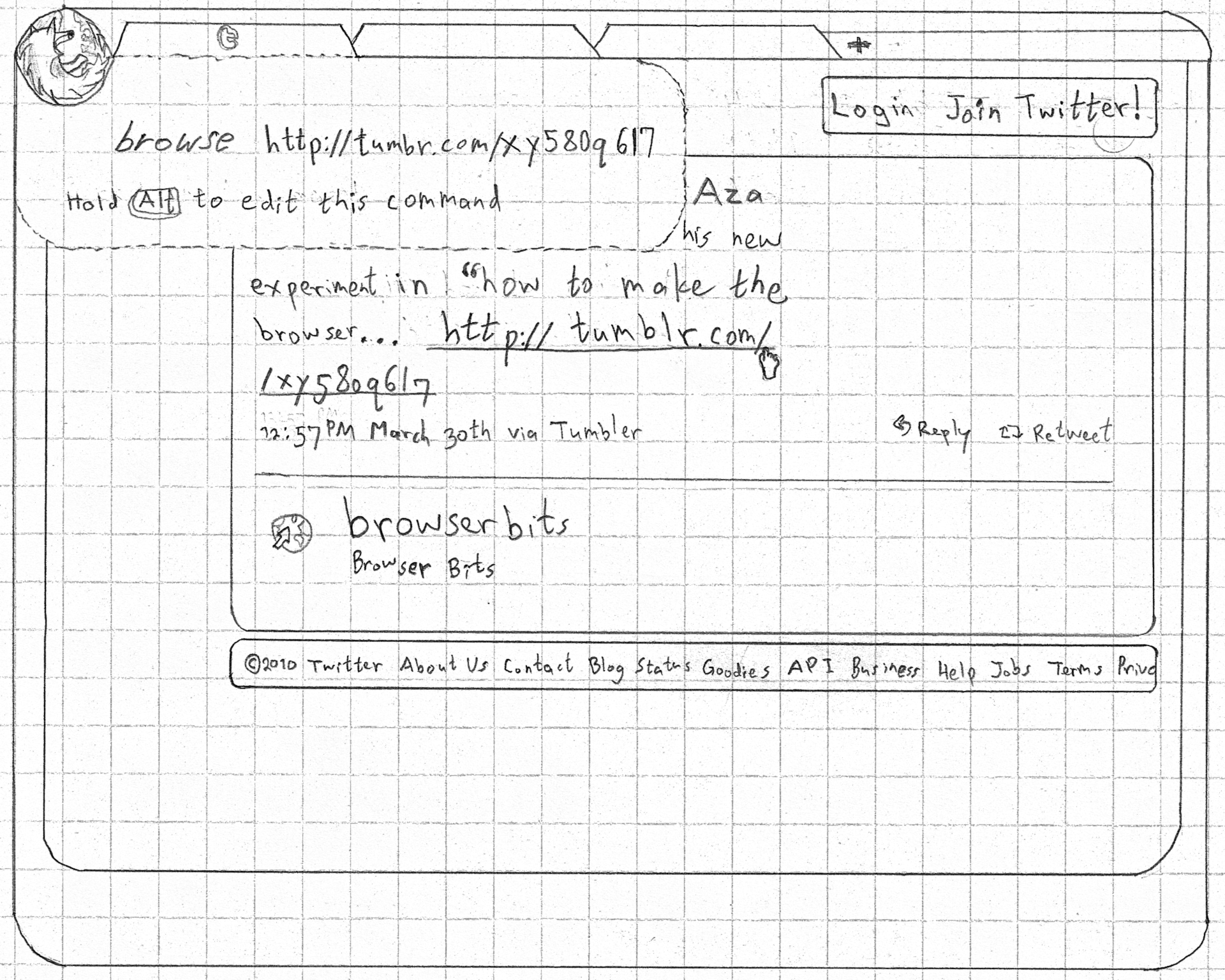
One advantage of a dual-mode location bar is that you can modify the current location simply by editing it. With Ubiquity hints, this task is just as easy: hover over the current location or a link in a web page and hold Alt.
Edit URLs Easily with Ubiquity Hints
This behaviour applies not just to URLs but to any object that invokes some command. The result is greater learnability of many commands that are exposed in the interface in some other way, as well as the ability to tweak these commands. These commands need not even be limited to those installed in Firefox; web applications could expose their own commands. For example, going to Gmail’s Compose button would show a hint for a compose command. You need use that button only once in order to learn that you can just type that command from now on. You could also install that command globally and then use it anywhere, regardless of what page you’re on.
Inline Tab History
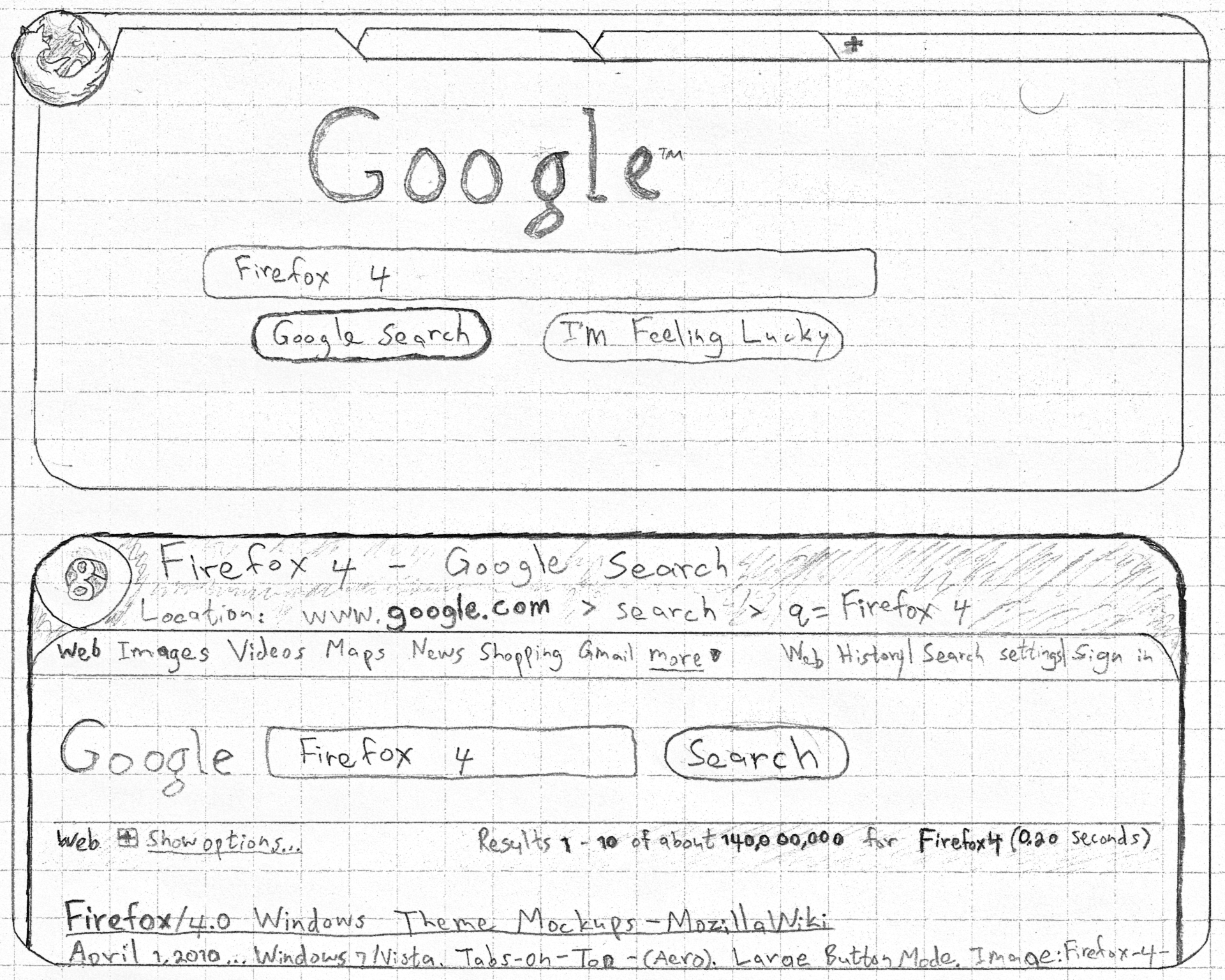
With page info appearing inline now, the next logical step is to display every page in a tab’s history inline, each new page below its predecessor.
Inline Tab History
Google Reader users will recognize the intentional similarity to that style of displaying information. The result is more information-rich, without hiding your trail through the Web behind the Back/Forward buttons. This also makes invoking Back and Forward as simple as scrolling up and down.
This new view of tab history opens up new possibilities. For example, instead of showing downloads in a separate dialogue, all downloadable files can simply be displayed inline right after the originating page, along with progress information and other metadata. The files could then be manipulated directly, such as for saving elsewhere. Another benefit is the ability to use Find for searching not just the current page but the entire history for that tab.
Next time, I want to revisit the Back and Forward buttons more deeply, to rethink the way they’ve functioned since their inception, and to reimagine tabbed browsing in general. I might even have a real solution for the tab proliferation problem!
The idea is to create a Mozilla Labs Concept Series channel which showcases inspiring & innovative concepts (ideas, wire-frames, prototypes) created by the community. We then invite open discussion & collaboration — leading to these artifacts being further enhanced and driven forward via a wider Mozilla community involvement.
Do you have a concept that you believe inspires future design directions for Firefox, the Mozilla project, or the Web? Get in touch via email {dchinniah[at]mozilla[dot]com}
Do you have ideas for how news and journalism can be edgier, cooler, and more interactive online?
Are you a web developer, designer or just a news junkie with a hankering to hack?
An evening of brainstorming over beers & pizza awaits — ultimately helping journalists take advantage of the open web and engage with citizens in new ways.
Event Details
When: Wednesday 1st June, 2011 (17.00 – 19.00 with Beer & Pizza included) Where: BBC Club, New Broadcasting House, Oxford Rd, M60 1SJ (map) Tickets: FREE! Now available on Eventbrite
Team up with innovative peers and brainstorm & sketch ideas that help journalists take advantage of the open web and engage with citizens in new ways.
At the same time, qualify directly for a yearlong paid fellowship at the BBC, the Guardian and other major news outlets by entering your ideas for any of these #MoJo challenges.