Evolving the Firefox Brand

Say “Firefox” and most people think of a web browser on their laptop or phone, period. TL;DR, there’s more to the story now, and our branding needs to evolve.

With the rapid evolution of the internet, people need new tools to make the most of it. So Firefox is creating new types of browsers and a range of new apps and services with the internet as the platform. From easy screen-shotting and file sharing to innovative ways to access the internet using voice and virtual reality, these tools will help people be more efficient, safer, and in control of their time online. Firefox is where purpose meets performance.

Firefox Quantum Browser Icon

As an icon, that fast fox with a flaming tail doesn’t offer enough design tools to represent this entire product family. Recoloring that logo or dissecting the fox could only take us so far. We needed to start from a new place.

A team made up of product and brand designers at Mozilla has begun imagining a new system to embrace all of the Firefox products in the pipeline and those still in the minds of our Emerging Technologies group. Working across traditional silos, we’re designing a system that can guide people smoothly from our marketing to our in-product experiences.

Today, we’re sharing our two design system approaches to ask for your feedback.
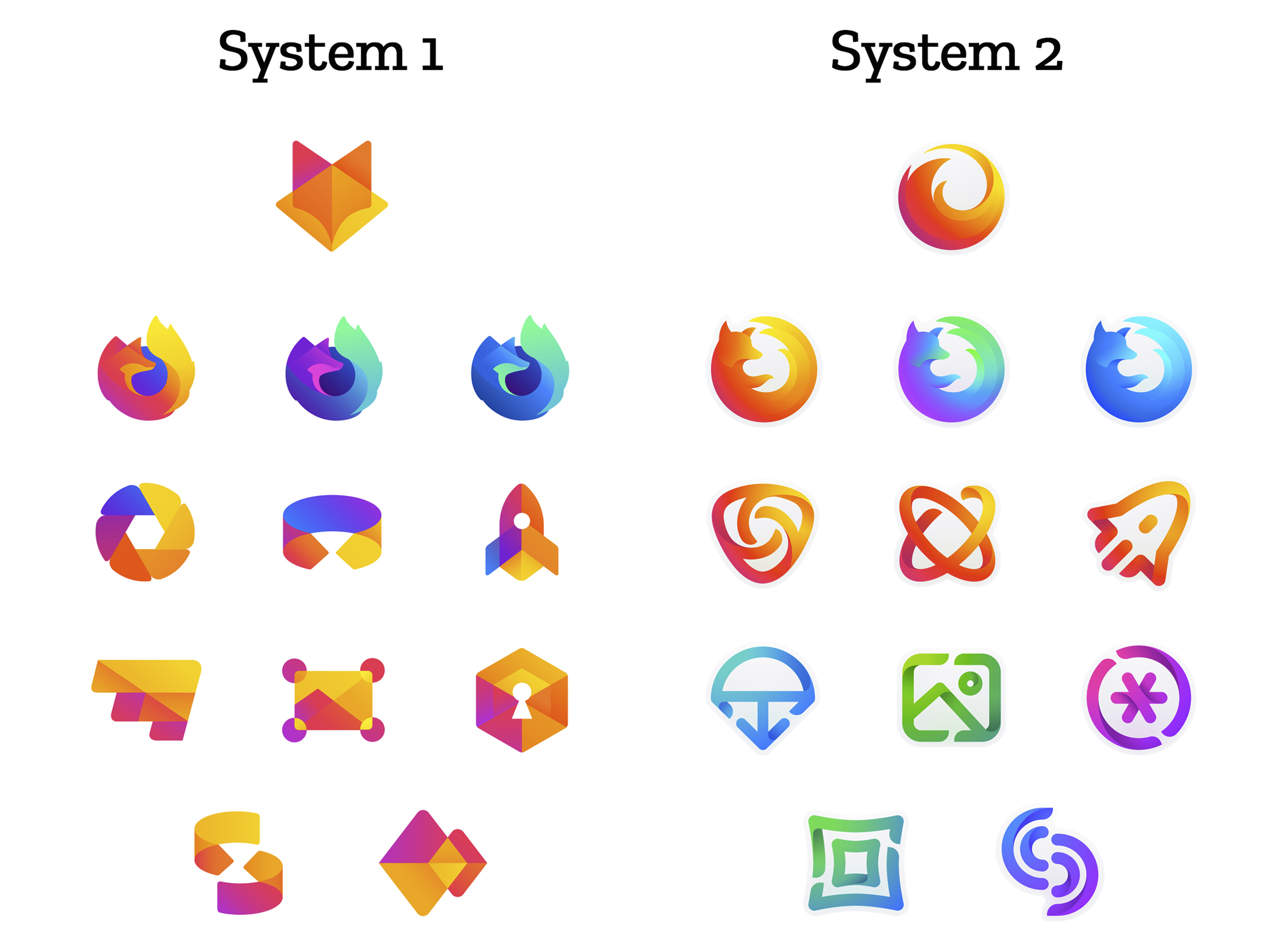
 

How this works.

For those who recall the Open Design process we used to craft our Mozilla brand identity, our approach here will feel familiar:

  • We are not crowdsourcing the answer.
  • There’ll be no voting.
  • No one is being asked to design anything for free.

Living by our open-source values of transparency and participation, we’re reaching out to our community to learn what people think. You can make your views known by commenting on this blog post below.

Extreme caveat: Although the products and projects are real, these design systems are still a work of fiction. Icons are not final. Each individual icon will undergo several rounds of refinement, or may change entirely, between now and their respective product launches. Our focus at this point is on the system.

We’ll be using these criteria to evaluate the work:

  • Do these two systems still feel like Firefox?
  • How visually cohesive is each of them? Does each hold together?
  • Can the design logic of these systems stretch to embrace new products in the future?
  • Do these systems reinforce the speed, safety, reliability, wit, and innovation that Firefox stands for?
  • Do these systems suggest our position as a tech company that puts people over profit?

All the details.

The brand architecture for both systems is made up of four levels.

Each system leads with a new Firefox masterbrand icon — an umbrella under which our product lines will live.
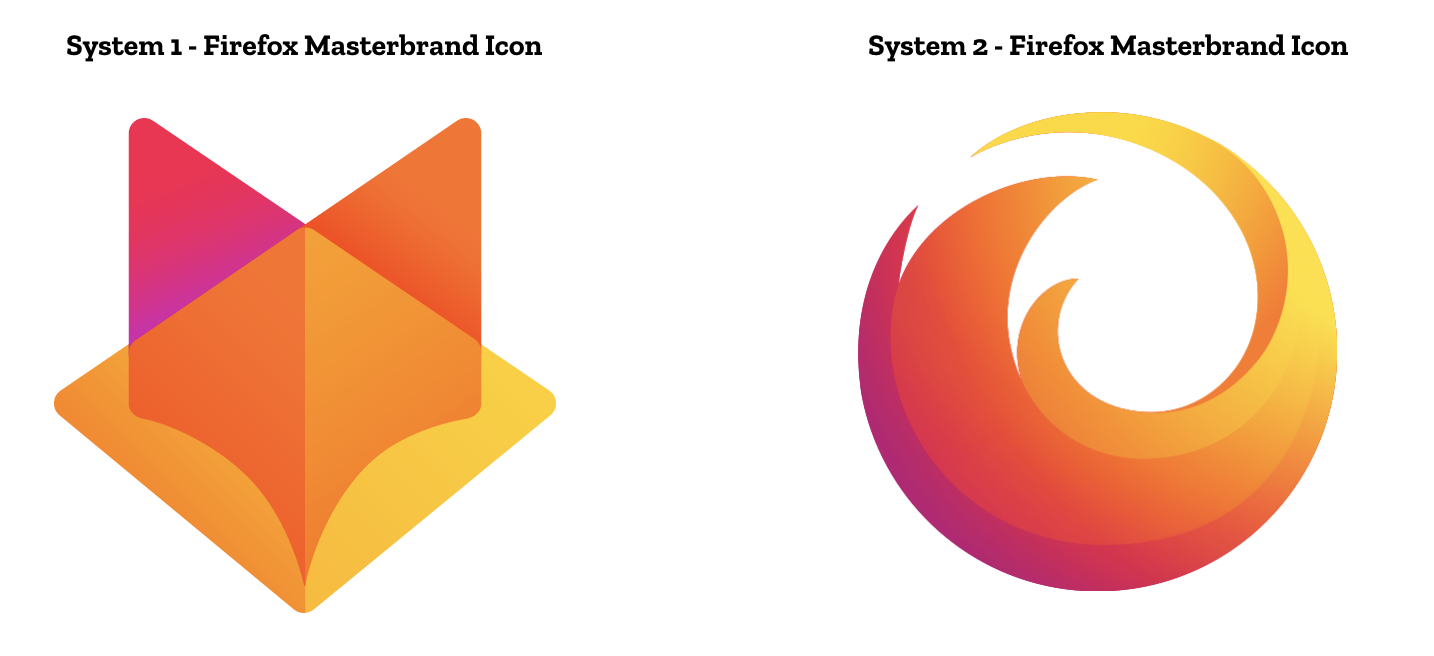
The masterbrand icon will show up in our marketing, at events, in co-branding with partners, and in places like the Google Play store where our products can be found. Who knows? Someday this icon may be what people think of when they hear the word “Firefox.”
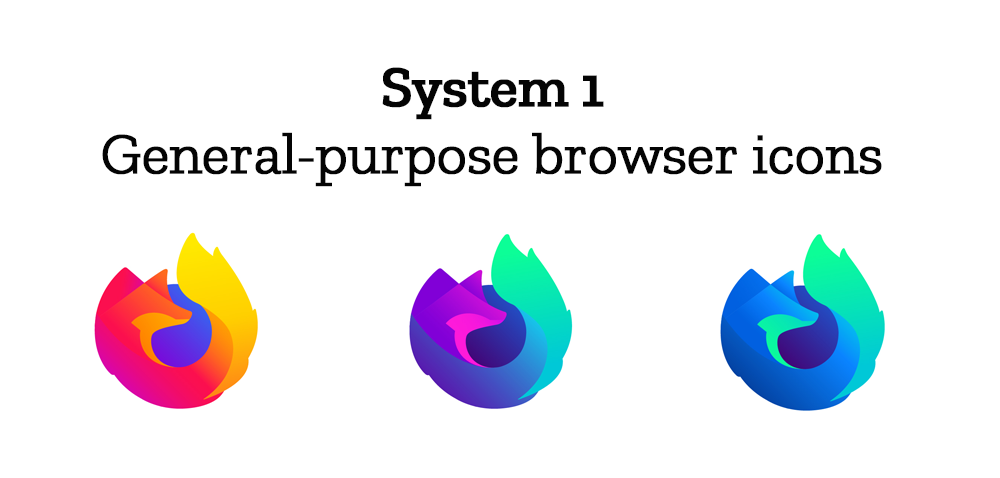
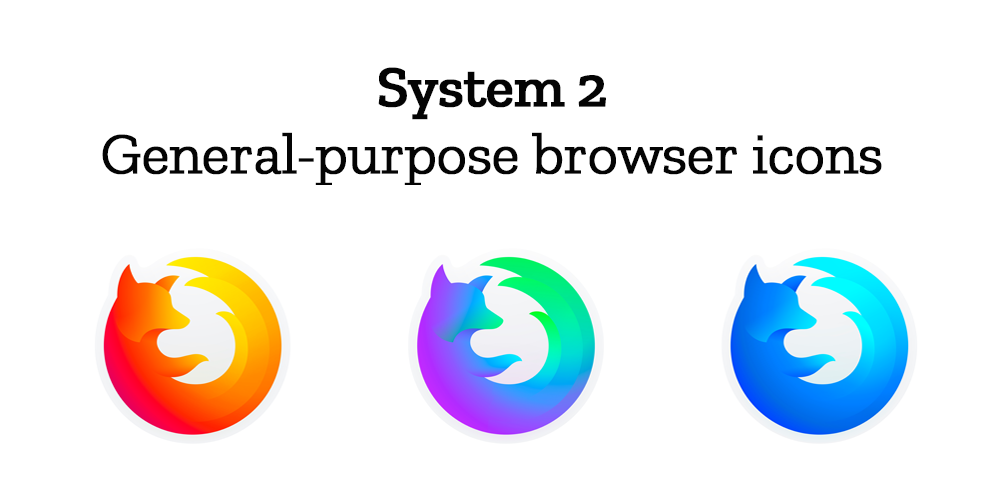
At the general-purpose browser level, we’re proposing to update our Firefox Quantum desktop icon. We continue to simplify and modernize this icon, and people who use Firefox tell us they love it. Firefox Developer Edition and Firefox Nightly are rendered as color variants of the Quantum icon.
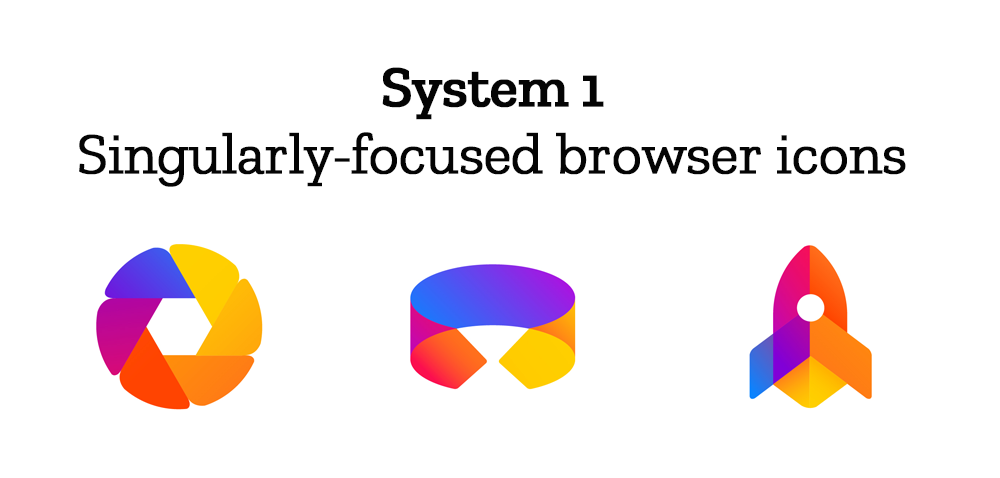
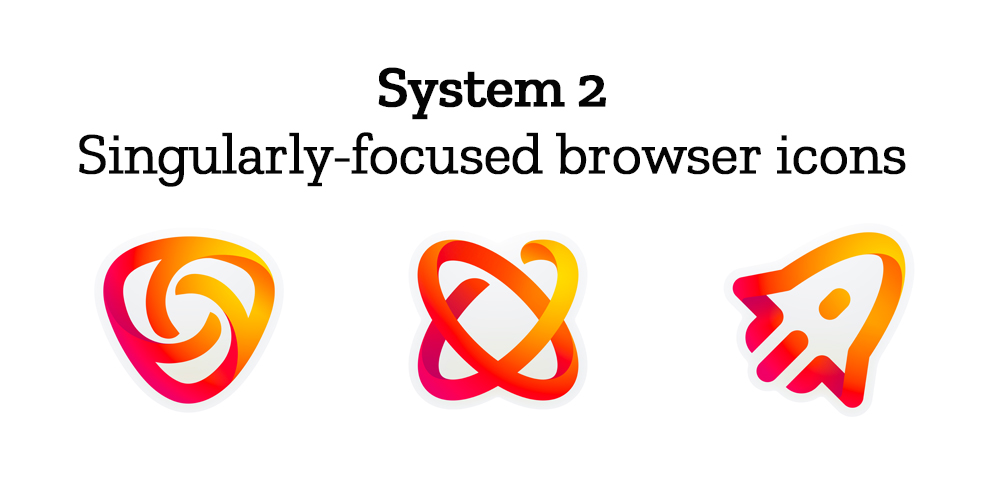
Browsers with a singular focus, such as our Firefox Reality browser for VR applications and our privacy-driven Firefox Focus mobile browser, share a common design approach for their icons. These are meant to relate most directly to the master brand as peers to the Firefox Quantum browser icon.
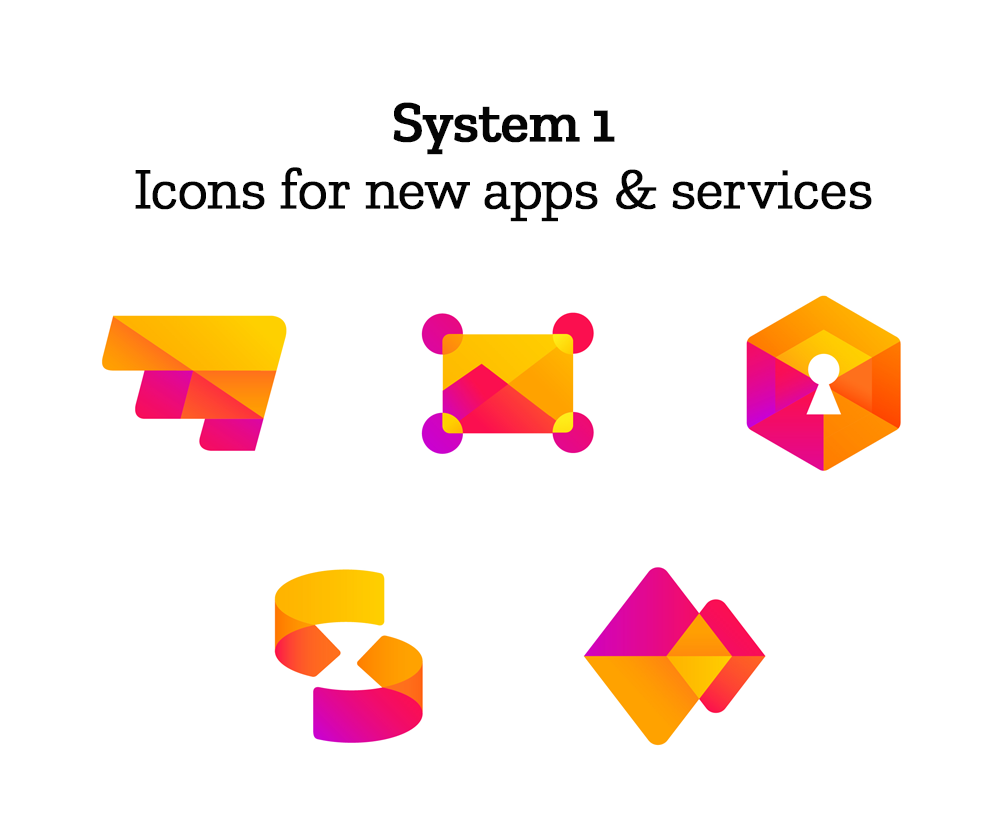
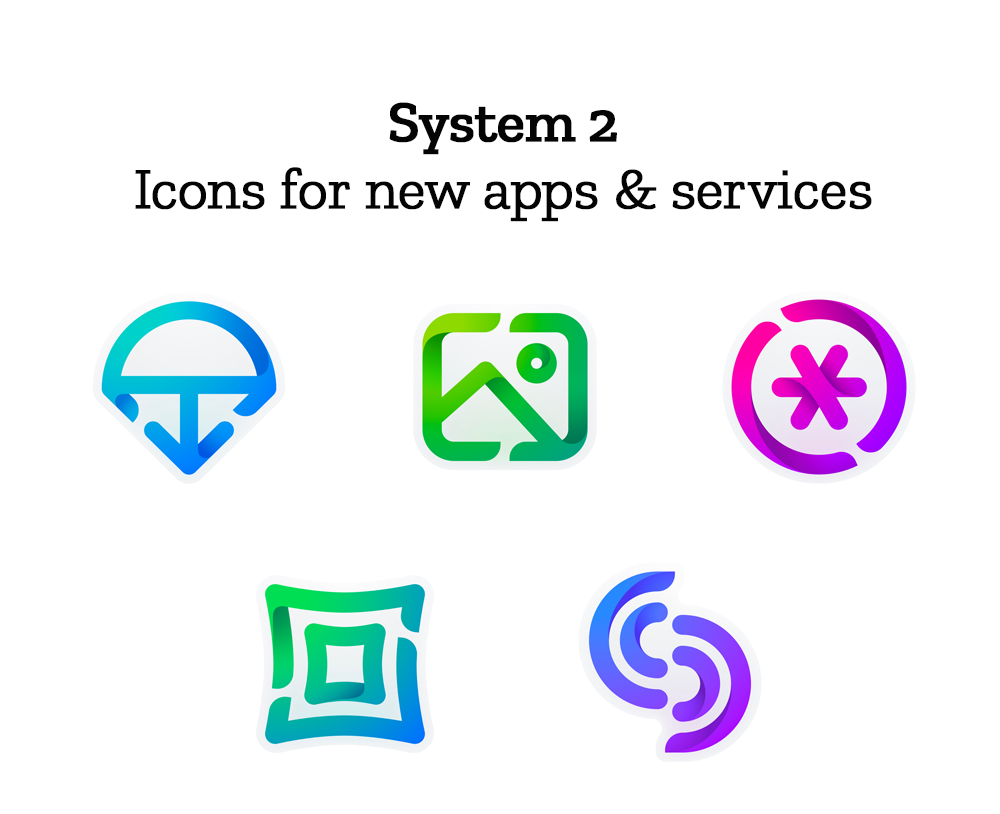
Finally, the icons for new applications and services signal the unique function of each product. Color and graphic treatment unite them and connect them to the master brand. Each icon shape is one of a kind, allowing people to distinguish among choices seen side by side on a screen.
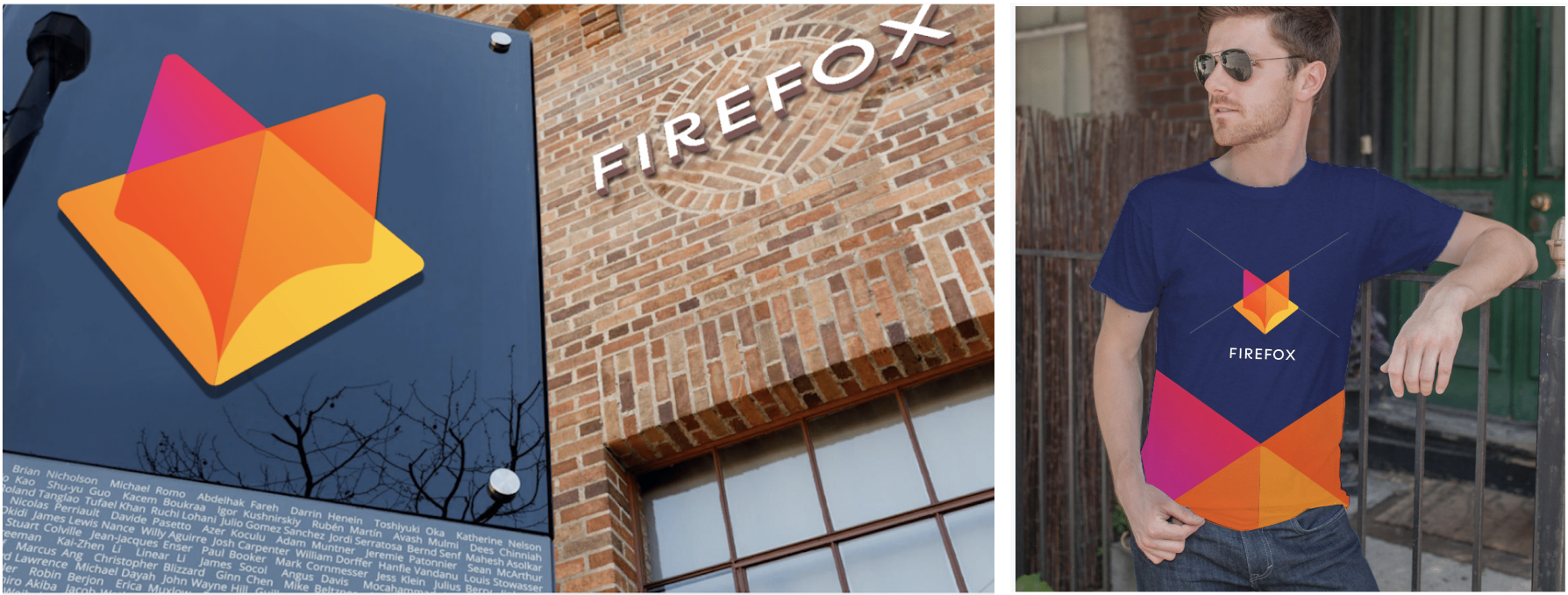
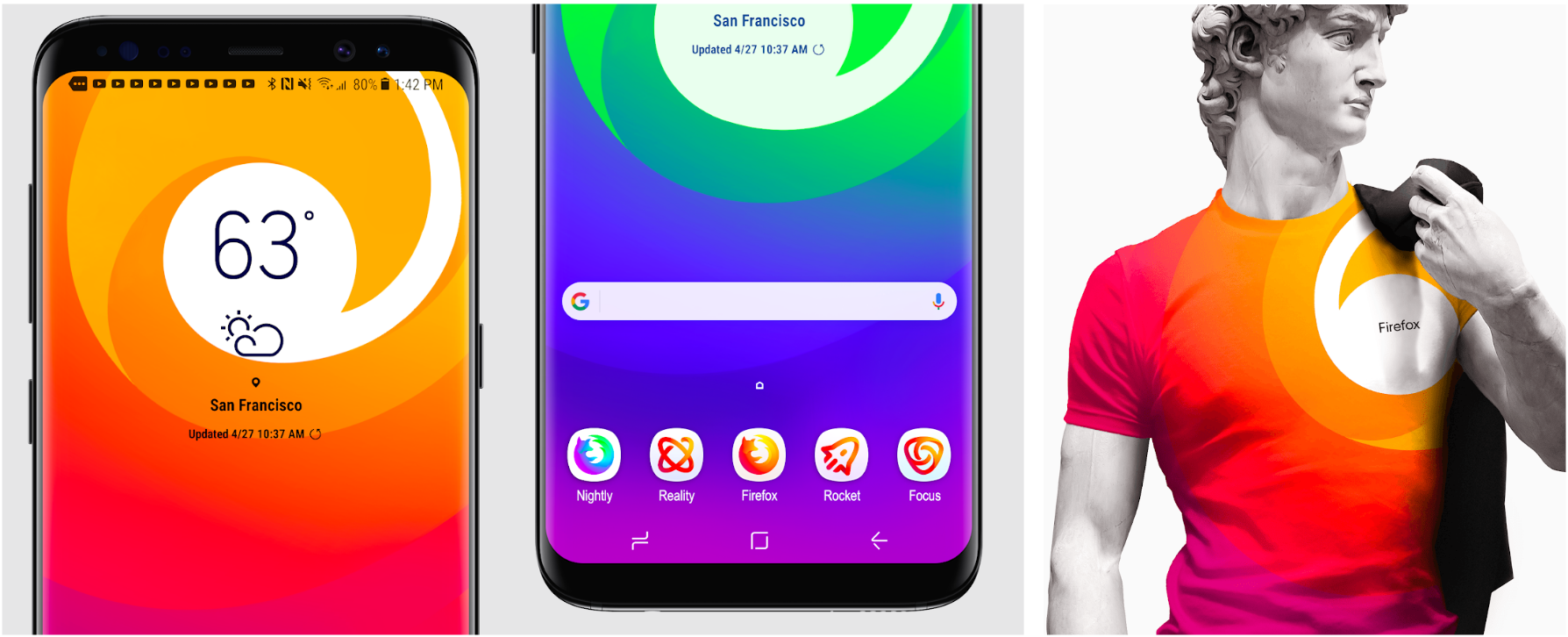
Still in the works are explorations of typography, graphic patterns, motion, naming, events, partnerships, and other elements of the system that, used together with consistency in the product, will form the total brand experience.

Read along as we refine our final system over the next few months. What we roll out will be based on the feedback we receive here, insights we’re gathering from formal user testing, and our product knowledge and design sensibilities.

With your input, we’ll have a final system that will make a Firefox product recognizable out in the world even if a fox is nowhere in sight. And we’ll deliver a consistent experience from an advertisement to a button on a web page. Thanks for joining us on this new journey.

Madhava Enros, Sr. Director, Firefox User Experience

Tim Murray, Creative Director, Mozilla

2,212 comments on “Evolving the Firefox Brand”

  1. Andreas Jeromin wrote on

    Hi, great job with the logos, they look very good even at that state. I also had the chance to read some of the other comments, so I’d like to give my opinion as well.

    Masterbrand icon:
    When I first saw the icons I found system 1 masterbrand icon really cool, the geometric design of a fox head is really appealing. But as was already mentioned in other comments, it is extremely close to GitLabs logo and might be confused. System 2’s masterbrand icon is closer to the quantum “fox” icon and may be easier recognized by people.

    General purpose browser icons:
    From system 1 icons I like the direct transition of the colors in the foxes head, it makes the head look more vividly. I also prefer the shape of the fiery tail of that icon. The system 2 icons are nicely shaped (except the tails). A combination of both might look great (Sys2 head/body shape with direct color transition and the fiery tail from sys1).

    Singularly-focused browser icons:
    System 2 icons have some fascinating “3D” elements with them, but these may hardly be visible in the resulting small icon. But there is almost nothing in common with the general purpose browser icons or the masterbrand icon (except the colors). So I’d vote for system 1 icons which reproduce graphical elements from its master brand icon. Especially, I am fond the rocket icon ;-)

    Icons for new apps & services:
    Here I have a clear recommendation for system 1 icons. They reproduce color scheme and graphical elements from the other icons and are more consistent. The “image(?)” icon (the second one) may integrate a white circle as the sun (like the rockets window, similar position as in 2nd icon in system 2) for improved comprehensibility.
    On the other hand, system 2 icons are marginally linked to the other icons, especially the color scheme is totally different. I wouldn’t relate them to firefox if I’d see them somewhere.

    Conclusion:
    If I had to choose, I’d vote for system 1 icons since they implement common graphical elements and a consistent color scheme. This makes it easy to recognize each icon as a member of a whole family. System 2 icons are done well either, but the consistency is not as strong as in system 1 (especially for the new apps icons).

    Acknowledgements:
    Finally, I want to say thank you for Firefox, my browser of choice for more than twelve years. You have done a great job and with Firefox Quantum you have made a great leap. Please go on doing such a good work. Thank you very much.

    Best regards,
    Andreas

  2. Amanda wrote on

    Definitely group 1.

  3. asnawi wrote on

    I prefer system 2 but i love the old one color combination which now in color in system 1. may be use system 2 icon and use color from system 1. Thanks you and good luck

  4. Migui wrote on

    System 2 for brand and browser.
    I think that the other icons needs to be re-designed with a style similar to the System 1.

  5. Zack Albrecht wrote on

    System 2 looks great!

  6. SunDancer wrote on

    I guess I’m not the only one here but: don’t change that what is good and what is brand recognition. Call my cynical but I also think that those thought written here by everyone will not really have much of an impact.

    Just let the fox be the fox.

  7. Ariel wrote on

    I prefer the 2 version.

  8. Nisyian wrote on

    Group 2 for masterbrand and browser icons are awesome, and the rest from group 1 would be pretty nice!

  9. Bart wrote on

    I will prefer group 1. It looks more firefox-style and the color is more associate with this browser.

  10. Michael M. wrote on

    I have to admit that I fail to see any system in both of the systems.

    In System 1 most of the icons share the same color palette, and some of the icons (master and most of “new apps & services”) are based on simple geometric forms. But that feels like a very loose connection to me. Actually, I doubt I would have noticed if you swapped just the master icons and/or the browser icons between the two systems.

    System 2 is even worse: Some of the icons are connected by the color palette, some by the style of using lines with gaps, but just ask anybody who didn’t read this blog post whether the Firefox browser icon and the parachute (?) one belong to the same brand, and they will most certainly answer “no”.

    To make icons “feel” like Firefox, I think there are two ways: either by the color scheme, or by the fox silhoutte. So all the proposed icons feel like Firefox, except for “new apps & systems” from system 2.

    Overall I currently prefer system 1, but I do like the specialized browser icons from system 2, too, so I’d love to see an iteration on that system where you apply the current color scheme to the “new apps & systems” icons as well.

  11. Mael wrote on

    System 2 !

  12. Matteo wrote on

    I think that system 1 is fantastic! I really like the design and mainly, the logos for the browsers. System 2 remembers the old Firefox, so I think to change Firefox’s browser completely. System 1 is perfect!

  13. Tóth Ádám wrote on

    I think the System 2 Masterbrand and General-purpose browser icons are much more modern, but I do not recognize any other icons, except maybe the System 2 image icon, but there is still something to polish about. Unfortunately I do not see the unit between the basic icons and the other in System 2, and System 1 did not really modern icons.

  14. VictorPate wrote on

    I prefer system 1, with the browser icons from system 2.
    Anyway, it’s a nice graphic work.

  15. Mark Nemeth wrote on

    system 2 main and Browser icons. everything else system 1.

  16. Rudi wrote on

    Colors to near to the google-chrome-family… You will loose some thousand users again for that!

    Okay, lets see:
    Masterbrand icon: System 2
    General prupose icon: System 1
    Singular focused browser icon: NONE! For the first one in System 1 google will sue you!
    Icons for new apps and services: NONE! Their all ugly…

  17. Alex Gurenko wrote on

    I think System 2 is more distinct. Using different color schemes in different project, while maintaining similar visual style is better than doing it in a same color. While it may look a bit more consistent it’s much harder to differentiate products at glance. Overall, system 2 is great both in shape and color pallete, although masterbrand icon from System 1 is more interesting, than from System 2, but is too similar to GitLab logo.

  18. Wolfram Rittmeyer wrote on

    System 1 in general. But for the browser icons make them open without the blue in the middle of it. That’s why for this specific line of icons I prefer the second system.

  19. Konstantin wrote on

    I prefer System 2.
    That is natural firefox :)

  20. issa wrote on

    Here’s the quick and dirty version I would like to say. Basically system 1 with system 2 style colors.

  21. Patex40 wrote on

    I prefer System 1 icons because System 2 icons look like Instagram icon and not Firefox icon. But i prefer System 2 MasterBrand Icon because System 1 Masterbrand Icon looks like GitLab icon
    So, a little bit of both !

  22. Rodrigues wrote on

    System 2 Masterbrand and General Browser, System 1 for the others.
    Although one of the icons is almost a copy of Google Picasa icon.

  23. GB wrote on

    +1 for me! I think it is more unique and ownable to the brand. It is a step forward from where they are today and remains approachable and fresh.

  24. arisanto wrote on

    in my opinion, for:
    – general-purpose browser icons: system 2 (firefox iconic logo still there);
    – singularity-focused browser icon: system 1 (futuristic simply & iconic color);
    – icon for new apps & services: system 1 (again.. futuristic simply & iconic color)..

  25. Darmawan Supriyanto wrote on

    I chose grup 1 because it’s more modern and fresher.

  26. Jake wrote on

    System 1 master brand looks a lot like gitlab’s logo. A lot. Like, enough that they might object.

  27. Eric Yeoh wrote on

    Definitely System 1

  28. Mykola wrote on

    I really like System 1.
    Icons are more unified in style and colour.
    They are also more intuitive, easier to understand what service is behind each of them.

  29. Alessandro wrote on

    Imho: full in for system 2

  30. Jordan wrote on

    Masterbrand and General Browser from System 2, everything else from System 1

  31. Quor wrote on

    System 2, at least for the browser icons. However, the fox should be better designed. It looks more like a moon bear now.

  32. David Huskison wrote on

    The System 2 Masterbrand and General Browser retains the brand equity but I would pair them with the System 1 icons for everything else.

  33. Saikat Pal wrote on

    System 2 looks better in my opinion.

  34. Matteo wrote on

    I love System 1 Masterbrand Style, but I prefer System 2 icons.

  35. alex wrote on

    System 2. Firefox is awesome.

  36. Chaser wrote on

    I don’t like above icons. Current or old Firefox icons are much better.

  37. Ahmed HABBACHI wrote on

    I like the system2 icons although, i would love to see the system 1 master-brand icon instead of system 2 master-brand icon

  38. Calv wrote on

    I’m fully in the system 1 section, the icons just look so much better.

  39. Svetlomir wrote on

    I’d have to say I like system 1 a bit better , but with the browser icons of system 2 . That includes general and single purpose . Single purpose are definitely better in system 2 .

  40. Alexander Tauenis wrote on

    My choice is System 2 as it is looking not so stupid and not so childishly. Firefox is a product mostly for adult people and the icon must look seriously and strong. The fox must be a fox, not a semicircle with fox-like head drawn by a 3 years old kid.

    But colors in System 1 are sometimes better than in System 2, so a System-2 icons with System-1 colors should be best graphics for Mozilla software for last 5 years and the future. Only icons from 2009…2013 was better than these, but them was from Aero Glass and iOS 5 era which was best but obsolete now.

  41. James Coates wrote on

    System 1 is so fresh. System 2 you can see the heritage from the previous marks, but System 1 is fresh and modern, plus the colours being consistent are far easier to recognise they are from the same brand if you were unfamiliar.

    Well done to Hicks Design on this, another beautiful project.

    Keep up the good work Firefox – still my browser of choice :)

  42. Frazco-s wrote on

    System 2 with color palette of system 1. I like to sign a brand with colors.

    System 1 icons are too childish.

  43. Uwe wrote on

    Hello,
    -System 2
    -second row
    -middle icon
    ..is excellent.

    translated with Goggle from the German

    Many greetings from Germany

  44. childNo͡.de wrote on

    I generally agree with https://blog.mozilla.org/opendesign/evolving-the-firefox-brand/#comment-3614
    > I’d prefer group 1, with the browser icons from group 2

    just because:
    – System 1 Masterbrand is recognizable, unique, distinguishable from the product icons
    – System 1 color palette is homogeneous
    – I’m not a fan of “breaking all” just because it – actually – “looks better”, you would else confuse some of your customer groups (I don’t see this for the big fanboy-community, for those, it’s ok to break, they will continue to use your product) but also there are many people using products of different “market leaders” you should “speak” to them in a matter of “This is from us” and many many “end users” who work with IT by remembering “good things, clicking on it” … if this is “gone” they would just change to different (often preinstalled) “market leader” products

    BUT anyway:
    – Singularity focus-browser icons nor the icons for new apps and services gives you a recognition effect
    – Singularity focus-browser icons doesn’t give me any association to a “browser” ..

    in general, I disagree with those “stylistic icons” in set 2, they look loveless and generic to me

    Perhaps – do dive into a more aim-leading debate: can you please comment what the “products and services” you want to graphically express with your proposals?

    kind regards from a developer – so I’m neither nor a graphic / UI / UX specialist
    ~Marcel

  45. Stephanie wrote on

    If I have to decide one or the other, I would take System 2. The Icons are easier to recognize and more simple and better to scale. If I could mix I would definately keep the fox Icon for the main brand. The fox is in your name! It brand heritage. Just mix it.

  46. stefano valicchia wrote on

    System 2

  47. DmitriyNB wrote on

    I like CURRENT browser icon, it`s beauty, and dont`t like these new two.

  48. K3 wrote on

    System 1 super!

  49. Anoop A R wrote on

    I prefer System2 , since it represents a smooth change from the existing ones.

  50. Kek wrote on

    The second is more obvious

More comments: 1 23 24 25 26 27 41