Evolving the Firefox Brand

Say “Firefox” and most people think of a web browser on their laptop or phone, period. TL;DR, there’s more to the story now, and our branding needs to evolve.

With the rapid evolution of the internet, people need new tools to make the most of it. So Firefox is creating new types of browsers and a range of new apps and services with the internet as the platform. From easy screen-shotting and file sharing to innovative ways to access the internet using voice and virtual reality, these tools will help people be more efficient, safer, and in control of their time online. Firefox is where purpose meets performance.

Firefox Quantum Browser Icon

As an icon, that fast fox with a flaming tail doesn’t offer enough design tools to represent this entire product family. Recoloring that logo or dissecting the fox could only take us so far. We needed to start from a new place.

A team made up of product and brand designers at Mozilla has begun imagining a new system to embrace all of the Firefox products in the pipeline and those still in the minds of our Emerging Technologies group. Working across traditional silos, we’re designing a system that can guide people smoothly from our marketing to our in-product experiences.

Today, we’re sharing our two design system approaches to ask for your feedback.
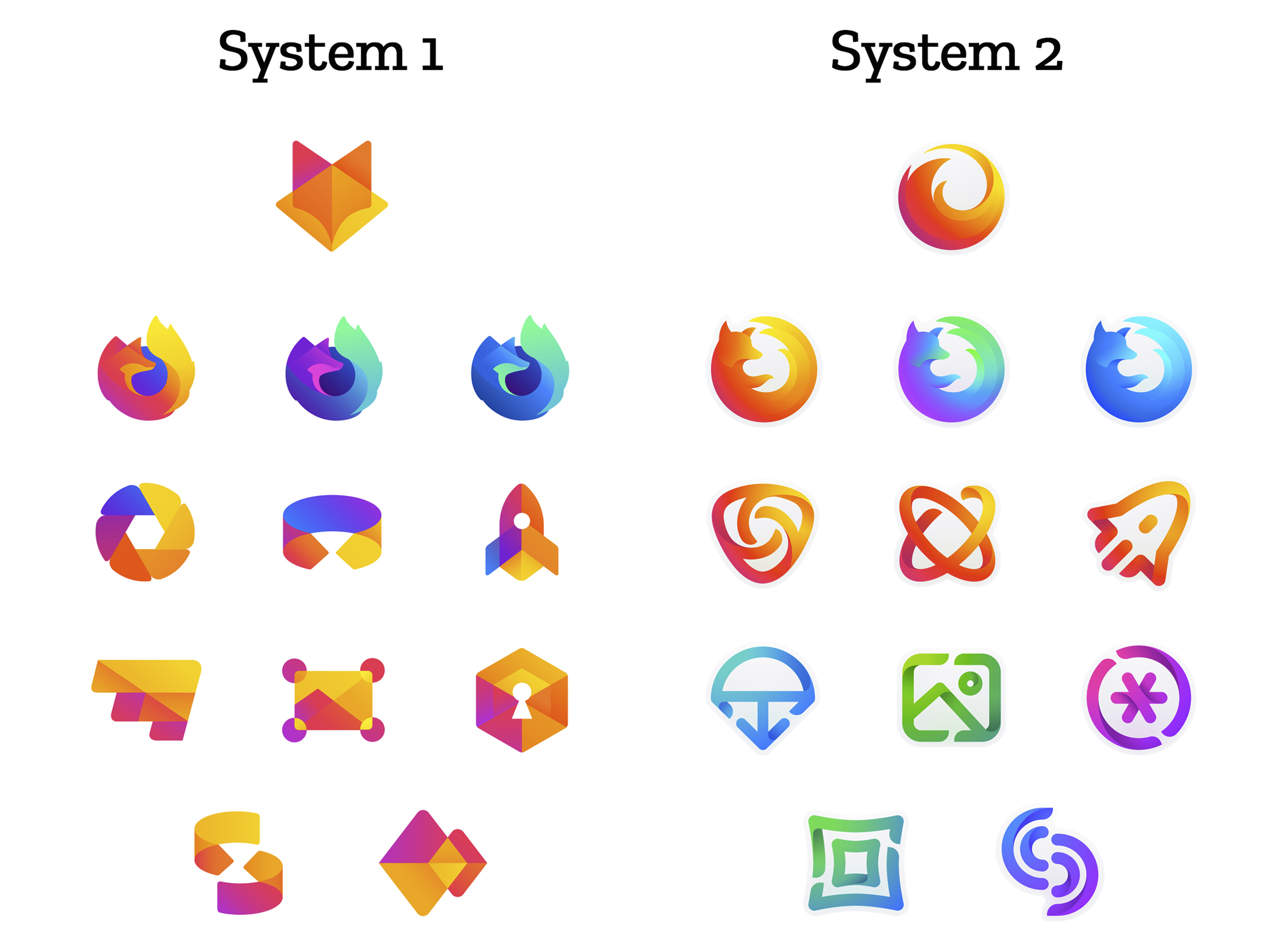
 

How this works.

For those who recall the Open Design process we used to craft our Mozilla brand identity, our approach here will feel familiar:

  • We are not crowdsourcing the answer.
  • There’ll be no voting.
  • No one is being asked to design anything for free.

Living by our open-source values of transparency and participation, we’re reaching out to our community to learn what people think. You can make your views known by commenting on this blog post below.

Extreme caveat: Although the products and projects are real, these design systems are still a work of fiction. Icons are not final. Each individual icon will undergo several rounds of refinement, or may change entirely, between now and their respective product launches. Our focus at this point is on the system.

We’ll be using these criteria to evaluate the work:

  • Do these two systems still feel like Firefox?
  • How visually cohesive is each of them? Does each hold together?
  • Can the design logic of these systems stretch to embrace new products in the future?
  • Do these systems reinforce the speed, safety, reliability, wit, and innovation that Firefox stands for?
  • Do these systems suggest our position as a tech company that puts people over profit?

All the details.

The brand architecture for both systems is made up of four levels.

Each system leads with a new Firefox masterbrand icon — an umbrella under which our product lines will live.
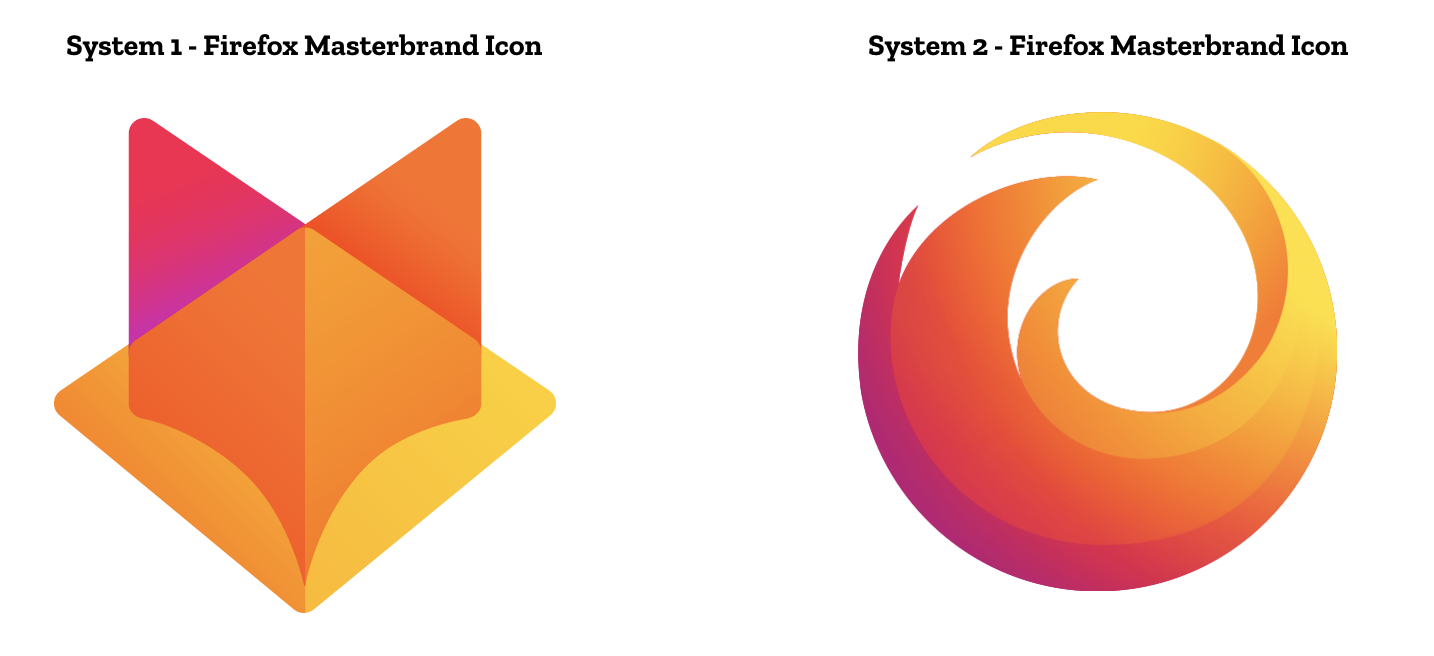
The masterbrand icon will show up in our marketing, at events, in co-branding with partners, and in places like the Google Play store where our products can be found. Who knows? Someday this icon may be what people think of when they hear the word “Firefox.”
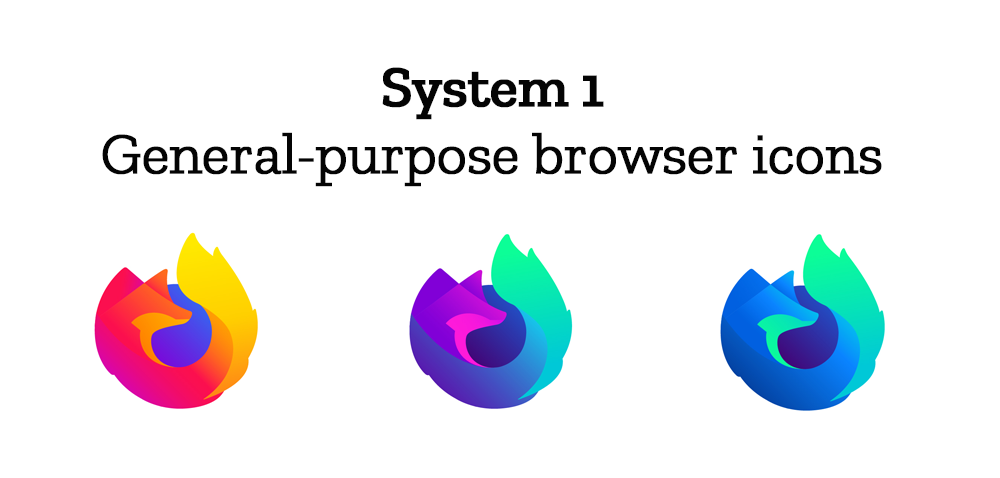
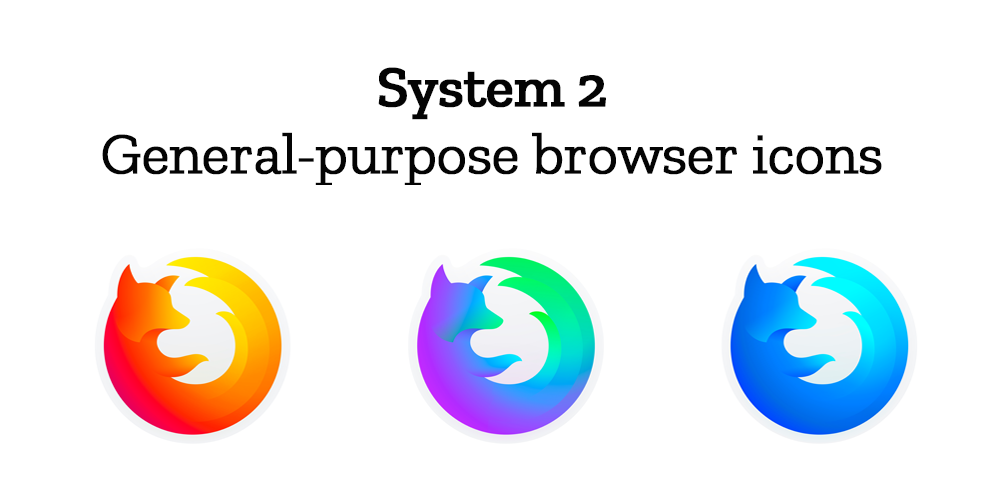
At the general-purpose browser level, we’re proposing to update our Firefox Quantum desktop icon. We continue to simplify and modernize this icon, and people who use Firefox tell us they love it. Firefox Developer Edition and Firefox Nightly are rendered as color variants of the Quantum icon.
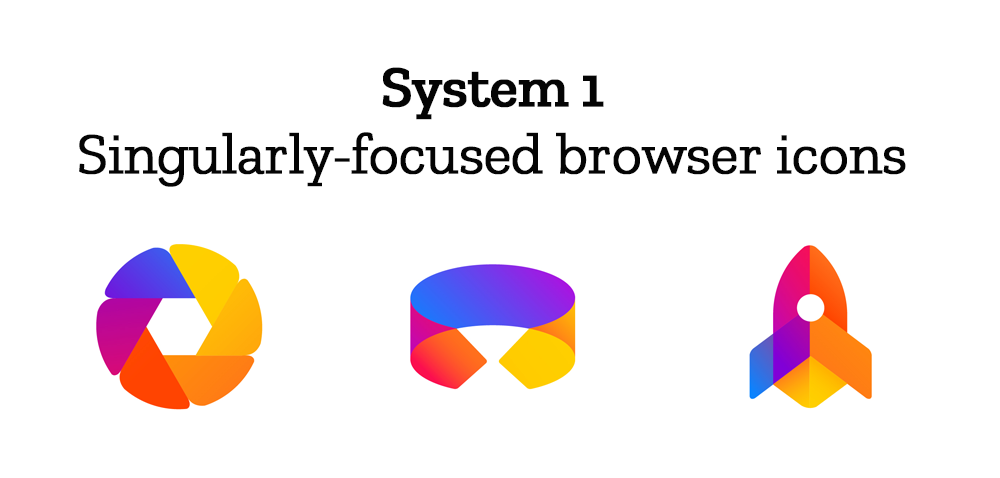
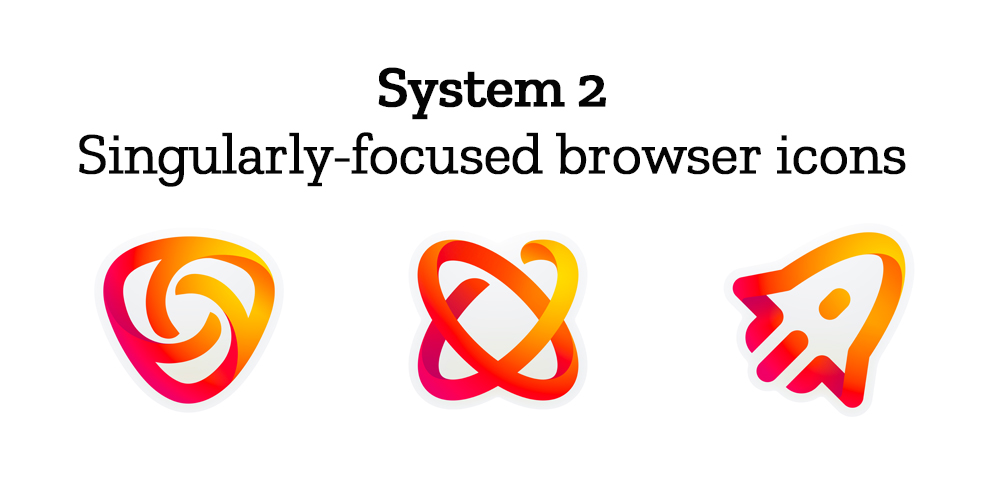
Browsers with a singular focus, such as our Firefox Reality browser for VR applications and our privacy-driven Firefox Focus mobile browser, share a common design approach for their icons. These are meant to relate most directly to the master brand as peers to the Firefox Quantum browser icon.
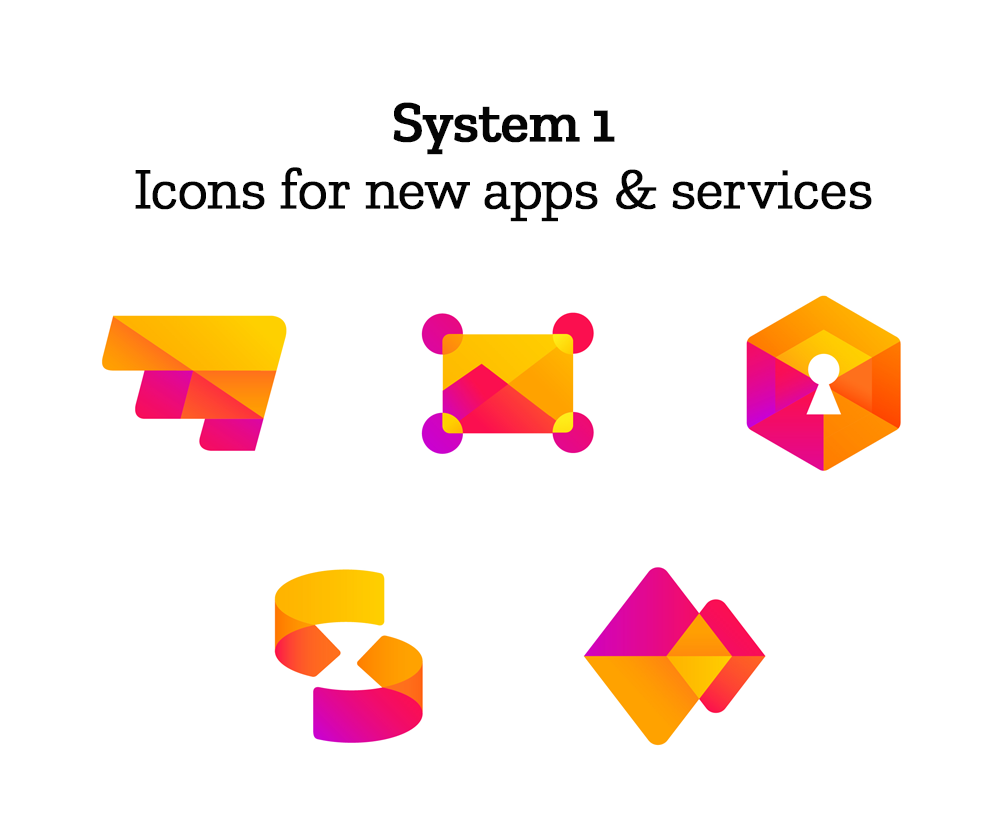
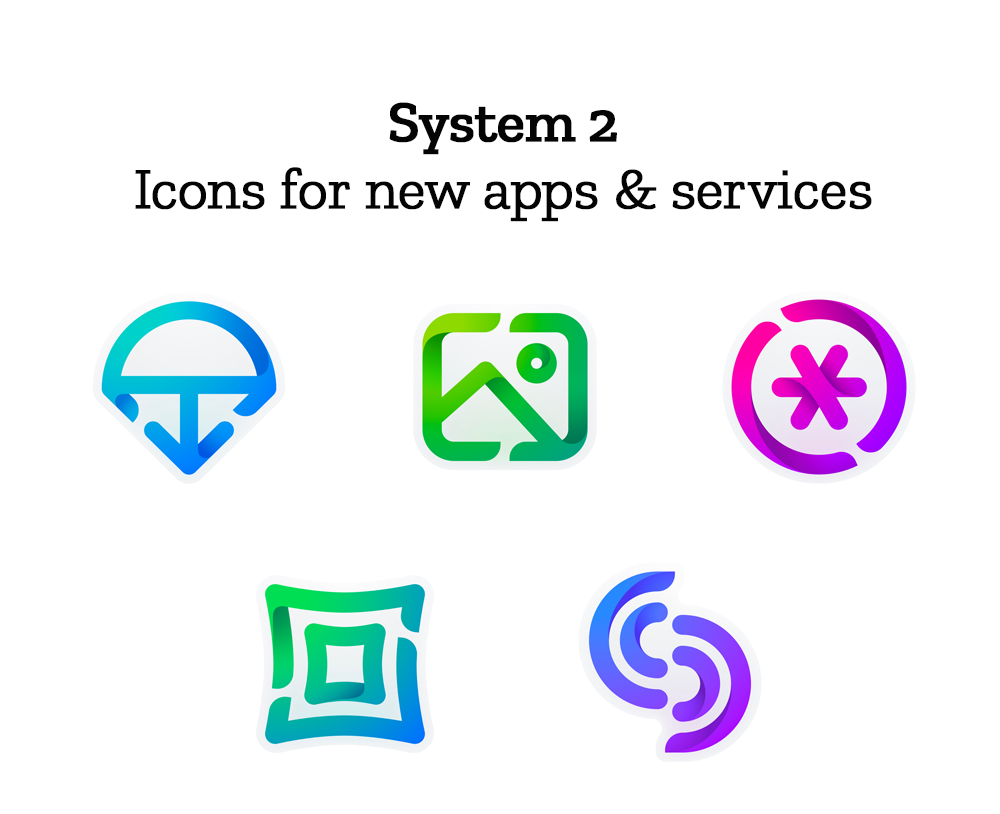
Finally, the icons for new applications and services signal the unique function of each product. Color and graphic treatment unite them and connect them to the master brand. Each icon shape is one of a kind, allowing people to distinguish among choices seen side by side on a screen.
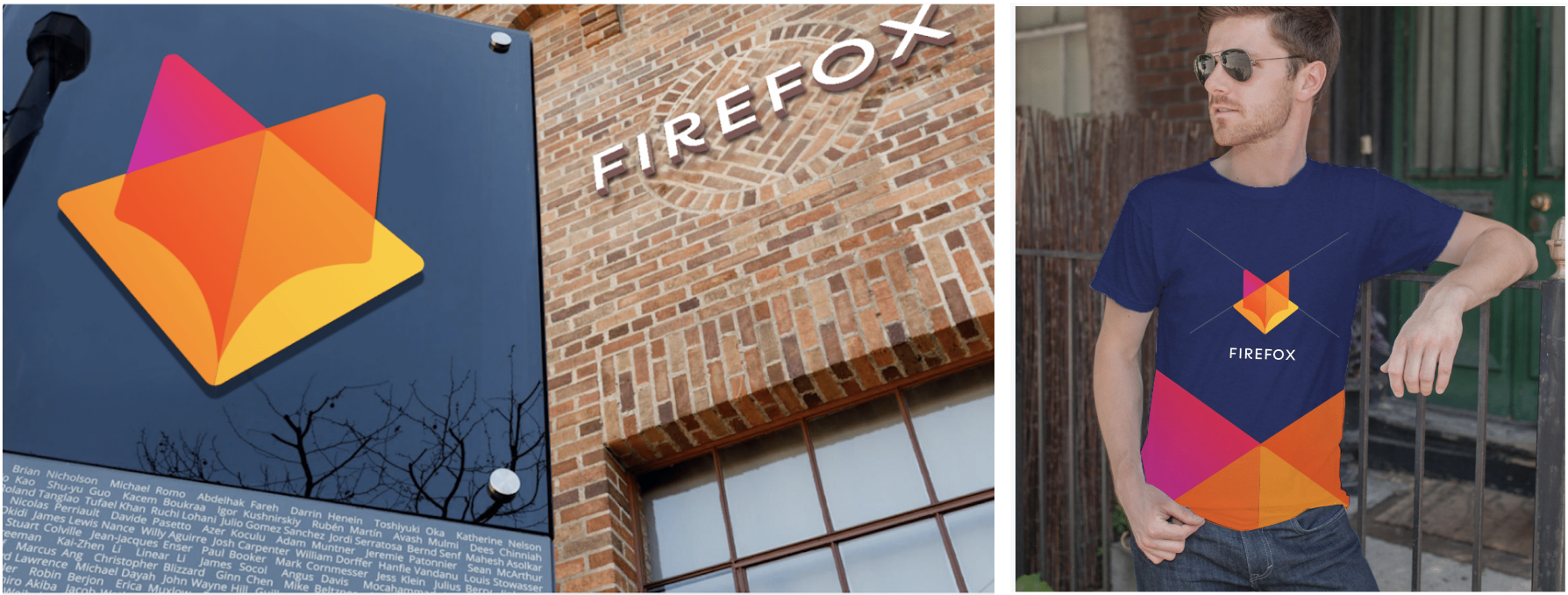
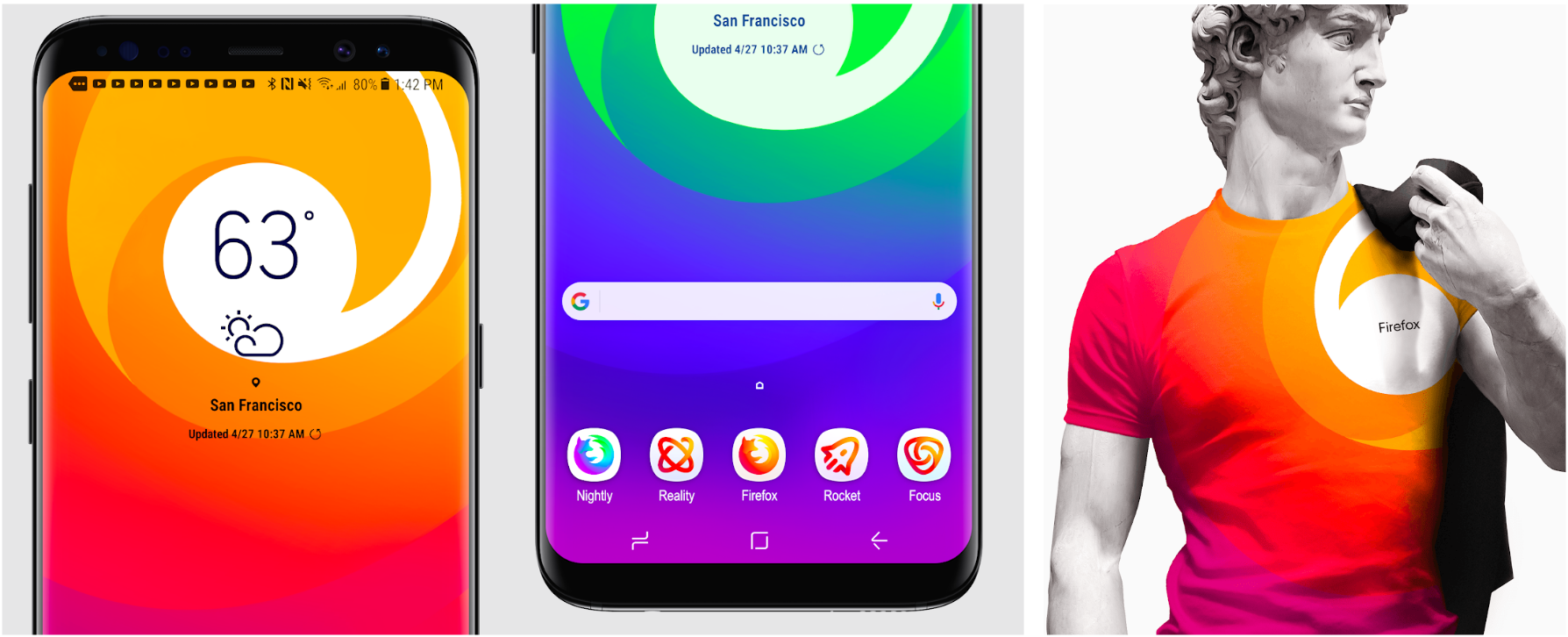
Still in the works are explorations of typography, graphic patterns, motion, naming, events, partnerships, and other elements of the system that, used together with consistency in the product, will form the total brand experience.

Read along as we refine our final system over the next few months. What we roll out will be based on the feedback we receive here, insights we’re gathering from formal user testing, and our product knowledge and design sensibilities.

With your input, we’ll have a final system that will make a Firefox product recognizable out in the world even if a fox is nowhere in sight. And we’ll deliver a consistent experience from an advertisement to a button on a web page. Thanks for joining us on this new journey.

Madhava Enros, Sr. Director, Firefox User Experience

Tim Murray, Creative Director, Mozilla

2,212 comments on “Evolving the Firefox Brand”

  1. Jackson wrote on

    I like the icon shapes more from system 1 but the color application more from system 2.

  2. Ben wrote on

    System 1. I like that the browser icon retains the globe at the center.

  3. Alex wrote on

    Overall, I like the new icons a lot. However, from a constructive point of view, I’ll point out some issues and/or refinements:
    – System 1 icons need more colors (borrow from system 2 colors),
    – System 2 icons look too playfull, also they look like stickers.
    – System 2 icons use a design language that, in my opinion, looks fine on paper, but not too good on the final product (like shown on the galaxy).
    – System 1 general icon look more, well, general than the system 2 one. The whole point of a general icon is to express all services as a single identity. System 2 general icon resembles the broswer one. I admit tha firefox is a core project of mozilla, mozilla is not all about the browser.

    Hope this comment is helping you!

  4. Stefan wrote on

    In general, I like system 1 more, because it looks more professional, modern and has a more simple feeling to it, as to being a functional browser instead to being a “childish” browser – which vibe I get when I look at system two.
    The only problem I have with system 1 is that the master icon not that original and so head on “ugh, a fox’s head”, while system 2, with only the tail visible, feels iconic and fast, due to the fox “being so quick” that he’s already out of the frame, thus the website has already been loaded.
    And even though I like the fur of the system 1 browser icon, I think it could be a little bit to much, plus the head seems to be a little bit to big… I could even think of the possibility leaving the head out, such as being behind the globe or something like that. But because I don’t exactly know what it looks like, and it could be too much of a change to the original, it is probably a not really good idea.

  5. Pete Dodge wrote on

    I love the System 1 masterbrand logo. It captures the essence of a browser (translucent open book with diamond background showing through) while still paying homage to the fox. I’m a sucker for leit-motif, so this really appeals to me.

    But! I prefer the System 2 version of the general purpose curling fox designs over System 1’s which give the impression of being less agile, more stodgy and “weighty” over all.

    The icons for single purpose browsing and special apps in System 2 also take a step too far from the masterbrand for either system (in my opinion.) I think you could find workable iconography while still giving a slight nod to the main brand. Continuity is not your enemy.

    The System 1 iconography is better in this regard, but could rely less heavily on color scheme to reference the main brand by hewing to transparency and suggestive forms. (Lose the bounding box on the Mountains icon, use translucency of colors to define the forms for example.)

    Anyway, great work!

  6. DoHyung wrote on

    I like the system 2 more than the system 1. But in the case of the masterbrand icon, I think I like the one in the system 1. Anyway if I have to choose only one system, I’ll do the system 2.

    The icons are really slick and modern. Good job!

  7. Pam McClung wrote on

    I agree with many of the other comments – I like the group 1 icons and the browser icons from group 2. I have used Firefox pretty much as my only browser for many, many years and love the brand. I hope they keep the look and feel of the fiery little fox that is the brand. Not a bad idea to have a bit of an update though. I’m a designer myself and love to see how logos evolve over time. It can be a tricky process and a bit of a minefield!

  8. RU-DIK wrote on

    System 2 !!!!!!!

  9. Shahab Siavash wrote on

    Definitely System 2 is better.

  10. Jonathan Cannizzaro wrote on

    I prefer System 1.

  11. Ben Barkett wrote on

    I like the design of system 1, but I think I’d like it even more if it shared some of the color schemes from system 2. The non-browser icons from system 2 remind me a lot of the design scheme from microsoft office for mac 2011, and I’m not sure how much I like that, but the colors you used for them look great. I like the icon design of the non browser icons for system 1, but i think it’d be hard to distinguish between them if they all keep the same color scheme.

  12. jeff jonez wrote on

    The color temperature shift in each system between warm and cold makes it hard to view them all as a cohesive set.

    More problematically, the saturation and gradients on system one is so high that it’s interfering with my ability to see the color shifts within the designs. I’m not sure how well system one would read for people with reduced color perception either.

  13. Andy wrote on

    Orange : NO
    Blue : YES

  14. John wrote on

    System 1 for sure. The system 2 icons look they’re from 2008, and don’t look right as app icons. The system 2 browser icon is sort of hard to see when it’s shrunk down to app size.

  15. lamic wrote on

    System 1, because the color scheme is closer to firefox ( purple in the middle )

  16. LJ Banks wrote on

    I really appreciate that you have opened this up for comments.

    System 1 Masterbrand looks extremely close to GitLab’s logo and will cause confusion because it is a departure from Firefox’s well-known logo and an unintentional copy of another.

    System 2 Masterbrand is a variation and a modernization of Firefox’s logo and much more compelling. Especially for people who are familiar with and already have trust in the brand. I like System 2.

    Thanks!

  17. David wrote on

    System 1 clearly beats #2. Especially in terms of concistency. The new app icon set of #2 looks like it has been designed by another team -maybe the old designer team of Office? It somehow reminds of the old MS Office icon set… Can’t get this out of my mind. Besides this issue, the second one looks fine. However, #1 is taking a more modern approach than the other.

  18. NoName wrote on

    I prefer “System1”.

  19. Erin wrote on

    System 2! It still has the iconic foxtail-swish we all know and love and look for in our Firefox. Also I love how the icons are more open. System 1’s icons seem to blend into the same color/shape and it’s harder to differentiate between them at a glance.

  20. Daria wrote on

    Definitely System 2! Love it!

  21. jason wrote on

    System 2 looks great.

  22. Todd Nottingham wrote on

    I like System 2 more than 1, but both are GREAT!

  23. mbrody wrote on

    I prefer system 2, except the master icon which looks unfinished.

    Aside from aesthetics, it’s more obvious to me what each icon stands for in system 2. System 1 requires too much “decoding” in my head.

  24. Lucas wrote on

    I like master brand 1 more. If you’re radically breaking from the old branding, go all the way with it — make something completely different. I also just like the look of the geometric/abstract fox.

    Tbh I don’t like any of the system icons. Both are too busy, but System 2’s use of shadows and gradients is too much IMO. I like the illustrations themselves but the “origami” kinda 3D foldy look is not my thing.

  25. mbs wrote on

    The “Gitlab” style fox should not be used.

    Apart from that, I’m not fond of the white space in system 2.

    Anyway, Firefox has an “iconic” design and should stay closer to its roots.

    The over simplification that is going on nowadays makes everything unremarkable and forgetful.

    Maybe add more detail to the logos instead…

  26. Seean Kim wrote on

    I see some strengths in both design systems that I think could benefit from each other!

    Some things I enjoy from system 1:
    – The boldness and modern feel of the icons.
    – The clarity of the designs, especially at mobile viewports.

    And from system 2:
    – The simplicity, especially the more monochromatic color theming
    – Some instances of more natural design language ex. Under Icons for new apps & services the Image icon

    However what makes each of these systems strong lead to some potential issues respectively. For instance, in system 1 the bold icons can sometimes feel very muddled in their meaning because it starts feeling like a hodgepodge of shapes (and with little reference to commonplace design patterns which could add a learning curve). In system 2 because of both the simplicity of the logos themselves and the more monochromatic theming, contrast becomes an issue at smaller viewports. For example, the phone demo image with the system 2 icons is already a bit difficult to properly see (especially at the light gold parts against the white background), so that may make it even more difficult for users with vision impairment.

    I think theres an opportunity to look at a middle ground between the two. Possibly combining the thick bold look of system 1 with some simplicity in color and shape from system 2 could lead to a best of both worlds!

    To be a little more specific, fine line designs are a bit harder to discern on mobile screens and can look even messier when scaled down, which is why they are not as common for mobile icons (and when they are they are usually very simple patterns, rather than intricate shapes). So in case you do want to go with a more simplistic design, you could consider a similar case of patterns and simpler shapes vs the current intricate shapes of system 2! And finally a small tidbit about the masterbrand icon, the system 2 icon feels a bit more iconic of Mozilla and all the great work you have done. System 1 seems more generic and feels a bit more like it could get lost in the crowd.

    Thanks for opening up the floor to the public, I wish the team at Mozilla the best!

  27. woosuk park wrote on

    well, me either, i choose system 2. system 1 is awesome, but it’s lacked

  28. Matt wrote on

    I prefer the System 1 Masterbrand and General-Purpose browser icons, System 2’s Singularly-Focused browser icons, and the System 1apps & services icons.

  29. Victor wrote on

    Masterbrand icon:

    I prefer system 1 over system 2 for the masterbrand icon. System 2 is very similar to the current browser icon and doesn’t do enough to show a difference between the browser and all of the products associated with that browser. It also loses the fox part of Firefox, since it becomes just a swirl rather than including the fox head that currently exists in the logo. (I also personally really love this logo)

    System 1 is a new take on Firefox while leaving the traditional swirl for the browser and the identity the browser has with users. It also leaves a lot for other products because it doesn’t establish a similar shape for other icons, but is a distinguished shape that no other product will take on.

    Browser Icon:

    I think there a little bit too much overlap in the system 1 icons. Dev and nightly icons are very similar in color and the tail of the icon is nearly the same color. I don’t think they have enough color to distinguish between the two. They also look very busy, and on a taskbar or dock that is small, the detail in the icon, especially the head of the fox, might get lost.

    System 2 is much and the colors are much more distinguished than system 1. The tail in the dev logo goes to turquoise rather than Blue like the nightly one does. The detail is also simplified and minimalist.

    Remaining icons:

    The line based icons in system 2 dont really have visual cohesion with the browser icons. The line breaks found in the icons also doesn’t work well the any browser icon in either system and feels very out of place. While these icons do allow for plenty of new products, they don’t really feel like an evoloution of Mozilla or firefox icons but rather something new that doesn’t feel like Firefox.

    System 1 icons don’t really do enough to allow for other products. If I picture having a lot of these Firefox products on my homescreen, I would have an overwhelming amount of orange and blue icons. Adding more color could help distinguish between these icons. System 2 has excellent greens and blues and pinks, and I think system 1 would benefit from more colors and become more versatile.

  30. Adam wrote on

    Yeah I have to say number 2 because it does look like gitlab logo, I had no idea what it looked like so I had to look it up don’t you don’t want to get into legal trouble not saying you will but yet its better to safe than sorry.. the only thing I don’t like about 2 is how you change colors on the icons

  31. William Averill wrote on

    System one

  32. Sobreney Brésil wrote on

    I prefer Group 2 because the icons are much recognizable and prettier.

  33. Michael wrote on

    I prefer the Firefox and masterbrand icons from System 2, but the rest from System 1. I feel like this combination offers the most consistent colours and thickness.

  34. Ben wrote on

    System 1 browser icons, system 2 general icons

  35. Mark wrote on

    I lean much more heavily towards System 2 because it’s all much more clear and understandable. The lower-level icons stand on their own, and are easily identifiable, but possibly stray from the overall Firefox brand. But in System 1 those icons are so tightly designed around the new fox icon that it all just says “Firefox” and not much else.

  36. Brian wrote on

    System 1 is far more cohesive. I have a slight preference for the fox master brand icon in system 1, but the abstracted fox in system 2 is also quite strong. It’s in the browser, apps and icons where system 2 just falls apart. System 1 remains cohesive and compelling, while in the secondary icons/logos system 2 looks like a generic font-awesome topic icon or somesuch.

    So my strong preference is for system 1.

  37. Scheryl wrote on

    System 2 for me :) — System 1 feels a bit clunky….

  38. Jack Hagley wrote on

    I have an intense adverse reaction to the fox face logo.
    In terms of evolution System 2 is closest. System 1 feels like a departure.

  39. arjun wrote on

    I love the approach that mozilla takes to its design.

    I however did not like either of the options. Neither of which have an ‘aha’ like the new mozilla logo. The systems feel like abstraction for the sake of abstraction.

  40. Jon H wrote on

    I vastly prefer “System 2”. The whole set feels cohesive, the main icons feel more like “Firefox” to me, and the app icons are very attractive *and* distinct from other brands (a difficult thing to accomplish these days). They look cool, modern, and the styling is very flexible, lending itself toward adding new icons to the set as needed.

    By contrast, several of the “System 1” icons resemble those of other services too much, making them look derivative of other brands or like “the firfox skin of “. The “System 1” color palette also has fewer colors which makes the icons look a little too similar to each other as well.

    For all of the stated criteria in the post, I would say “System 2” is clearly more successful.

  41. Adam wrote on

    I also want to add its not really about legal trouble and more about how the media and news reacts if it you do something similar to gitlabs unless you have brand identity… Also most masterbrand logo browsers have either a circular shape or square shape were you trying to going for something different?

  42. Katrina Ambrose wrote on

    System 2 is reproducible in silhouette form, so it wins. Logos need to be flexible, especially for printing on swag which is sometimes a one color print.

    The icons meanings are pretty clear and easily recognizable.

    System 1 is neat, but too abstract.

  43. Vincent wrote on

    The system 2 reminds me more of the Mozilla footprint, and is looking better than the first one, especially for the web browser icons

  44. le hollandais volant wrote on

    System 1.

    It maybe a little too flashy, but the main icon might somehow mark a break in the logotype that would have been needed to give a kick to the “quantum revolution”.
    Even if Firefox Quantum changed everything, it still has that image of an old browser that has to be replaced by Chrome.

    I even would use the main icon (that fox head) for the main Firefox Browser icon, and use chromatic variants of that (in gray, blue…) for beta, nightly releases.

  45. Jon H wrote on

    I vastly prefer “System 2”. The whole set feels cohesive without everything looking the same, the main icons feel more like “Firefox” to me, and the app icons are very attractive *and* distinct from other brands (a difficult thing to accomplish these days). They look cool, modern, and the styling is very flexible, lending itself toward adding new icons to the set as needed.

    By contrast, several of the “System 1” icons resemble those of other services too much, making them look derivative of other brands or like “the firfox skin of “. The “System 1” color palette also has fewer colors which makes the icons look a little too similar to each other as well. The set is cohesive, but it is almost *too* cohesive.

    For all of the stated criteria in the post, I would say “System 2” is clearly more successful.

  46. Joe Denver wrote on

    I think System2 is more clear and looks way more streamlined.

  47. Maurice wrote on

    I think the System 1 icons in general look a little to close to google’s icon set, also the master icon looks exactly like gitlabs icon.

    System 2 however is very nice, very much on brand and unique enough, but similar enough to be easily recognizable as firefox icons. definitely the better choice.

  48. Kevin Coulson wrote on

    The iconography in set 1 is too far from the cultural images in use and will confuse established users. Set 2 will allow users to anticipate the functionality for most of the symbols. I note that between set 1 and set 2, the two symbols’ positions have been transposed on the bottom row. The () is on the left in one set and on the right in the other. Your users have to compare icon apples to apples in this Rosette stone.

  49. Tomás wrote on

    As other have said it, System 1 masterbrand icon looks too much like Gitlab’s fox, so it gets really confusing. The rest of icons of System 1 look a lot more cohesive in general, in the style and the colors used, and I can relate them more to Firefox.

    Keep up the good work!

  50. Attila wrote on

    The System 2 icons are more identifiable to me at first look.

More comments: 1 10 11 12 13 14 41