Here at Mozilla, we are tirelessly working to bring our products to a global audience. Pontoon, our in-house translation management system plays a central role, where volunteer localizers work to bring translations for Firefox, Thunderbird, SUMO and other Mozilla products.
Recently, we have been working to unify localization tools and give localizers and developers smoother, more streamlined workflows. This is why we are excited to introduce Pontoon’s new Translation Search feature, where everyone can search for strings across all projects and locales at Mozilla.
What is the Translation Search Feature?
Translation Search is Pontoon’s latest way to access our extensive collection of translations, built up through years of localization work by fellow Mozillians. This new feature allows localizers to search for strings across all projects and all locales at Mozilla. Inspired by the functionality of Transvision, it is intended to be a suitable replacement and includes many of the various features that localizers rely on.
Let’s go through some of its features and how they can apply to your localization workflows.
Searching for Translations
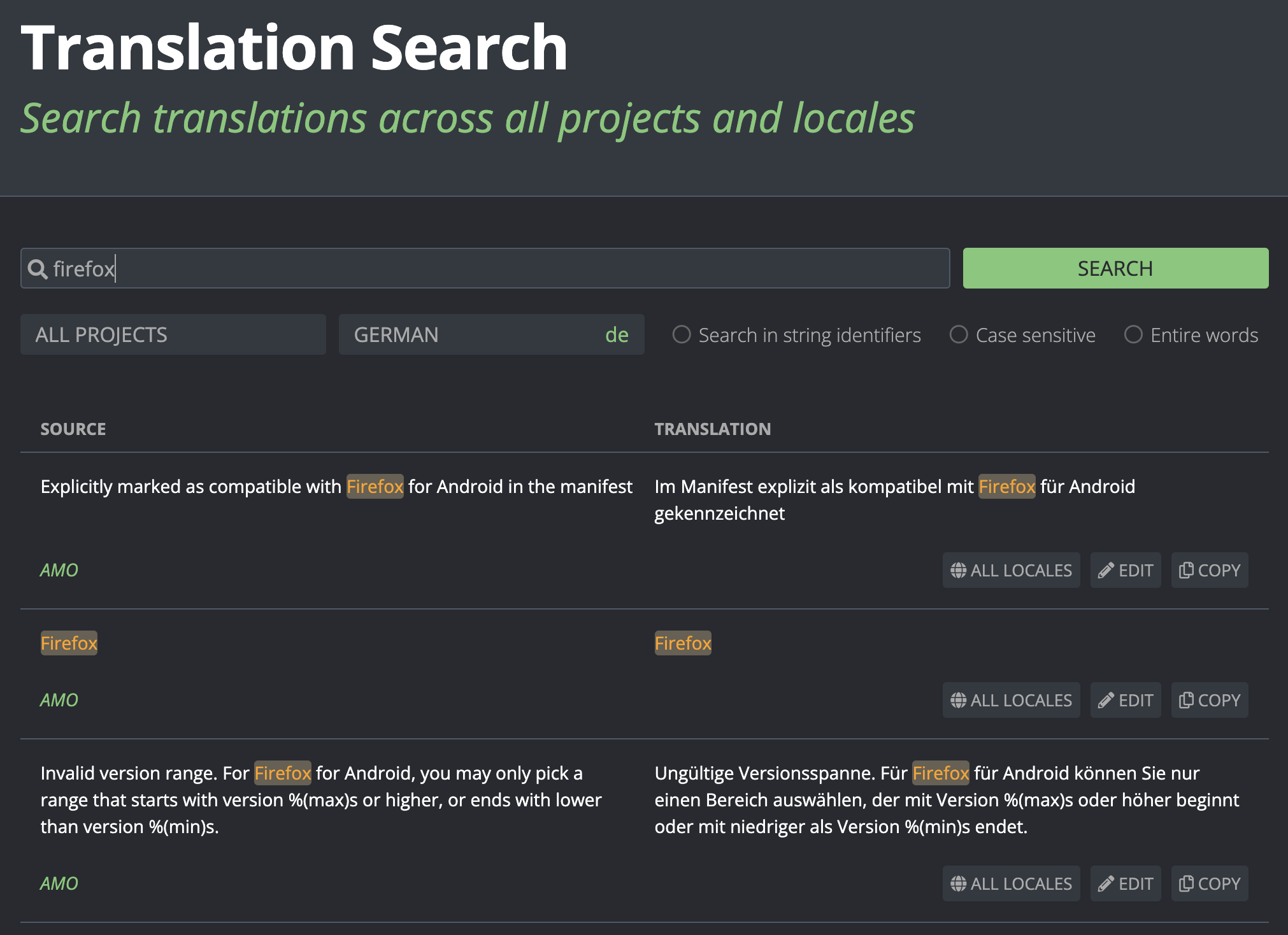
Pontoon’s new Translation Search, where users can search for strings through all projects and locales.
Searching for strings in Translation Search is simple. Similar to how Transvision operates, you can search within a specific project and locale, as well as filter by string identifiers, case sensitivity and whole word search. Unlike Transvision, Pontoon Translation Search covers all products localized at Mozilla. It is also completely integrated with other Pontoon elements, including Translate, such that you can seamlessly navigate to Translate after your search.
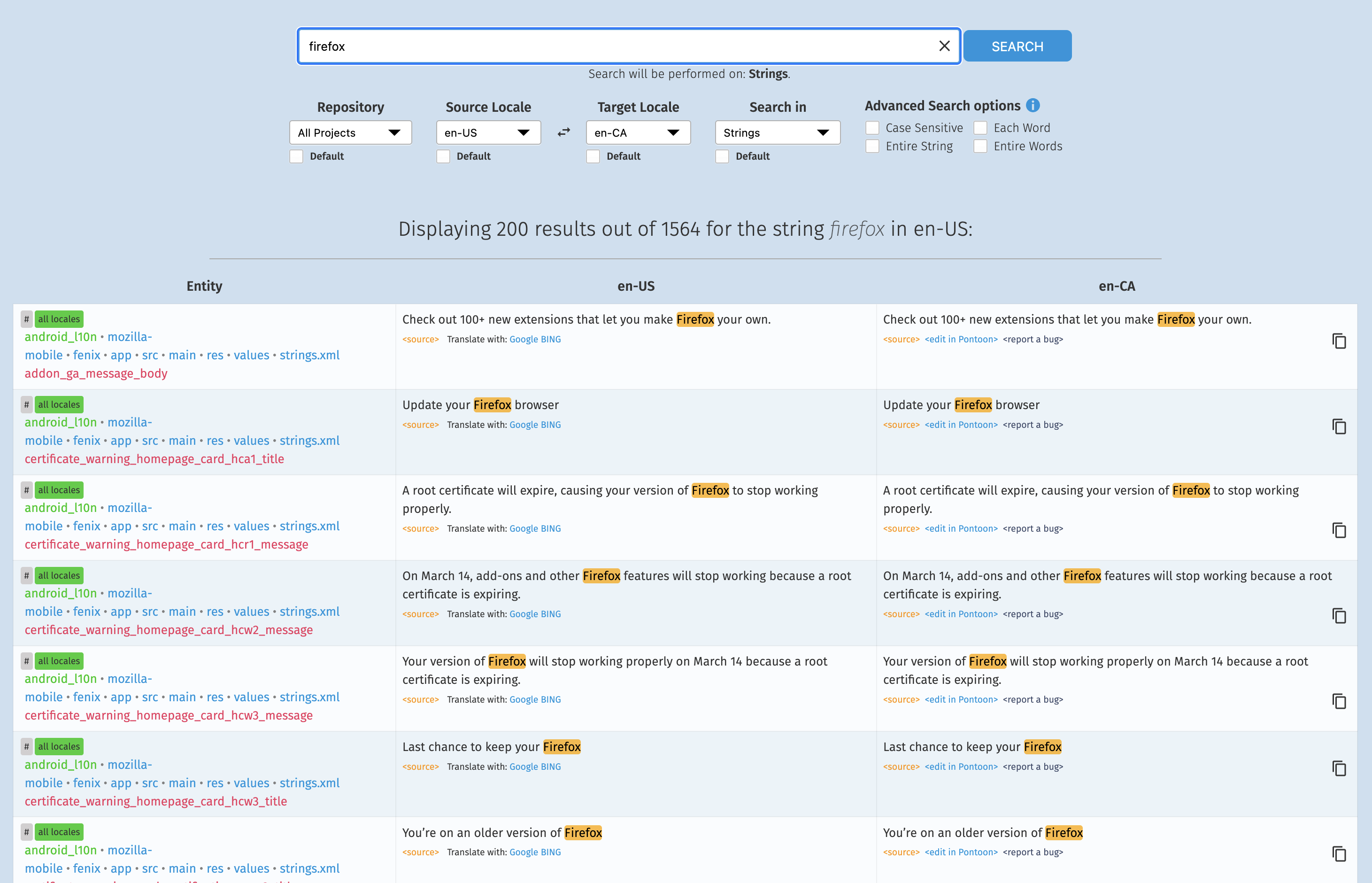
Transvision’s search functionality, which we intend to replace.
Finding Entity Translations
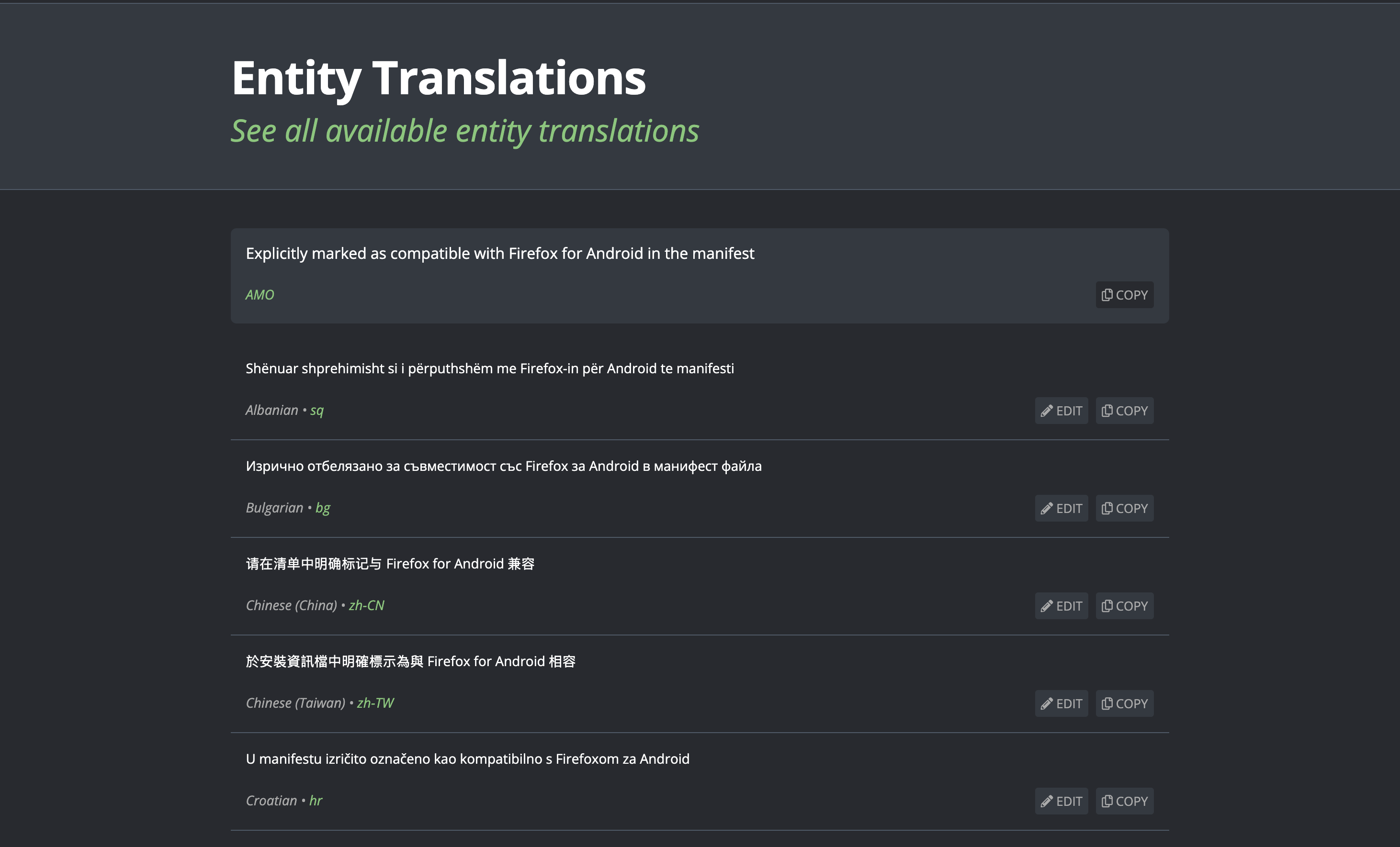
Pontoon’s new Entity Translations page, which lists available translations for a source string.
If you want to get a better picture of a source string with different translations, go to the Entity Translations page. By clicking the “All Locales” button in Translation Search for a string, you can see the source string translated into every available locale. This is useful for comparing similar locale translations and getting a broader picture of a string’s context. This feature is intended to replace Transvision’s translation list for a particular entity.
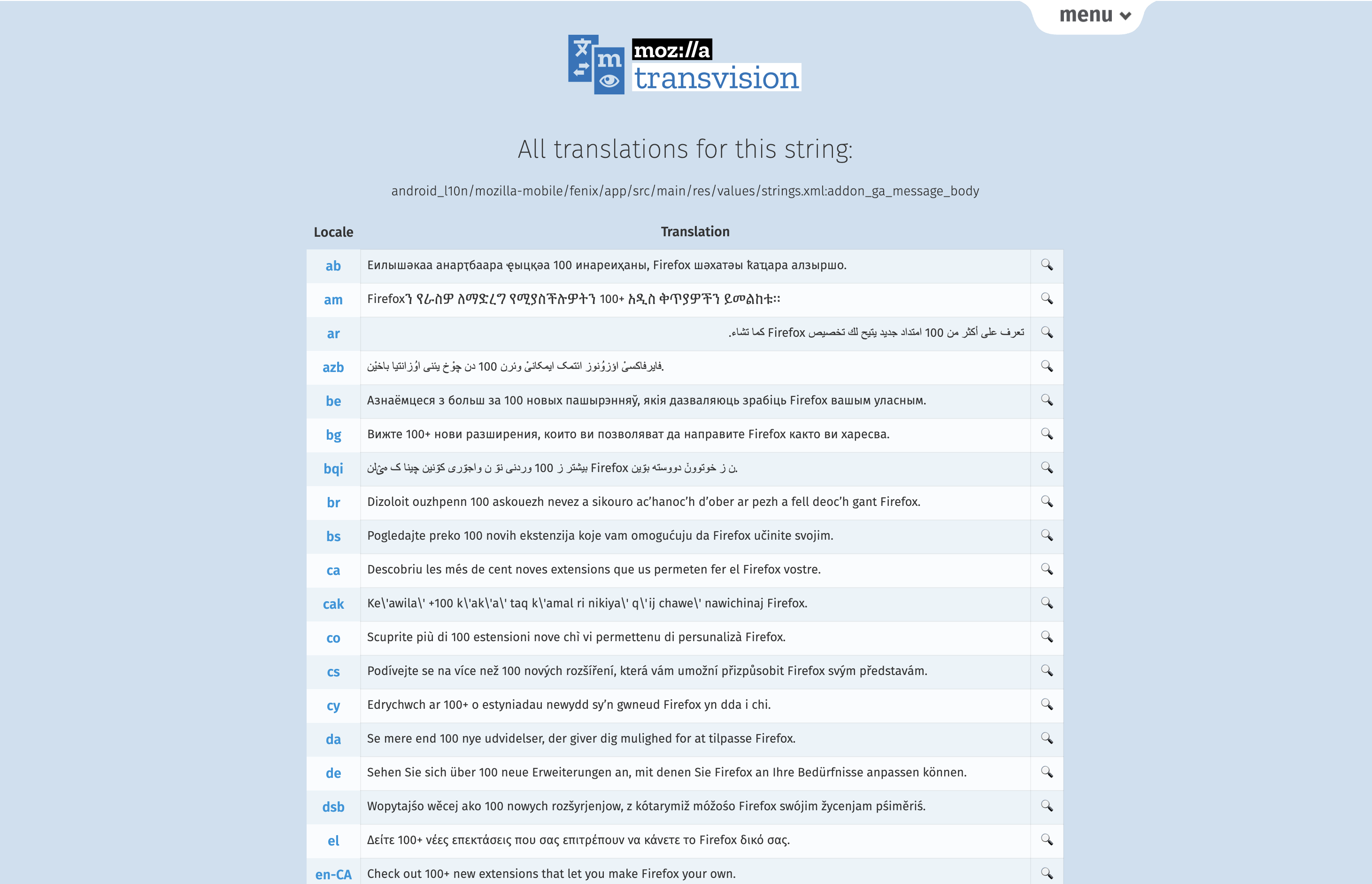
Transvision’s string translation list, which we intend to replace.
Searching from Firefox Address Bar
If you have the Pontoon Add-on installed to the latest version, you can now search for strings directly from the address bar in Firefox: you can select Pontoon from the list of search engines, or start typing pontoon and press TAB.
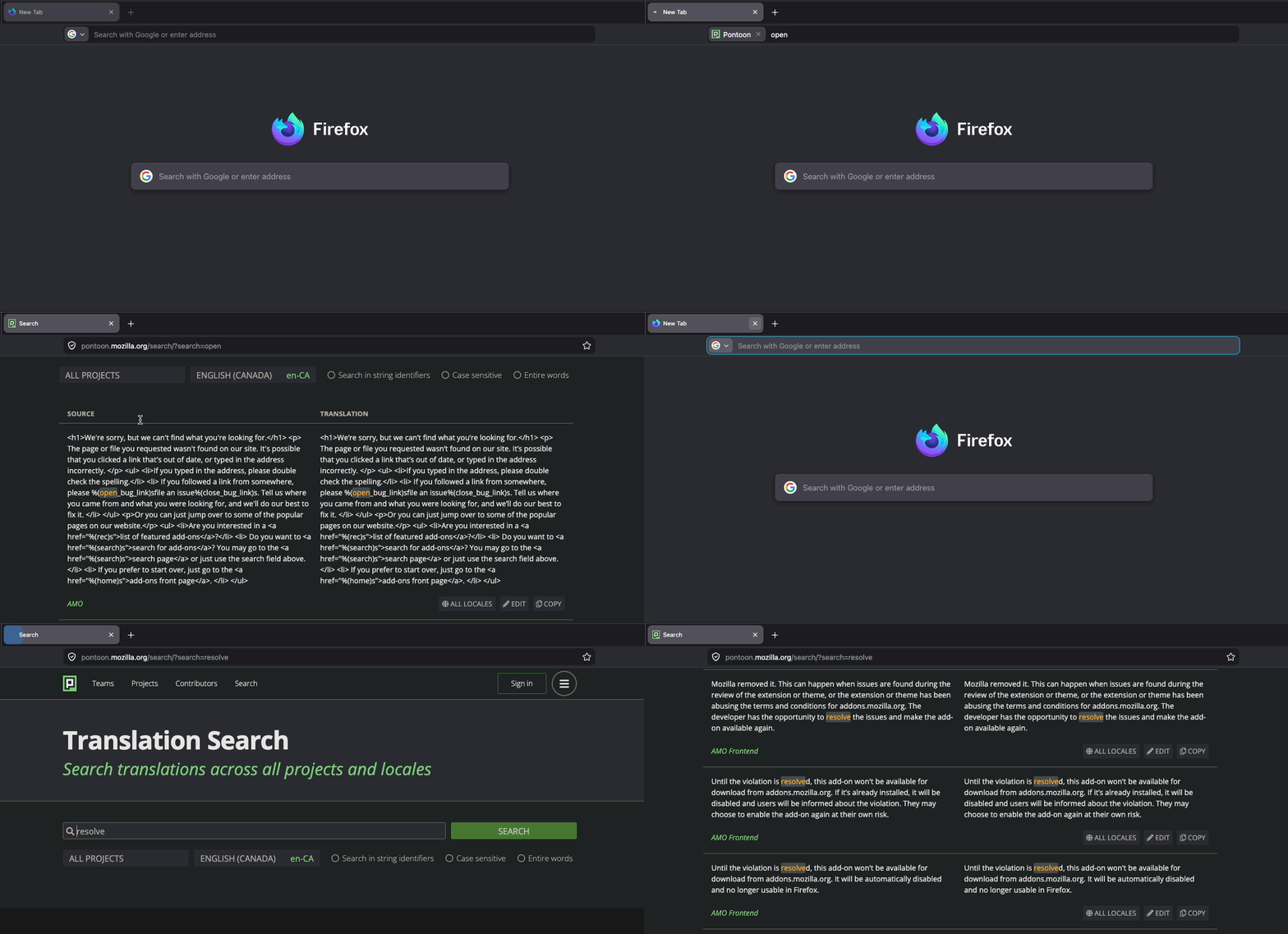
How to use Translation Search with Pontoon Add-on.
Pontoon Translation Search is Live!
This feature is available now and ready for you to use. Head over to pontoon.mozilla.org/search to try out the new search experience and streamline your localization work! If you have any questions or concerns about Translation Search, do not hesitate to contact us on Matrix or file an issue. You can also consult the documentation here.
No comments yet
Post a comment